10 Best Zoemini Photo Printers Of 2026
Zoemini Photo Printers — Reviews, Recommendations & Updated Buying Guide November 2026


Canon Zoemini 2: Live Big
Why We Love It


Canon Zoemini 2: Live Big
Why We Love It

Canon Zoemini 2: Live Big
Why We Love It

Canon Zoemini 2 Printing Kit: Capture & Create Anywhere
Why We Love It
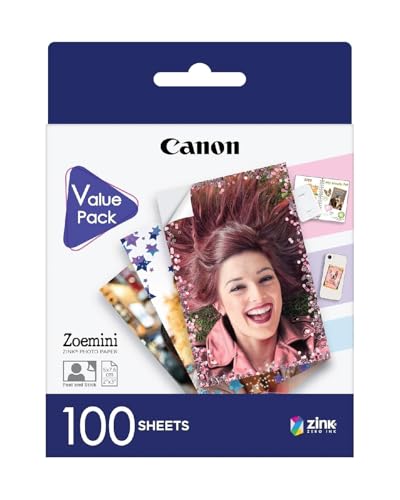
Canon Zink™ Photo Paper
Why We Love It

Canon Zink™ Photo Paper
Why We Love It

HP Sprocket 2x3 (5.1x7.5 cm) Instant Smartphone Photo
Why We Love It

Canon Zoemini Instant Mini Photo Printer (White) + pack of
Why We Love It

HP Sprocket 2x3” Premium Zink Pre-Cut Sticker Photo Paper
Why We Love It

Canon Zoemini smartphone photo printer (White)
Why We Love It
Quick Pick
10 Best Zoemini Photo Printers Of 2026
Quick Pick
Canon Zoemini 2: Live Big, Print Mini - Portable Photo Printer - Compact & Wireless - Instant Smartphone - Bluetooth 5.0 & Type-C Fast Charging - Ideal Travel Pearl White | Inkless Portable Printer for Instant Photos; Inkless Technology, Wireless Bluetooth 5.0 Printing
Canon Zoemini 2: Live Big, Print Mini – Portable Photo Printer – Compact & Wireless – Instant Smartphone – Bluetooth 5.0 & Type-C Fast Charging – Ideal Travel, Rose Gold | Portable photo printer for phone snapshots; ZINK ink-free technology, Bluetooth 5.0 wireless, water-resistant prints
Canon Zoemini 2: Live Big, Print Mini - Portable Photo Printer - Compact & Wireless - Instant Smartphone - Bluetooth 5.0 & Type-C Fast Charging - Ideal Travel, Navy Blue | Ink-free ZINK technology; Bluetooth printing from phone, borderless 2x3 water-resistant tear-proof photos, 20-photo battery
Canon Zoemini 2 Printing Kit: Capture & Create Anywhere - Compact Portable Photo Printer - Bluetooth 5.0 - Fast USB-C Charging for On-the-Go Adventures, Pearl White | Bluetooth 5.0 wireless printing from your phone; ZINK ink-free technology, water-resistant tear-proof 2x3 photos
Canon Zink™ Photo Paper - Sticky-Backed 2x3" Photo Paper (100 x Sheets) - Print Phone Photos for Personalised Stickers
Canon Zink™ Photo Paper - Sticky-Backed 2x3" Photo Paper (50 x Sheets) - Print Phone Photos for Personalised Stickers
HP Sprocket 2x3 (5.1x7.5 cm) Instant Smartphone Photo Printer, Portable Color Wireless Mobile Printer, Zink Sticky-Back Photos, Print from App on Compatible iOS & Android Devices with Bluetooth, White
Canon Zoemini Instant Mini Photo Printer (White) + pack of 20 sheets + pack of 10 circle stickers
HP Sprocket 2x3” Premium Zink Pre-Cut Sticker Photo Paper, 30 Sheets, Compatible with HP Sprocket Photo Printers
Canon Zoemini smartphone photo printer (White) – Get instant 2x3” sticky-backed photos from your iOS or Android device. No ink with ZINK technology.
Buying Guide: Zoemini Photo Printers
📋 Table of Contents
1What print resolution do I need for high-quality photos?
Look for at least 4800 x 1200 dpi for sharp, detailed prints. Higher resolutions like 9600 x 2400 dpi are ideal for large or professional-grade photos, but lower-end models with 3000 x 1500 dpi can still produce good results for casual use.
2Should I choose an inkjet or dye-sublimation printer?
Inkjet printers are best for vibrant, photo-realistic prints and support a wide range of paper types. Dye-sublimation printers are faster and more durable for frequent printing, but they offer fewer color options and are limited to specific media like photo paper or fabric.
3How many ink colors are necessary for realistic photo printing?
A minimum of 6 ink colors (cyan, magenta, yellow, black, plus two photo inks) ensures smooth gradients and accurate skin tones. More colors, like 8 or 12, improve color depth and are worth it for advanced users or those printing portraits and landscapes.
4What paper types are compatible with my photo printer?
Check if your printer supports glossy, matte, or satin finishes, as well as specialty papers like canvas or photo albums. Some models work with third-party papers, while others require brand-specific types for optimal results and longevity.
5How important is connectivity for a photo printer?
Wi-Fi or Bluetooth connectivity lets you print directly from smartphones or tablets, which is convenient for sharing on-the-go. USB-only models are simpler but less flexible, especially if you want to print from multiple devices or cloud storage apps.
How we choose
Our editors are people who genuinely love testing and writing about products. We compare each product's real-world usability and strengths, then distill what matters most into our own "Why We Love It" points — so you get an honest, at-a-glance sense of what counts before you buy.