10 Best Z Edge 32 Inch Computer Monitor Of 2026
Z Edge 32 Inch Computer Monitor — Reviews, Recommendations & Updated Buying Guide November 2026


Z-EDGE 32inch Curved Gaming Monitor
Why We Love It

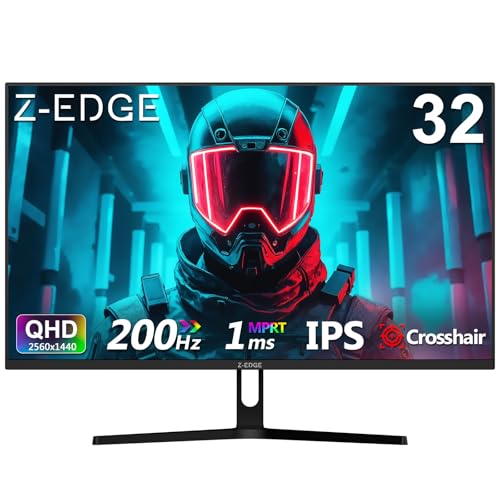
Z-Edge 32 Inch Gaming Monitor
Why We Love It

Z-Edge 34" UWQHD 165Hz 1ms Curved IPS Gaming Monitor
Why We Love It
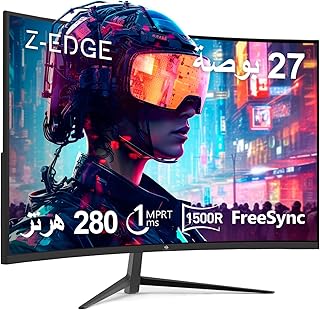
Z-Edge 27-inch Curved Gaming Monitor 16:9 1920x1080 280Hz
Why We Love It

Z Z-Edge Z-Edge 32 Inch Curved Gaming Monitor 240Hz 1Ms Mprt
Why We Love It

Z-Edge 27 inch Curved Gaming Monitor 300Hz Monitor
Why We Love It

Z-Edge 34" Curved Ultrawide Gaming Monitor
Why We Love It
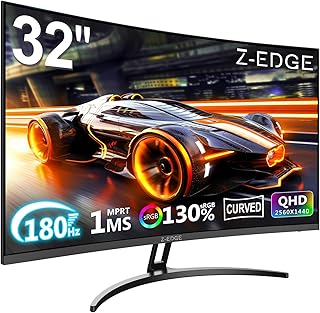
Z-Edge Gaming Monitor 32 Pluggas 2K QHD 200Hz 1ms IPS
Why We Love It

Z-EDGE 34inch Ultrawide Gaming Monitor
Why We Love It

Z-EDGE 27inch Gaming Monitor
Why We Love It
Quick Pick
10 Best Z Edge 32 Inch Computer Monitor Of 2026
Quick Pick
Z-EDGE 32inch Curved Gaming Monitor, 240Hz,LED, VA/FreeSync/HDR, FHD UG32P | MPRT 1ms/3000:1 Contrast Ratio/16.7 Million Colors/280cd/m²Brightness//VESA/HDMI 2.0 x 2 / DP 1.4 x 2
Z-Edge 32 Inch Gaming Monitor, QHD 2K 200Hz,IPS LED,FreeSync,100% sRGB,UG32
Z-Edge 34" UWQHD 165Hz 1ms Curved IPS Gaming Monitor, FreeSync, 1500R Curvature, UWQHD 3440 * 1440, 96% DCI-P3, 1.07 Colors, 300 cd/㎡, 21:9, Powerful Connections, 2000:1, UG34I-Black
Z-Edge 27-inch Curved Gaming Monitor 16:9 1920x1080 280Hz 1ms Frameless LED Gaming Monitor, UG27P AMD Freesync Premium Display Port HDMI
Z Z-Edge Z-Edge 32 Inch Curved Gaming Monitor 240Hz 1Ms Mprt Full Hd 16:9 Curved Screen Frameless Led Monitor, Ultra-Thin Bezel, Freesync, Displayport & Hdmi, Black | 16:9 PC Monitor Full HD 1920x1080, 3500:1 Contrast, 120% sRGB, 280cd/m² Brightness, FreeSync, Crosshair, VESA Mountable
Z-Edge 27 inch Curved Gaming Monitor 300Hz Monitor, 1ms 16:9 FHD 1080P Frameless Curved Monitor, UG27S Freesync Eye Care, 2×Display Port, 2×HDMI
Z-Edge 34" Curved Ultrawide Gaming Monitor, Max 240Hz,WQHD,VA LED, AG34P
Z-Edge Gaming Monitor 32 Pluggas 2K QHD 200Hz 1ms IPS FreeSync VESA
Z-EDGE 34inch Ultrawide Gaming Monitor, Curved,165Hz,WQHD 3440x1440,UG34 | FreeSync/1ms/VESA Compatible/PIP&PBP/VA/HDMI & DisplayPort /for Game,Office
Z-EDGE 27inch Gaming Monitor,IPS,Max 180Hz,QHD 2560×1440,1ms,Black,UG27QF | FreeSync/Frameless/1ms/Brightness 350cd/m²/HDR/VESA Compatible/HDMI & DisplayPort/for Game,Office
Buying Guide: Z Edge 32 Inch Computer Monitor
📋 Table of Contents
1Is a 32-inch monitor too large for a desk?
It depends on your viewing distance—32 inches works best if you sit at least 75-80cm away, which is typical for most office desks. If you're closer than that, you'll find yourself moving your head to see different parts of the screen, so measure your setup first.
2What refresh rate should I choose for a Z Edge 32-inch monitor?
For gaming, aim for 144Hz or higher; for general work and content creation, 60Hz is perfectly adequate. The higher refresh rates cost more, so only pay extra if you play fast-paced games or do motion-heavy work.
3Does the Z Edge 32-inch come in 4K, and should I get it?
Z Edge offers both 1440p and 4K models at 32 inches. 4K gives sharper visuals but demands more from your graphics card and can feel slower in gaming; stick with 1440p unless you do professional video or photo work.
4What panel type should I look for—IPS or VA?
IPS panels offer better color accuracy and viewing angles, making them ideal for creative work; VA panels deliver deeper blacks and higher contrast, which is better for gaming and movies. Choose based on what you'll use it for most.
5Should I pay extra for a monitor with USB-C or Thunderbolt?
USB-C is worth it if you use a MacBook or other USB-C laptop, as it can charge your device while displaying video through a single cable. For standard Windows PC users, it's not essential unless you need the convenience of one-cable setup.
How we choose
Our editors are people who genuinely love testing and writing about products. We compare each product's real-world usability and strengths, then distill what matters most into our own "Why We Love It" points — so you get an honest, at-a-glance sense of what counts before you buy.