10 Best Yodoit Portable Monitor Of 2026
Yodoit Portable Monitor — Reviews, Recommendations & Updated Buying Guide November 2026

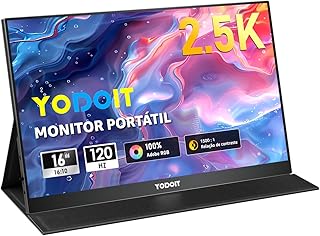
Yodoit Portable Monitor 16" 2.5K QHD 120 Hz Monitor Screen
Why We Love It


UPERFECT Portable Monitor
Why We Love It

UPERFECT Touchscreen OLED Portable Monitor 14"
Why We Love It

MNN 15.6" FHD 60Hz Portable Monitor USB-C HDMI IPS HDR
Why We Love It

Yodoit Portable Monitor 15.6"
Why We Love It

Yodoit Portable Monitor 15.6"
Why We Love It

Yodoit Portable Monitor 16" 4K
Why We Love It
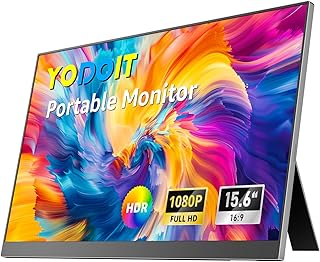
Yodoit Portable Monitor 15.6" with Kickstand FHD 1920x1080P
Why We Love It
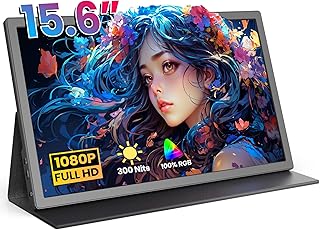
FANGOR 15.6 Inch Portable Monitor
Why We Love It

MagicRaven Portable Monitor 15.6"
Why We Love It
Quick Pick
10 Best Yodoit Portable Monitor Of 2026
Quick Pick
Yodoit Portable Monitor 16" 2.5K QHD 120 Hz Monitor Screen IPS 2560x1600 16:10 Display with USB Type C Port and Built-in Speakers with Smart Cover Monitor Compatible with PC, Laptop, MacBook, Xbox
UPERFECT Portable Monitor, 15.6" IPS 1920X1080 FHD Eye Care Travel Screen | USB C, HDMI, Dual Speaker, VESA, Gaming Monitor, External Monitor for Laptop PC Phone w/Case
UPERFECT Touchscreen OLED Portable Monitor 14", 3K 2880x1800 | 120Hz | 0.1ms Portable Gaming Monitor, 500 Nits |120% DCI-P3 | 500000:1 | Ultra-Slim Design for Laptop Mini PC Phone Game Consoles
MNN 15.6" FHD 60Hz Portable Monitor USB-C HDMI IPS HDR Gaming Laptop | 15.6" FHD IPS HDR, USB-C one-cable, PC/Mac/Phone/Switch, Smart Case,Laptop , low blue, work&game
Yodoit Portable Monitor 15.6", FHD 1080P Screen IPS 1920×1080 100% SRGB Display with Type C USB Port and Speakers with Smart Cover, Compatible with PC, Laptop, MacBook, Xbox
Yodoit Portable Monitor 15.6", FHD 1080P Screen IPS 1920×1080 100% SRGB Display with Type C USB Port and Speakers, Compatible with PC, Laptop, MacBook, Xbox
Yodoit Portable Monitor 16" 4K, 3840 x 2400 UHD 1200 Nits Screen with Smart Cover, IPS Display with Type C, Mini-HDMI, Built-in Speakers, Compatible with PC, Laptop, MacBook, PS3/4/5
Yodoit Portable Monitor 15.6" with Kickstand FHD 1920x1080P IPS Second External Display Laptop Screen Extender | USB-C & HDMI Connectivity, Built-in Speakers, for Laptop, PC, Mac, PS3/4/5, Xbox
FANGOR 15.6 Inch Portable Monitor, FHD 1080P Monitor for Laptop, HDR IPS Computer Gaming Display, USB-C HDMI Screen Extender with Smart Cover for PC Laptop Phone Mac Xbox PS4/5 Switch, Dual Speaker
MagicRaven Portable Monitor 15.6", FHD 1080P Screen IPS 100% SRGB Display with Smart Cover USB-C HDMI Port, Compatible with PC, Laptop, MacBook, Xbox,Phone - 15.6"
Buying Guide: Yodoit Portable Monitor
📋 Table of Contents
1What size portable monitor should I choose for my laptop?
Most people find 13-15 inches ideal for pairing with laptops—they're portable but not cramped for extended work. Go for 13 inches if you move around frequently, or 15 inches if you prioritize screen space over portability.
2Does a Yodoit portable monitor need its own power source?
Yes, all Yodoit models require power via USB-C or micro-USB—some can draw power from your laptop directly, while others need a separate adapter. Check the specs carefully if you want to avoid carrying extra cables.
3What resolution should I look for in a portable monitor?
1920x1080 (Full HD) is the minimum for comfortable work or media viewing, while 2560x1440 offers sharper text and more screen real estate. For basic tasks and travel, Full HD is fine; professionals editing content or coding should lean toward higher resolutions.
4How do I connect a Yodoit portable monitor to my devices?
Most Yodoit monitors use USB-C or HDMI inputs—some support both, which gives you flexibility with different laptops and devices. Check your device's output ports before buying to ensure compatibility.
5Are Yodoit portable monitors good for gaming or creative work?
They work fine for light gaming and content consumption, but the smaller screen and lower refresh rates (usually 60Hz) aren't ideal for competitive gaming. For creative work like photo editing, a higher refresh rate and color accuracy matter—check the specs and reviews for your specific use case.
How we choose
Our editors are people who genuinely love testing and writing about products. We compare each product's real-world usability and strengths, then distill what matters most into our own "Why We Love It" points — so you get an honest, at-a-glance sense of what counts before you buy.