10 Best Xppen Powerful Tablet Of 2026
Xppen Powerful Tablet — Reviews, Recommendations & Updated Buying Guide November 2026


XP-Pen Deco 01 V3 Drawing Tablet
Why We Love It


XPPen 6 * 4 inch Drawing Tablet with 16384 Pressure Levels
Why We Love It

XP-PEN Deco mini7 7" Portable Graphic Drawing Tablet with
Why We Love It

XP-Pen Artist15.6 Pro v2 Drawing Tablet Pen Display Graphics
Why We Love It

XP-PEN G960S 9 x 6 Inch Graphics Tablet with Stylus 8192
Why We Love It
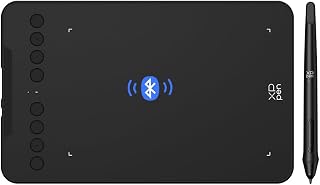
XPPen Deco mini7W V2 Drawing Tablet with 17.8x11.1cm Active
Why We Love It

XPPen 3 in 1 Color Digital Notebook 10.95'' Paper Note
Why We Love It

XP-PEN Deco Fun XS OSU Tablet Graphic Drawing Tablets 4x3
Why We Love It

XPPen Note Plus Digital Notebook with Pen Syncs to Phone
Why We Love It
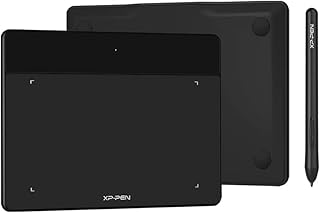
XP-PEN Deco Fun S Graphic Drawing Tablet 6x4 Inches Digital
Why We Love It
Quick Pick
10 Best Xppen Powerful Tablet Of 2026
Quick Pick
XP-Pen Deco 01 V3 Drawing Tablet, 10x6.25 Inch, 16384 Levels Pressure | Graphic Tablet, Battery-Free Stylus with Tilt Function, 8 Shortcut Keys, Compatible with PC, Chromebook, Android, MAC
XPPen 6 * 4 inch Drawing Tablet with 16384 Pressure Levels IT640 Digital Graphic Art Tablet Battery-Free Stylus 60° Tilt Support OSU Drawing Pad for Beginner Compatible with Android Windows macOS
XP-PEN Deco mini7 7" Portable Graphic Drawing Tablet with Passive Stylus Supports Windows, Mac and Android
XP-Pen Artist15.6 Pro v2 Drawing Tablet Pen Display Graphics Monitor with Screen, 16384 Levels Pen Pressure Full-Laminated Technology, 8 Shortcut Keys Work for PC Mac Linux Android
XP-PEN G960S 9 x 6 Inch Graphics Tablet with Stylus 8192 Level Tilt 60 Degree Compatible with Windows/Mac/Android
XPPen Deco mini7W V2 Drawing Tablet with 17.8x11.1cm Active Area, Battery-Free Stylus, 16K Pressure Levels, 8 Customisable Shortcut Keys, Wireless Graphic Tablet for Android/Windows/Mac/Chromebook
XPPen 3 in 1 Color Digital Notebook 10.95'' Paper Note Taking Tablet with 16384 Pressure Levels Battey-Free X3 Pro Pencil 2 Magnetic Folio 6+128GB Magic Note Pad for Writing/Reading/Meeting/Study
XP-PEN Deco Fun XS OSU Tablet Graphic Drawing Tablets 4x3 Inches Pen Tablet with Battery-free Stylus(Black)
XPPen Note Plus Digital Notebook with Pen Syncs to Phone | Writing Tablet for Students, Wireless Smart Notebook for Sketching, Note-Taking, Digital Art & Meeting, Drawing Tablet
XP-PEN Deco Fun S Graphic Drawing Tablet 6x4 Inches Digital Sketch Pad OSU Tablet for Digital Drawing, OSU, Online Teaching-for Mac Windows Chrome Linux Android OS (Black)
Buying Guide: Xppen Powerful Tablet
📋 Table of Contents
1What screen size should I choose for digital drawing and design work?
For professional work, 16-inch models offer comfortable workspace and better detail visibility, while 13-inch tablets suit portable creative sessions. Consider your desk setup and whether you'll move between locations—larger screens are heavier but reduce eye strain during long projects.
2How important is pressure sensitivity when choosing an XP-Pen tablet?
Pressure levels (8192 or higher) matter significantly for natural brush strokes and shading control in digital art. Lower pressure sensitivity models are fine for basic sketching and graphic design, but professional illustrators should prioritize 8192+ levels for nuanced work.
3What's the difference between XP-Pen's display tablets and pen displays?
Display tablets have built-in screens so you draw directly on the surface, offering natural hand-to-eye coordination, while pen displays connect to your computer and require looking at a separate monitor. Display tablets are more intuitive for artists but cost more, while pen displays are better for photo editing and CAD work.
4Is it worth paying extra for the latest XP-Pen model versus older versions?
Newer models typically offer better colour accuracy, faster response times, and improved pen technology, which makes a real difference for professional work. If you're learning or doing casual design work, mid-range models deliver solid performance at lower cost.
5What connectivity options should I check before buying?
Look for USB-C or Thunderbolt connections for faster data transfer and easier setup, though some models use USB 3.0 which works fine for most tasks. Check compatibility with your existing devices—make sure the tablet supports Windows, Mac, or Android depending on what you use.
How we choose
Our editors are people who genuinely love testing and writing about products. We compare each product's real-world usability and strengths, then distill what matters most into our own "Why We Love It" points — so you get an honest, at-a-glance sense of what counts before you buy.