10 Best Xppen Deco 01 Of 2026
Xppen Deco 01 — Reviews, Recommendations & Updated Buying Guide November 2026


XP-Pen Deco 01 V3 Drawing Tablet
Why We Love It


XP-PEN Deco mini7 7" Portable Graphic Drawing Tablet with
Why We Love It

XPPen 6 * 4 inch Drawing Tablet with 16384 Pressure Levels
Why We Love It

Drawing Tablet Sleeve Carrying Case for Huion Kamvas 13/
Why We Love It
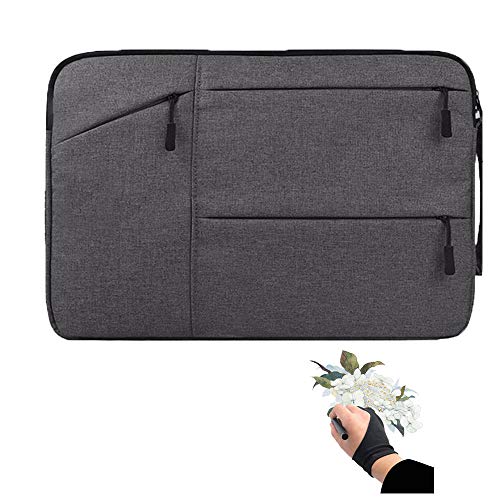
Drawing Tablet Case Carrying Bag with Artist Glove Graphics
Why We Love It

XPPen Deco 01 V3 10x6 Drawing Tablet
Why We Love It

XP-PEN Deco Fun L 10x6 Inches Drawing Tablet Digital Art
Why We Love It

XP-PEN Deco Fun XS OSU Tablet Graphic Drawing Tablets 4x3
Why We Love It

XPPen Artist 12 3rd 11.9" Drawing Tablet with Screen
Why We Love It
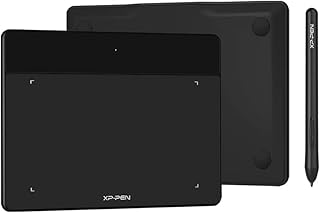
XP-PEN Deco Fun S Graphic Drawing Tablet 6x4 Inches Digital
Why We Love It
Quick Pick
10 Best Xppen Deco 01 Of 2026
Quick Pick
XP-Pen Deco 01 V3 Drawing Tablet, 10x6.25 Inch, 16384 Levels Pressure | Graphic Tablet, Battery-Free Stylus with Tilt Function, 8 Shortcut Keys, Compatible with PC, Chromebook, Android, MAC
XP-PEN Deco mini7 7" Portable Graphic Drawing Tablet with Passive Stylus Supports Windows, Mac and Android
XPPen 6 * 4 inch Drawing Tablet with 16384 Pressure Levels IT640 Digital Graphic Art Tablet Battery-Free Stylus 60° Tilt Support OSU Drawing Pad for Beginner Compatible with Android Windows macOS
Drawing Tablet Sleeve Carrying Case for Huion Kamvas 13/ Inspiroy H1060P/H950P, Wacom Intuos Pro Medium/Wacom One 14, Space Grey
Drawing Tablet Case Carrying Bag with Artist Glove Graphics Tablet Sleeve Protective Bag for Huion H610 Pro, New 1060 Plus, KAMVAS Pro 12 GT-116, GAOMAN M106K, Xp-Pen Deco 01, Star 06
XPPen Deco 01 V3 10x6 Drawing Tablet | 16K Pressure Pen | Battery-Free Stylus | 8 Hotkeys | for OSU Gaming & Teaching | PC/Mac/Android/ChromeOS Compatible | Pink
XP-PEN Deco Fun L 10x6 Inches Drawing Tablet Digital Art Tablet with Tilt Support Battery-Free Pen for Digital Drawing, Animation, Online Education and Remote Work(Black)
XP-PEN Deco Fun XS OSU Tablet Graphic Drawing Tablets 4x3 Inches Pen Tablet with Battery-free Stylus(Black)
XPPen Artist 12 3rd 11.9" Drawing Tablet with Screen, 16K, X4 Pen, AG Glass | AG Etched Glass, Dial Wheel, 8 Keys for Digital Art, Animation, Mac, PC, Android, Chromebook, Linux, Designed for Beginners
XP-PEN Deco Fun S Graphic Drawing Tablet 6x4 Inches Digital Sketch Pad OSU Tablet for Digital Drawing, OSU, Online Teaching-for Mac Windows Chrome Linux Android OS (Black)
Buying Guide: Xppen Deco 01
📋 Table of Contents
1What screen size and resolution should I look for?
For detailed work, aim for at least 10 inches with a 2048 x 1536 resolution or higher. Larger screens (13+ inches) suit illustration and design, while smaller ones are more portable but harder for precision.
2How important is pressure sensitivity for my needs?
2048 levels of pressure sensitivity is standard and works for most artists, but 8192 levels offer finer control for professionals. Casual users may not notice a big difference, but it’s worth considering for advanced work.
3Do I need a built-in display or a separate tablet?
A built-in display offers a more natural drawing experience and is ideal for digital painting, while a separate tablet is cheaper and works with your existing screen. Choose based on your budget and preference for direct interaction.
4What stylus features matter most for accuracy and comfort?
Look for a stylus with at least 60 points of tilt recognition and a low latency (under 10ms) for smooth, responsive drawing. Replaceable nibs and a lightweight design also improve long-term comfort and usability.
5Are extra buttons and customizable keys worth it?
Customizable buttons can speed up your workflow by letting you assign shortcuts, but they’re not essential for beginners. If you frequently use tools like undo, brush size, or layers, they can be a big time-saver.
How we choose
Our editors are people who genuinely love testing and writing about products. We compare each product's real-world usability and strengths, then distill what matters most into our own "Why We Love It" points — so you get an honest, at-a-glance sense of what counts before you buy.