10 Best Xp Pen Tablet Of 2026
Xp Pen Tablet — Reviews, Recommendations & Updated Buying Guide November 2026

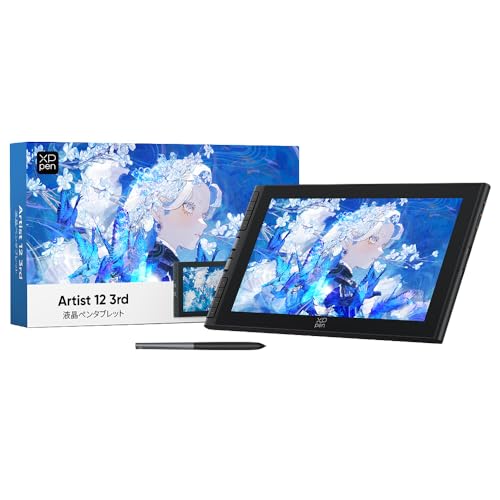
【日本限定】XPPen 液タブ Artist 12 3rd ブラック X4チップ搭載ペン 液晶ペンタブレット 初心者
Why We Love It


XPPen ペンタブ 6インチ ペンタブレット 8個ショートカットキー 60°傾き検知機能搭載 充電不要ペン Deco
Why We Love It
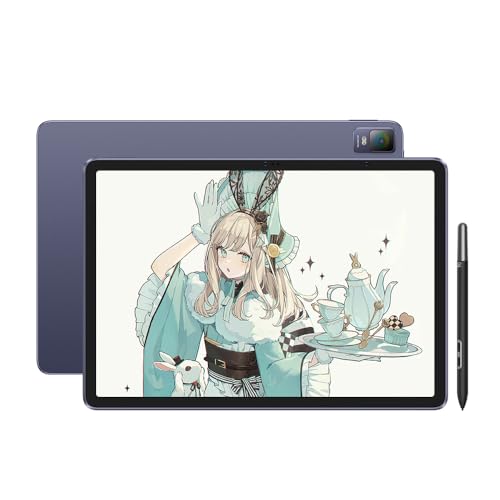
【日本限定 Magic Drawing Pad】XPPen 12インチ タブレット 8GB+256GB+1TB拡張可能
Why We Love It

【日本限定】XPPen 液タブ Artist 12セカンド 豪華版 X3チップ搭載ペン 液晶ペンタブレット
Why We Love It

【日本限定】XPPen Artist 12セカンド豪華版 液晶ペンタブレット フルラミネーション FHD
Why We Love It

XPPen ペンタブ 4.8×3インチ 板タブ スマホ対応 充電不要ペン イラスト 入門用 OSU!ゲーム用
Why We Love It

【XPPen新登場】タブレット 手書き ノート 11インチ 充電不要 X3 Proペン付 16384筆圧
Why We Love It

XPPen ACK05 左手デバイス ワイヤレス 片手キーボード 10キー+ホイール コンパクト 三つ接続方法
Why We Love It

XPPen 11インチ タブレット カラーノートパッド Magic Note Pad スケッチ・イラスト・メモ対応
Why We Love It

XPPen ペンタブレット Decoシリーズ 板タブ スマホ対応 絵描きペンタブ ペイントソフト付き
Why We Love It
Quick Pick
10 Best Xp Pen Tablet Of 2026
Quick Pick
【日本限定】XPPen 液タブ Artist 12 3rd ブラック X4チップ搭載ペン 液晶ペンタブレット 初心者 イラスト 絵描き
XPPen ペンタブ 6インチ ペンタブレット 8個ショートカットキー 60°傾き検知機能搭載 充電不要ペン Deco 640
【日本限定 Magic Drawing Pad】XPPen 12インチ タブレット 8GB+256GB+1TB拡張可能 お絵描きタブレット
【日本限定】XPPen 液タブ Artist 12セカンド 豪華版 X3チップ搭載ペン 液晶ペンタブレット Android Windows MacOS対応 フルラミネーション 初心者 イラスト制作 テレワーク オンライン授業 お絵描きソフトウェア付き(ブラック)
【日本限定】XPPen Artist 12セカンド豪華版 液晶ペンタブレット フルラミネーション FHD 1920×1080 8192筆圧 X3 Eliteペン 傾き検知60° 色域127%sRGB USB-C対応 8ショートカットキー Android/Windows/Mac対応 初心者・プロ向け
XPPen ペンタブ 4.8×3インチ 板タブ スマホ対応 充電不要ペン イラスト 入門用 OSU!ゲーム用 Windows Mac Chromebook Androidに対応 Deco Fun XS ブラック
【XPPen新登場】タブレット 手書き ノート 11インチ 充電不要 X3 Proペン付 16384筆圧 カラーノートパッド Android LCD 電子ノート 128GB 90Hz ビジネス 会議 学習 勉強 マンガ 保護ケース付 Magic Note Pad
XPPen ACK05 左手デバイス ワイヤレス 片手キーボード 10キー+ホイール コンパクト 三つ接続方法 クリエイター向け 作業効率UP
XPPen 11インチ タブレット カラーノートパッド Magic Note Pad スケッチ・イラスト・メモ対応 充電不要 X3Proペン 16384筆圧感知 傾き検知 90Hzリフレッシュレート 紙のような書き心地 アンチグレア画面 Android 14搭載
XPPen ペンタブレット Decoシリーズ 板タブ スマホ対応 絵描きペンタブ ペイントソフト付き Androidに対応 イラストコンテスト記念版 Deco01V2
Buying Guide: Xp Pen Tablet
📋 Table of Contents
1What should I look for in an XP Pen tablet?
Look for features like pressure sensitivity levels, screen size, connectivity options (USB or wireless), and compatibility with your operating system.
2What are the key specifications to consider?
Key specs include pressure sensitivity (8192 levels is common), active area size, resolution, and whether it includes a stylus or pen.
3How do I ensure the tablet is compatible with my devices?
Check the product description for supported operating systems (Windows, macOS, or Android) and ensure it connects via USB or Bluetooth as needed.
4When should I pay more for a higher-end model?
Pay more if you need higher pressure sensitivity, larger screen size, or advanced features like a built-in display or multi-touch support for creative work.
5What are common mistakes to avoid when buying an XP Pen tablet?
Avoid buying without checking compatibility with your devices, overlooking the need for a stylus, or assuming all models have the same features.
How we choose
Our editors are people who genuinely love testing and writing about products. We compare each product's real-world usability and strengths, then distill what matters most into our own "Why We Love It" points — so you get an honest, at-a-glance sense of what counts before you buy.