10 Best Xlr Audio Interfaces For Streaming Of 2026
Xlr Audio Interfaces For Streaming — Reviews, Recommendations & Updated Buying Guide November 2026

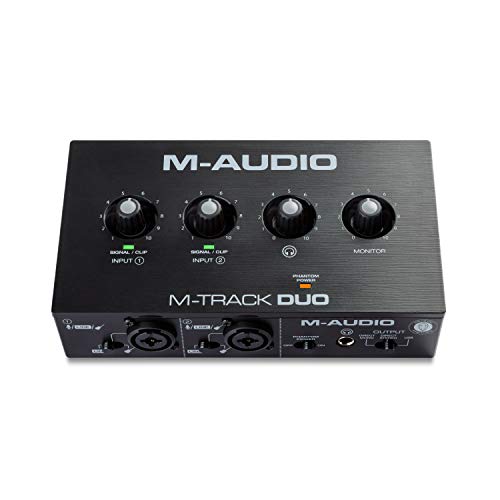
M-AUDIO M-Track Duo USB Audio Interface
Why We Love It


FIFINE AmpliGame AM8TW Gaming XLR/USB Microphone Kit
Why We Love It

NALACAL Gaming Audio Mixer
Why We Love It

Kadence KOTG-4 4 Channel Audio Mixer with OTG Recording
Why We Love It

RØDE X Streamer X Professional Integrated Audio Interface
Why We Love It

M-AUDIO M-Track Duo HD USB-C Audio Interface
Why We Love It

Elgato Wave XLR MK.2
Why We Love It

Zoom AMS-22 USB Audio Interface for Recording & Streaming
Why We Love It

FIFINE Studio XLR Dynamic Microphone
Why We Love It

Tc-Helicon Go XLr Broadcast Production Studio Mixer
Why We Love It
Quick Pick
10 Best Xlr Audio Interfaces For Streaming Of 2026
Quick Pick
M-AUDIO M-Track Duo USB Audio Interface
FIFINE AmpliGame AM8TW Gaming XLR/USB Microphone Kit Streaming Dynamic Mic | Computer Mic with Controllable RGB, Headphones Jack, Gain Knob, Arm Stand, for Vocal Podcast Recording Voiceover, White
NALACAL Gaming Audio Mixer, Streaming RGB PC Mixer with XLR Microphone Interface, Individual Control Volume Fader/Mute Button/48V Phantom Power for Podcast/Recording/Vocal/Game Voice, PC, Guitar, F11
Kadence KOTG-4 4 Channel Audio Mixer with OTG Recording | Podcast, Streaming & Live Sound Mixer | 192kHz/24-Bit USB Audio Interface | USB/BT Playback | 99 DSP Effects with Faders | Black
RØDE X Streamer X Professional Integrated Audio Interface and 4K Video
M-AUDIO M-Track Duo HD USB-C Audio Interface
Elgato Wave XLR MK.2 – USB Audio Interface and DSP Mixer for XLR Microphones, 80dB Gain, Onboard Effects, LED Feedback, Touch Mute, Works with Stream Deck, PC & Mac
Zoom AMS-22 USB Audio Interface for Recording & Streaming, 1 In / 2 Out
FIFINE Studio XLR Dynamic Microphone, USB PC Podcast Microphone for Streaming Recording, XLR/USB Vocal Mic with Tap-to-Mute, Gain Knob, Headphones Monitoring-Amplitank K688 White
Tc-Helicon Go XLr Broadcast Production Studio Mixer
Buying Guide: Xlr Audio Interfaces For Streaming
📋 Table of Contents
1How many XLR inputs do I actually need for streaming?
Most streamers need 1-2 XLR inputs for a microphone and optional instrument, but podcasters or multi-person setups should look for at least 4. More inputs save you from daisy-chaining or buying a second interface later.
2Does preamp quality really affect my stream's sound?
Yes — higher-end preamps reduce noise and provide a clearer, more professional tone. Look for models with at least 40dB of clean gain and a low noise floor for vocal clarity, especially in quiet environments.
3What sample rate and bit depth should I prioritize for streaming?
48kHz at 24-bit is the standard for streaming and most platforms, but 96kHz can help with post-processing. Avoid anything below 44.1kHz, as it may sound muddy or compressed in recordings.
4Is MIDI support worth including in an XLR audio interface for streaming?
If you plan to use virtual instruments or control software with a MIDI keyboard, yes. Otherwise, it's a bonus feature. Look for at least one MIDI I/O port if you're integrating hardware into your setup.
5What connectivity options are best for low-latency streaming?
USB 3.0 or Thunderbolt interfaces offer the lowest latency and fastest data transfer, ideal for real-time streaming. Avoid USB 2.0 if you're using multiple inputs or high sample rates to prevent dropouts or lag.
How we choose
Our editors are people who genuinely love testing and writing about products. We compare each product's real-world usability and strengths, then distill what matters most into our own "Why We Love It" points — so you get an honest, at-a-glance sense of what counts before you buy.