10 Best Xlr Audio Interfaces For Gaming Of 2026
Xlr Audio Interfaces For Gaming — Reviews, Recommendations & Updated Buying Guide November 2026


FIFINE AmpliGame AM8TW Gaming XLR/USB Microphone Kit
Why We Love It


NALACAL Gaming Audio Mixer
Why We Love It
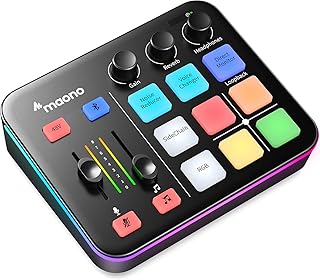
MAONO Gaming Audio Mixer
Why We Love It

Elgato Wave XLR MK.2
Why We Love It

RØDE X Streamer X Professional Integrated Audio Interface
Why We Love It

Tc-Helicon Go XLr Broadcast Production Studio Mixer
Why We Love It
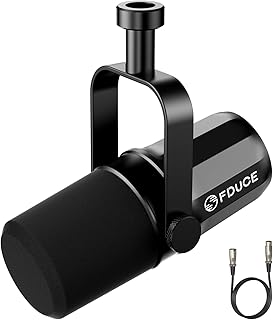
FDUCE SL40X XLR Dynamic Microphone for Vocal Recording
Why We Love It

M-GAME Solo USB Audio Interface Mixer for Streaming and
Why We Love It
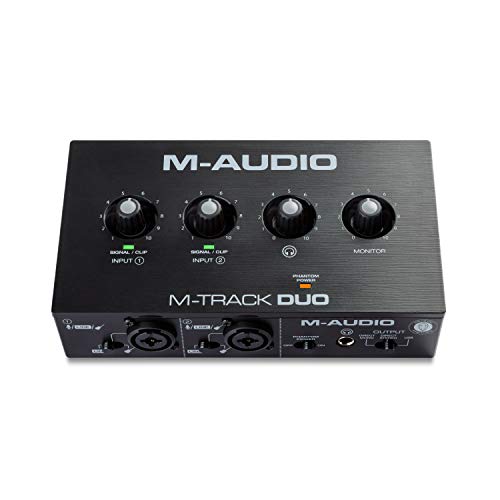
M-AUDIO M-Track Duo USB Audio Interface
Why We Love It

Hercules Stream 200 XLR Audio Controller with Sound Card
Why We Love It
Quick Pick
10 Best Xlr Audio Interfaces For Gaming Of 2026
Quick Pick
FIFINE AmpliGame AM8TW Gaming XLR/USB Microphone Kit Streaming Dynamic Mic | Computer Mic with Controllable RGB, Headphones Jack, Gain Knob, Arm Stand, for Vocal Podcast Recording Voiceover, White
NALACAL Gaming Audio Mixer, Streaming RGB PC Mixer with XLR Microphone Interface, Individual Control Volume Fader/Mute Button/48V Phantom Power for Podcast/Recording/Vocal/Game Voice, PC, Guitar, F11
MAONO Gaming Audio Mixer, Audio Interface with Pro-preamp, RGB, Bluetooth, Sound Effects for Live Streaming, Podcasting, Content Create, Gaming MaonoCaster G1 NEO (BLACK)
Elgato Wave XLR MK.2 – USB Audio Interface and DSP Mixer for XLR Microphones, 80dB Gain, Onboard Effects, LED Feedback, Touch Mute, Works with Stream Deck, PC & Mac
RØDE X Streamer X Professional Integrated Audio Interface and 4K Video
Tc-Helicon Go XLr Broadcast Production Studio Mixer
FDUCE SL40X XLR Dynamic Microphone for Vocal Recording, Podcasting, Gaming, Live Streaming&Broadcasting, All Metal Cardioid Mic, Voice-Isolating Technology -Black
M-GAME Solo USB Audio Interface Mixer for Streaming and Gaming with XLR Microphone in, Optical in, Voice FX, Sampler, Lights and Software
M-AUDIO M-Track Duo USB Audio Interface
Hercules Stream 200 XLR Audio Controller with Sound Card
Buying Guide: Xlr Audio Interfaces For Gaming
📋 Table of Contents
1How important is low latency for gaming audio?
Latency under 5ms is essential for competitive gaming to avoid audio delay during fast-paced action. Look for interfaces with ASIO or WDM drivers that prioritise real-time performance over general-purpose audio settings.
2Should I choose a 2-channel or multi-channel XLR interface for gaming?
A 2-channel interface is sufficient for most gamers using a single XLR mic. Multi-channel models are overkill unless you plan to record voiceovers or stream with multiple mics or instruments simultaneously.
3What preamp quality should I look for in a gaming mic setup?
A clean, transparent preamp with at least 50dB of gain and low noise is ideal for XLR mics. Avoid models with hiss or distortion, as they degrade voice clarity during streaming or in-game communication.
4Do I need phantom power for my gaming microphone?
Phantom power (48V) is only required for condenser mics. If your XLR mic is dynamic, you won’t need it. Check your mic’s specs to avoid unnecessary features that add cost without benefit.
5What connectivity options matter most for a gaming interface?
USB-C or USB 3.0 ports ensure fast data transfer and stable performance. Avoid models with only USB 2.0 if you want to future-proof your setup and reduce the risk of audio dropouts during intense sessions.
How we choose
Our editors are people who genuinely love testing and writing about products. We compare each product's real-world usability and strengths, then distill what matters most into our own "Why We Love It" points — so you get an honest, at-a-glance sense of what counts before you buy.