10 Best Xiaomi Pad 7 Of 2026
Xiaomi Pad 7 — Reviews, Recommendations & Updated Buying Guide November 2026


Xiaomi Pad 7 Green 8GB RAM 256GB ROM
Why We Love It


XIAOMI Pad 7 Ai WiFi Version Global (No Calls or Text) 11.2
Why We Love It

Xiaomi Pad 7, Gray 8GB RAM 256GB Wifi
Why We Love It
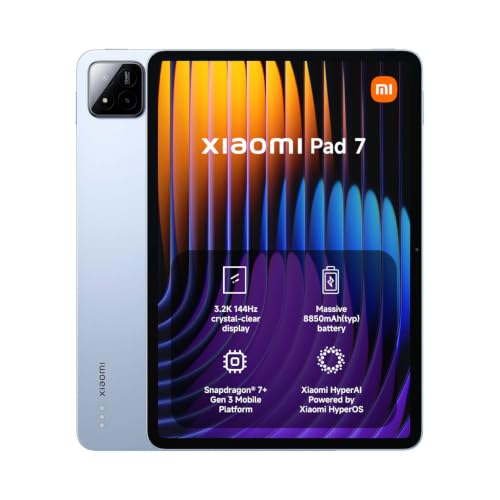
Xiaomi Pad 7, Blue 8GB RAM 256GB Wifi
Why We Love It

Xiaomi Redmi Pad SE 8GB Ram 256GB Rom 11 Inch FHD+ 90Hz
Why We Love It

Xiaomi Pad 7 Pro Ai WiFi Version Global (No Calls or Text)
Why We Love It
HONOR Pad X7 8.7" Wi-Fi Tablet
Why We Love It

XIAOMI Pad 8 Ai WiFi Version Global (No Calls or Text) 11.2
Why We Love It

Xiaomi Pad 7/7 Pro Keyboard
Why We Love It
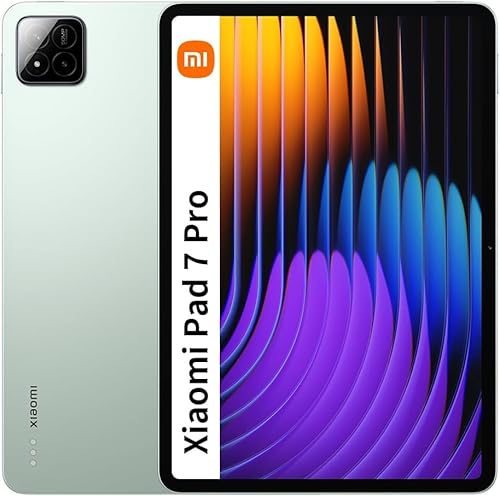
Xiaomi Pad 7 Pro
Why We Love It
Quick Pick
10 Best Xiaomi Pad 7 Of 2026
Quick Pick
Xiaomi Pad 7 Green 8GB RAM 256GB ROM
XIAOMI Pad 7 Ai WiFi Version Global (No Calls or Text) 11.2 inches 3.2K 144Hz 8850mAh Bluetooth 5.4 Four Speakers 13 Mp Model 2410CRP4CG (Green, 256GB + 8GB)
Xiaomi Pad 7, Gray 8GB RAM 256GB Wifi - Global version
Xiaomi Pad 7, Blue 8GB RAM 256GB Wifi - Global version
Xiaomi Redmi Pad SE 8GB Ram 256GB Rom 11 Inch FHD+ 90Hz Display 6nm Snapdragon 680 8MP Camera 8000mAh Battery Quad Speakers Graphite Gray
Xiaomi Pad 7 Pro Ai WiFi Version Global (No Calls or Text) 11.2 inches 3.2K 144Hz 8850mAh Bluetooth 5.4 Four Speakers 50 Mp Cam Model 24091RPADG
HONOR Pad X7 8.7" Wi-Fi Tablet, 4GB RAM 128GB Storage, 90Hz Display, Snapdragon 680, Android 15, Gray with Cover Case (UAE Version)
XIAOMI Pad 8 Ai WiFi Version Global (No Calls or Text) 11.2 inches 3.2K 144Hz 9200mAh Four Speakers 13 Mp Model 25097RP43G (Gray, 256GB + 8GB)
Xiaomi Pad 7/7 Pro Keyboard - Black
Xiaomi Pad 7 Pro, Green 12GB RAM 512GB Wifi - Global version
Buying Guide: Xiaomi Pad 7
📋 Table of Contents
1What screen size is best for my needs?
For reading and light use, 7-8 inches is compact and portable; 10 inches or more is better for media, multitasking, or productivity. Larger screens offer more real estate but are heavier and harder to carry in one hand.
2How much storage do I actually need?
64GB is sufficient for basic use with cloud backup, but 128GB or more is better if you download many apps, movies, or documents. Consider expandable storage if you plan to store large files locally over time.
3What battery life should I look for?
A tablet with 8-10 hours of continuous use is standard for most tasks. Look for at least 12 hours if you need it for full workdays or long travel without access to power.
4Is a stylus worth the extra cost?
A stylus is essential for drawing, note-taking, or precise input, but not needed for casual browsing or media. Built-in stylus support (like magnetic charging) adds convenience and justifies a higher price for creative or professional use.
5What operating system is best for me?
Choose a tablet with an OS you're already familiar with — one offers a vast app ecosystem and seamless device integration, while the other is known for simplicity and productivity tools. Check app availability for your preferred software before buying.
How we choose
Our editors are people who genuinely love testing and writing about products. We compare each product's real-world usability and strengths, then distill what matters most into our own "Why We Love It" points — so you get an honest, at-a-glance sense of what counts before you buy.