10 Best Xbox External Cooling Fan Of 2026
Xbox External Cooling Fan — Reviews, Recommendations & Updated Buying Guide November 2026


Cooling Fan for Xbox Series X
Why We Love It


UFO Cooling Fan for Xb-ox Series X
Why We Love It

Cooling Fan for Xbox Series X with 4 Fan and 3 USB Port Xbox
Why We Love It
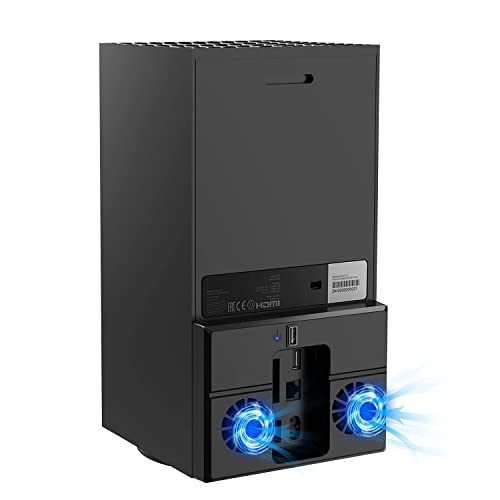
Cooling Fan Compatible with Xbox Series X Console
Why We Love It

Cooling Fan for Xbox Series X with 4 Fan and 3 USB Port Xbox
Why We Love It

AC Infinity MULTIFAN S3
Why We Love It

EWINNER Vertical Cooling Fan for Xbox Series X w/LED Color
Why We Love It
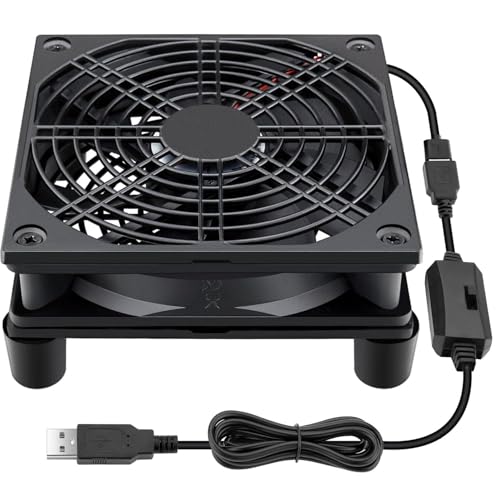
NIUB Cooling Case Fan for Receiver DVR Xbox TV Box Router
Why We Love It
EWINNER Cooling Fan Compatible with Xbox Series X with 4 Fan
Why We Love It

NIUB Cooling Case Fan for Receiver DVR Xbox TV Box Router
Why We Love It
Quick Pick
10 Best Xbox External Cooling Fan Of 2026
Quick Pick
Cooling Fan for Xbox Series X, Auto Mode Cooling System for Xbox Series X Accessories, Built-in Auto Adjustable Fan Speeds' Cooling System, Cooler for Console with Headset Holder, USB Port, Low Noise
UFO Cooling Fan for Xb-ox Series X, Auto Temperature Control System with 11 RGB Lights, Adjustable 3 Speed Console Cooler, Efficient Heat Dissipation Accessories, Extra USB Port, Low Noise, Black
Cooling Fan for Xbox Series X with 4 Fan and 3 USB Port Xbox Series X External Cooler Turbo Temperature Control Fan Console Standing Mount Cooling System
Cooling Fan Compatible with Xbox Series X Console, Dual Cooling Fan Back Fan Compatible with Xbox Series X, with 2 Cooling Fan and 1 USB Port
Cooling Fan for Xbox Series X with 4 Fan and 3 USB Port Xbox Series X External Cooler Turbo Temperature Control Fan Console Standing Mount Cooling System
AC Infinity MULTIFAN S3, Ultra-Quiet 120mm USB Fan with Speed Controller | UL-Certified, Dual-Ball Bearings, Noise-Absorption Pads for Receiver DVR, PlayStation, Xbox, Computer, Cabinet Cooling
eWINNER Vertical Cooling Fan for Xbox Series X w/LED Color Light cool color-changing lights rear fan Xbox Series X cooling fan Dual Fan Cooling System with External USB Port
NIUB Cooling Case Fan for Receiver DVR Xbox TV Box Router 120mm x 25mm 5V USB Power (1 Cooling Fan)
eWINNER Cooling Fan Compatible with Xbox Series X with 4 Fan & 3 USB Port for Xbox Series X External Cooler Turbo Temperature Control Fan Console Standing Mount Cooling System (for Xbox Series X)
NIUB Cooling Case Fan for Receiver DVR Xbox TV Box Router 120mm x 25mm 5V USB Power(White with light)
Buying Guide: Xbox External Cooling Fan
📋 Table of Contents
1What airflow capacity (CFM) should I look for in an Xbox external cooling fan?
Look for a fan with at least 10-20 CFM (cubic feet per minute) to effectively cool an Xbox console. Higher CFM means better airflow, which is crucial for systems running for long periods or under heavy load, but may also be louder or consume more power.
2Does the fan type (e.g., blade vs. brushless) affect performance and noise?
Brushless fans are generally quieter and more energy-efficient, with longer lifespans, while traditional blade fans may be louder but often cheaper. For a gaming setup, brushless fans are preferable if you prioritize noise reduction and reliability over cost.
3What size fan is best for an Xbox Series X or S?
A 120mm fan is typically the best fit for most Xbox consoles, as it provides a good balance of airflow and noise. Larger fans (e.g., 140mm) may offer better cooling but could be harder to fit in compact cases or enclosures.
4Are there any common mistakes people make when installing an external cooling fan?
One common mistake is not ensuring proper airflow direction — fans should blow air out of the console, not into it. Also, failing to secure the fan properly can lead to vibrations or damage. Always check that the fan is compatible with your console’s power and mounting options.
5Is it worth paying more for a fan with RGB lighting or smart controls?
Unless you're building a themed or high-end gaming setup, RGB lighting and smart controls are mostly aesthetic and don’t improve cooling performance. Focus on airflow, noise, and compatibility instead of extra features that don’t impact thermal management.
How we choose
Our editors are people who genuinely love testing and writing about products. We compare each product's real-world usability and strengths, then distill what matters most into our own "Why We Love It" points — so you get an honest, at-a-glance sense of what counts before you buy.