10 Best Wqhd Gaming Monitor Of 2026
Wqhd Gaming Monitor — Reviews, Recommendations & Updated Buying Guide November 2026

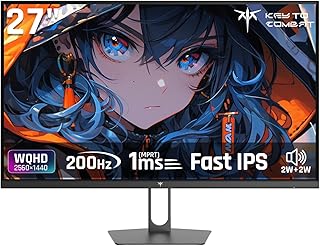
KTC 27-Inch Gaming Monitor WQHD (2560x1440) Fast IPS 200Hz
Why We Love It


REGZA RM-G276N Gaming Monitor
Why We Love It
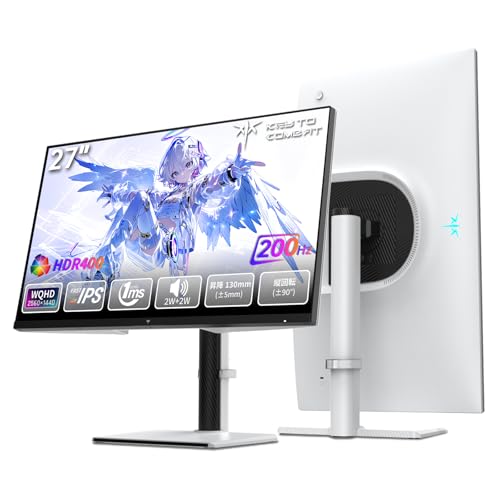
KEY TO COMBAT 27インチ WQHD(2560×1440) 200Hz 1ms ゲーミングモニター FAST
Why We Love It
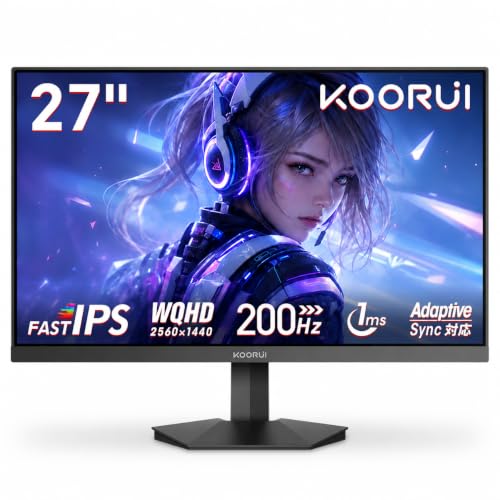
KOORUI ゲーミングモニター 27インチ WQHD (2560x1440) Fast IPS 200Hz
Why We Love It

IODATA GCFX ゲーミングモニター 27型 WQHD 275Hz 1ms
Why We Love It

【Amazon.co.jp 限定】PHILIPS EVNIA ゲーミングモニター
Why We Love It

ASUS TUF Gaming Series 5 - VG27AQ5A Gaming Monitor – 27-inch
Why We Love It

KTC 24インチ ゲーミングモニター WQHD 185Hz Fast IPS 1ms H24T7
Why We Love It
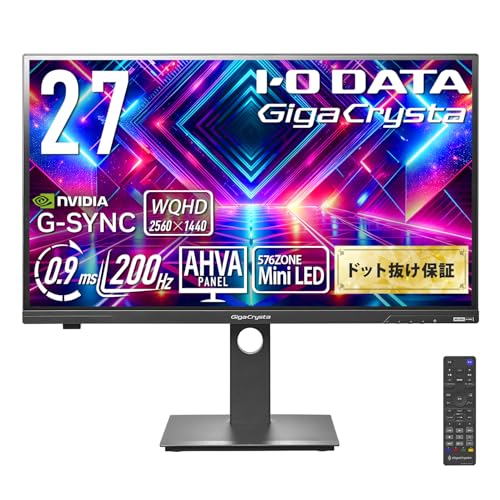
IODATA GigaCrysta ゲーミングモニター 27型 WQHD 200Hz MiniLED (HDMI/DP)
Why We Love It

ゲーミングモニター ホワイト 27インチ 【アイリスオーヤマ】 180Hz 1ms [選べるカラー] WQHD 3年保証
Why We Love It
Quick Pick
10 Best Wqhd Gaming Monitor Of 2026
Quick Pick
KTC 27-Inch Gaming Monitor WQHD (2560x1440) Fast IPS 200Hz (210OC possible) 1ms (MPRT) 131% sRGB HDR400 Low Blue Light Flicker Free FreeSync & G-Sync Compatible PS5 Compatible HDMI 2.0 x 2 DP 1.4 x 2
REGZA RM-G276N Gaming Monitor, 27-Inch, WQHD 240Hz, Monster Hunter Wilds Recommended Image Quality, 1ms (GTG) HDR10 Fast IPS Panel, Adaptive Sync HDMI Compatible
KEY TO COMBAT 27インチ WQHD(2560×1440) 200Hz 1ms ゲーミングモニター FAST IPSパネル HDR400 sRGB131%色域 450cd/m² 2*2Wスピーカー Adaptive Sync フリッカーフリー HDMI2.0*2 DP1.4*2 前後チルト・左右スワベル・高さ調整・ 縦回転 工具不要 三年保証付き KTC モニターH27T6 白い
KOORUI ゲーミングモニター 27インチ WQHD (2560x1440) Fast IPS 200Hz 1ms(OD) HDR400 PS5対応 FreeSync & G-Sync対応 DCI-P3 95% 高輝度350nits 非光沢 HDMI 2.0×2/DP 1.4×1 VESA規格75x75mm 液晶ディスプレイ G2721P
IODATA GCFX ゲーミングモニター 27型 WQHD 275Hz 1ms (HDMI/DP/VESA/チルト調整) EX-GDQ271UA
【Amazon.co.jp 限定】PHILIPS EVNIA ゲーミングモニター (27インチ/180Hz/WQHD/VA/超高速0.5ms/HDR10/AMD FreeSync対応/5年保証/2560x1440/チルト/HDMI2.0×2、DisplayPort1.4×1/フレームレス/フリッカーフリー/ブルーライト軽減/電源内蔵) 27M2N3500NL/11 【国内正規品】
ASUS TUF Gaming Series 5 - VG27AQ5A Gaming Monitor – 27-inch, QHD(2560x1440), 210Hz(OC), Fast IPS, ELMB SYNC, 0.3ms GTG (min.), Stereo Speaker, DisplayWidget Center, Gaming AI
KTC 24インチ ゲーミングモニター WQHD 185Hz Fast IPS 1ms H24T7
IODATA GigaCrysta ゲーミングモニター 27型 WQHD 200Hz MiniLED (HDMI/DP) EX-GDQ271JLAQ
ゲーミングモニター ホワイト 27インチ 【アイリスオーヤマ】 180Hz 1ms [選べるカラー] WQHD 3年保証 スピーカー搭載 フリッカーレス パステルカラー モニター 白 DG-AW2718S-W
Buying Guide: Wqhd Gaming Monitor
📋 Table of Contents
1What resolution should I look for in a WQHD gaming monitor?
WQHD monitors typically offer a resolution of 2560x1440 pixels, providing a balance between sharpness and performance. Ensure the monitor clearly states WQHD or 2560x1440 as its resolution.
2What key specifications are important for gaming performance?
Look for high refresh rates (144Hz or higher), low response times (1ms or 4ms), and support for adaptive sync technologies like G-Sync or FreeSync to reduce screen tearing.
3How do I ensure the monitor is compatible with my setup?
Check the monitor's input ports (HDMI, DisplayPort) to ensure they match your graphics card and console. Also, consider the stand's adjustability and whether it can be mounted on a wall or desk arm.
4When should I pay more for a WQHD gaming monitor?
Pay more if you need advanced features like HDR support, higher refresh rates, or superior color accuracy, especially if you play graphically intensive games or stream.
5What are common mistakes to avoid when buying a WQHD gaming monitor?
Avoid monitors with low refresh rates or high input lag for gaming, and ensure the monitor's size and bezel design fit your multi-monitor setup if you plan to use multiple screens.
How we choose
Our editors are people who genuinely love testing and writing about products. We compare each product's real-world usability and strengths, then distill what matters most into our own "Why We Love It" points — so you get an honest, at-a-glance sense of what counts before you buy.