10 Best Work Tablet Of 2026
Work Tablet — Reviews, Recommendations & Updated Buying Guide November 2026


無理なくできる 学校のICT活用―タブレット・電子黒板・デジタル教科書などを使ったアクティブ・ラーニング
Why We Love It


365日の学級経営ToDoリスト 使える仕事術&デジタルツール
Why We Love It

IPadはかどる!仕事技2024(iPadOS 17対応/ノートやPDF、ChatGPTなど賢い使い方が満載)
Why We Love It
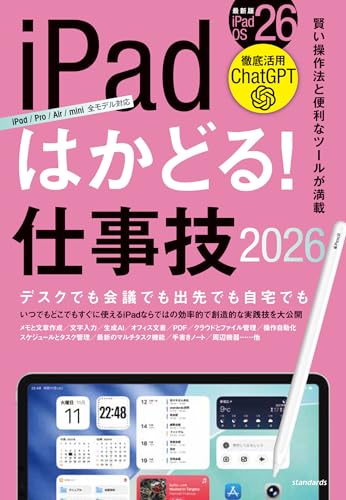
IPadはかどる!仕事技2026(iPadOS 26対応/ノートやPDF、ChatGPTなど賢い使い方が満載)
Why We Love It

GIGAのつまずきに徹底対応! 1人1台端末活用パーフェクトQ&A
Why We Love It

Amazon Fire HD 10 インチ タブレット
Why We Love It

【2026初登場 Android17 11インチ】 Blackview アンドロイドタブレット
Why We Love It

HiGrace タブレット 10インチ Android16 30GB+128GB+1TB拡張 6000mAhバッテリー
Why We Love It

60歳からの タブレット入門: 大きい画面で、目が疲れない。70歳からのiPad使い方・タブレット入門【図解つき】
Why We Love It

仕事&プライベートで使いこなす 一歩進んだWindowsタブレット活用術
Why We Love It
Quick Pick
10 Best Work Tablet Of 2026
Quick Pick
無理なくできる 学校のICT活用―タブレット・電子黒板・デジタル教科書などを使ったアクティブ・ラーニング
365日の学級経営ToDoリスト 使える仕事術&デジタルツール
iPadはかどる!仕事技2024(iPadOS 17対応/ノートやPDF、ChatGPTなど賢い使い方が満載)
iPadはかどる!仕事技2026(iPadOS 26対応/ノートやPDF、ChatGPTなど賢い使い方が満載)
GIGAのつまずきに徹底対応! 1人1台端末活用パーフェクトQ&A
Amazon Fire HD 10 インチ タブレット - 1080pフル HDディスプレイ、大画面で動画もマンガも - 32GB ブラック
【2026初登場 Android17 11インチ】 Blackview アンドロイドタブレット Wi-Fiモデル、16GB+128GB+2TB拡張 Gemini AI 4.0搭載 A537 8コア / 8300mAh/ 5GWiFi6/ GMS認証/WideVine L1 /BT5.4/WPS/顔認識/無線投影/AIカメラ 仕事用tablet Link5
HiGrace タブレット 10インチ Android16 30GB+128GB+1TB拡張 6000mAhバッテリー 8コアCPU
60歳からの タブレット入門: 大きい画面で、目が疲れない。70歳からのiPad使い方・タブレット入門【図解つき】 60歳からのやさしい入門 (ひとり仕事のバックヤード)
仕事&プライベートで使いこなす 一歩進んだWindowsタブレット活用術
Buying Guide: Work Tablet
📋 Table of Contents
1What should I look for in a work tablet for productivity?
Look for a tablet with a high-resolution display, long battery life, and support for stylus input if needed. A powerful processor and sufficient RAM are also important for multitasking and running professional apps.
2What are the key specifications to consider?
Key specs include screen size (10-13 inches is common for work), resolution (at least 1080p), processor type (Intel or ARM-based), RAM (8GB or more), and storage capacity (256GB or higher for most users).
3How do I ensure the tablet is compatible with my accessories and software?
Check if the tablet supports your preferred stylus, keyboard, or docking station, and ensure it runs the operating system (Windows, iPadOS, or Android) that your work software is compatible with.
4When should I pay more for a work tablet?
Pay more if you need advanced features like 4K display, high-end processors, or specialized software support. It's also worth investing in a higher-end model if you'll be using the tablet for resource-intensive tasks like video editing or CAD.
5What are common mistakes people make when buying a work tablet?
Common mistakes include underestimating the need for a stylus or keyboard, ignoring battery life, or choosing a tablet based solely on brand without considering performance and compatibility with work tools.
How we choose
Our editors are people who genuinely love testing and writing about products. We compare each product's real-world usability and strengths, then distill what matters most into our own "Why We Love It" points — so you get an honest, at-a-glance sense of what counts before you buy.