10 Best Wled Computer Monitor Of 2026
Wled Computer Monitor — Reviews, Recommendations & Updated Buying Guide November 2026


Lenovo ThinkVision M15 15.6" Full HD WLED LCD Monitor
Why We Love It


ThinkVision T24i-30 23.8 Full HD WLED LCD Monitor
Why We Love It

Lenovo ThinkVision T27i-30 27 Full HD WLED LCD Monitor
Why We Love It

Lenovo ThinkVision S24i-30 24" Class Full HD LED Monitor
Why We Love It
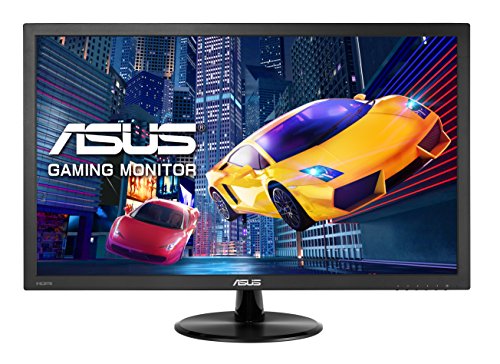
Asus Vp228He Gaming Monitor
Why We Love It

Lenovo ThinkVision C24-20 23.8" Full HD WLED LCD Monitor
Why We Love It

Lenovo ThinkVision S22-4e 22 Inch FHD Monitor - 16:9 - (IPS)
Why We Love It

Lenovo ThinkVision S24e-20 23.8" Full HD WLED LCD Monitor
Why We Love It

Dell UltraSharp U3223QE 31.5" 4K UHD WLED LCD Monitor - 16:9
Why We Love It
Quick Pick
10 Best Wled Computer Monitor Of 2026
Quick Pick
Lenovo ThinkVision M15 15.6" Full HD WLED LCD Monitor - 16:9 - Raven Black
ThinkVision T24i-30 23.8 Full HD WLED LCD Monitor - 16:9
Lenovo ThinkVision T27i-30 27 Full HD WLED LCD Monitor - 16:9 - Black
Lenovo ThinkVision S24i-30 24" Class Full HD LED Monitor - 16:9 - Raven Black, Storm Gray
Asus Vp228He Gaming Monitor, Fhd (1920X1080), 1Ms, Hdmi, D-Sub , Low Blue Light, Flicker Free, Tuv Certified, Black, Wled/Tn 21.5 Inches
Lenovo ThinkVision C24-20 23.8" Full HD WLED LCD Monitor - 16:9 - Raven Black
Lenovo ThinkVision S22-4e 22 Inch FHD Monitor - 16:9 - (IPS), Black
Lenovo ThinkVision S24e-20 23.8" Full HD WLED LCD Monitor - 16:9 - Raven Black
Dell UltraSharp U3223QE 31.5" 4K UHD WLED LCD Monitor - 16:9 - Black, Silver
Buying Guide: Wled Computer Monitor
📋 Table of Contents
1What's the difference between WLED and other backlight types like QLED or Mini-LED?
WLED (white LED) uses a standard LED backlight with white diodes, making it the most affordable option but with lower contrast than QLED or Mini-LED. QLED adds a quantum dot layer for better colors, while Mini-LED uses thousands of tiny backlights for superior contrast—both cost more but deliver better picture quality if you work with color-sensitive tasks.
2What screen size should I choose for my desk setup?
For desk work, 24-27 inches is ideal—close enough to see details without straining, far enough to avoid constant head movement. If you have a large desk or do detailed work like photo editing, 32 inches works, but sitting too close makes it uncomfortable.
3What refresh rate and response time do I actually need?
For office work and general use, 60Hz is fine; for gaming or fast-paced tasks, aim for 100Hz+ with under 5ms response time. Response time matters more for gaming, while refresh rate is less critical for reading documents or browsing.
4Should I pay extra for better color accuracy or higher resolution?
If you're a designer, photographer, or video editor, spend more on a monitor with 95%+ sRGB color coverage and factory calibration. For general office work or gaming, higher resolution (1440p or 4K) is worth it only if your graphics card can handle it smoothly.
5What other features are worth checking before buying?
Look for adjustable height/tilt stands to reduce neck strain, USB or DisplayPort connectivity that matches your devices, and blue light reduction if you use it for long hours. Built-in speakers are rarely good quality, so don't rely on them as a deciding factor.
How we choose
Our editors are people who genuinely love testing and writing about products. We compare each product's real-world usability and strengths, then distill what matters most into our own "Why We Love It" points — so you get an honest, at-a-glance sense of what counts before you buy.