10 Best Wireless Midi Controllers Of 2026
Wireless Midi Controllers — Reviews, Recommendations & Updated Buying Guide November 2026

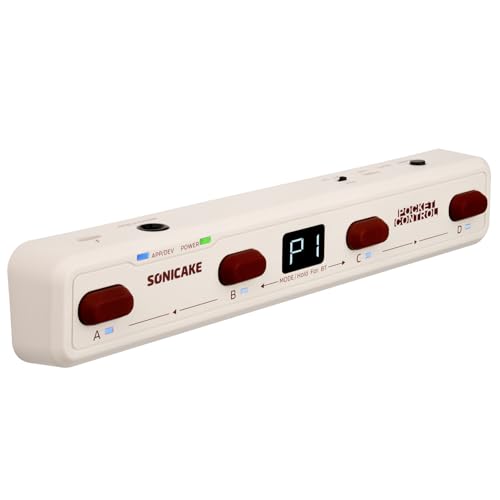
SONICAKE Wireless MIDI Controller 4 Buttons Effects
Why We Love It


SONICAKE MIDI Foot Controller
Why We Love It

KORG NanoKONTROL
Why We Love It

Akai Professional MPK Mini IV 25-Key USB-C MIDI Keyboard
Why We Love It

Akai Professional APC Mini MK2 USB MIDI Pad Controller
Why We Love It
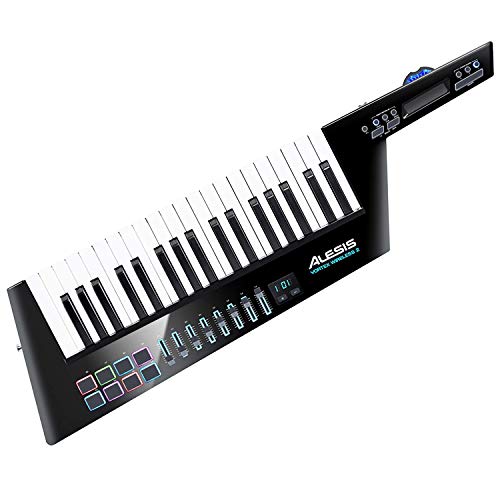
Alesis Vortex Wireless 2
Why We Love It

M-VAVE SK7 - Wireless MIDI Adapter
Why We Love It

Korg, 25-Key Midi Controller (MKEYAIR25)
Why We Love It

M-VAVE Chocolate Plus Wireless Page Turner Pedal MIDI Foot
Why We Love It

Midi Controller 16 RGB Drum Pads 8 Knobs Bluetooth Maker Kit
Why We Love It
Quick Pick
10 Best Wireless Midi Controllers Of 2026
Quick Pick
SONICAKE Wireless MIDI Controller 4 Buttons Effects Controller with BT Pocket Control App (White)
SONICAKE MIDI Foot Controller, 4 Buttons BT Footswitch - Pocket Control
KORG NanoKONTROL - USB and Bluetooth Studio Mobile MIDI Controller
Akai Professional MPK Mini IV 25-Key USB-C MIDI Keyboard Controller, Black
Akai Professional APC Mini MK2 USB MIDI Pad Controller | 64 RGB Pads, 9 Faders, Drum and Note Mode, 1:1 Mapping for Ableton Live, for Live Performance and Music Production
Alesis Vortex Wireless 2 - High-Performance USB/MIDI Keytar Controller with Professional Software Suite Including ProTools First, Black, VORTEXWIRELESS2, II
M-VAVE SK7 - Wireless MIDI Adapter, Bluetooth 5.0 DIN5 MIDI In/Out Interface for Keyboards, Synths, Controllers – Ultra-Low Latency, iOS/Android/Windows Compatible
Korg, 25-Key Midi Controller (MKEYAIR25)
M-VAVE Chocolate Plus Wireless Page Turner Pedal MIDI Foot Controller 4 Buttons BT Rechargeable External Pedal for Loop Pedal Tuner Switching Control
Midi Controller 16 RGB Drum Pads 8 Knobs Bluetooth Maker Kit
Buying Guide: Wireless Midi Controllers
📋 Table of Contents
1How many keys or pads do I actually need for my workflow?
25 keys or pads suit most producers for quick chord progressions and drum patterns, while 49 or 61 keys offer full piano range. If you play live, more pads and keys give flexibility, but take up more space and cost more.
2What wireless technology is best for latency and reliability?
Bluetooth is convenient for mobile setups but may lag for fast playing. USB-C or USB-A wired connections offer the lowest latency, while 2.4GHz wireless (like MIDI over USB or dongle-based systems) balances speed and freedom of movement for live use.
3Are aftertouch and velocity sensitivity important for me?
Yes if you want expressive control — aftertouch lets you add pressure while holding a note, and velocity sensitivity changes note volume based on how hard you press. These features are essential for expressive playing but not all wireless models include them.
4What connectivity options should I look for beyond MIDI?
Look for USB-C or USB-A ports for direct computer connection, and CV/Gate outputs if you work with modular synths. Some models also support audio input for monitoring or built-in effects, which can save you from buying extra gear.
5What accessories are worth buying with a wireless MIDI controller?
A sturdy case or stand protects your controller during transport, and a power bank keeps it running during live sets. If your model uses batteries, get spare ones, and consider a MIDI cable if it lacks USB connectivity for older gear.
How we choose
Our editors are people who genuinely love testing and writing about products. We compare each product's real-world usability and strengths, then distill what matters most into our own "Why We Love It" points — so you get an honest, at-a-glance sense of what counts before you buy.