10 Best Wireless Keyboard Mouse Set Of 2026
Wireless Keyboard Mouse Set — Reviews, Recommendations & Updated Buying Guide November 2026


Logitech MK250 Bluetooth Wireless Combo
Why We Love It

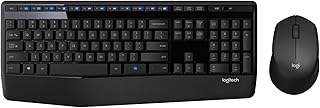
Logitech MK345 Wireless Keyboard and Mouse Combo
Why We Love It

Logitech MK295 Silent Wireless Keyboard and Mouse Combo
Why We Love It

HP 230 Wireless Mouse and Keyboard Combo with Lag Free
Why We Love It
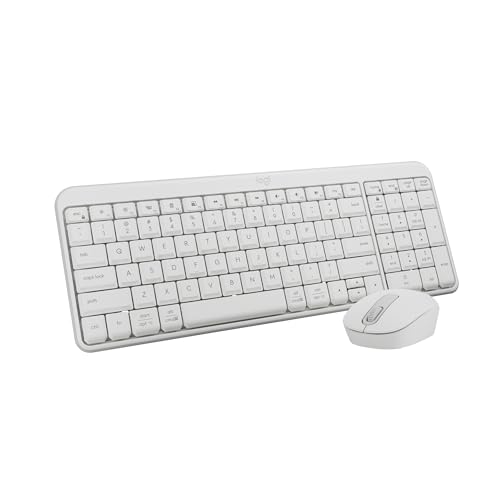
Logitech MK250 Bluetooth Wireless Combo
Why We Love It

Logitech MK250 Bluetooth Wireless Combo
Why We Love It

Logitech MK950 Signature Slim Wireless Keyboard and Mouse
Why We Love It

Logitech MK270 Wireless Keyboard and Mouse Combo for Windows
Why We Love It

Logitech MK470 Slim Wireless Keyboard and Mouse Combo
Why We Love It

Rapoo 9010M Multi-Device Keyboard and Mouse Combo
Why We Love It
Quick Pick
10 Best Wireless Keyboard Mouse Set Of 2026
Quick Pick
Logitech MK250 Bluetooth Wireless Combo - Graphite
Logitech MK345 Wireless Keyboard and Mouse Combo - Full-Sized Keyboard with Palm Rest, Comfortable Right-Handed Wireless Mouse, 2.4 GHz Wireless USB Receiver - for PC, Laptop
Logitech MK295 Silent Wireless Keyboard and Mouse Combo, Graphite
HP 230 Wireless Mouse and Keyboard Combo with Lag Free Wireless 2.4GHz, Long Lasting Battery - 16months, Up to 1600 DPI Mouse Precision, Quiet Keys and clicks, Black, 18H24AA
Logitech MK250 Bluetooth Wireless Combo - Off White
Logitech MK250 Bluetooth Wireless Combo - Rose
Logitech MK950 Signature Slim Wireless Keyboard and Mouse Combo, Sleek Design, Quiet Typing and Clicking, Switch Across Three Devices, Bluetooth, Multi-OS, Works with Windows and Mac, Graphite
Logitech MK270 Wireless Keyboard and Mouse Combo for Windows, 2.4 GHz Wireless, Compact Mouse, 8 Multimedia and Shortcut Keys, 2-Year Battery Life, for PC, Laptop
Logitech MK470 Slim Wireless Keyboard and Mouse Combo, Black
Rapoo 9010M Multi-Device Keyboard and Mouse Combo, 2.4GHz/Bluetooth 5.0/4.0 Wireless Keyboard & Mouse Set for Windows/Mac/Linux/Chrome, Support 4 Devices, Low-Profile Silent Click, Battery Powered
Buying Guide: Wireless Keyboard Mouse Set
📋 Table of Contents
1What should I look for in a wireless keyboard and mouse set?
Look for a reliable wireless connection (Bluetooth or RF), battery life, ergonomic design, and compatibility with your device's operating system.
2What are the key specifications to consider?
Key specs include connection type, battery life, response rate, keyboard layout (QWERTY or others), and whether it includes a USB receiver or uses Bluetooth.
3How do I ensure the set is compatible with my devices?
Check if the set works with your computer's operating system (Windows, macOS, etc.) and if it supports Bluetooth or requires a USB receiver.
4When should I pay more for a wireless keyboard and mouse set?
Pay more if you need high precision for gaming or graphic design, longer battery life, or advanced ergonomic features for comfort during long use.
5What are common mistakes to avoid when buying this product?
Common mistakes include ignoring compatibility, underestimating the importance of battery life, and not testing the keyboard and mouse for comfort and responsiveness before purchasing.
How we choose
Our editors are people who genuinely love testing and writing about products. We compare each product's real-world usability and strengths, then distill what matters most into our own "Why We Love It" points — so you get an honest, at-a-glance sense of what counts before you buy.