10 Best Wireless Keyboard Compact Of 2026
Wireless Keyboard Compact — Reviews, Recommendations & Updated Buying Guide November 2026


Logitech K250 Bluetooth Wireless Keyboard
Why We Love It


Logitech K400 Plus Wireless Touch Keyboard Black
Why We Love It

Magic-Refiner 60% Wireless Mechanical Keyboard
Why We Love It

Logitech Pebble Keys 2 K380s Bluetooth Keyboard
Why We Love It

OMOTON Ultra-Slim Bluetooth Keyboard for iPad
Why We Love It

Logitech MK250 Bluetooth Wireless Combo
Why We Love It
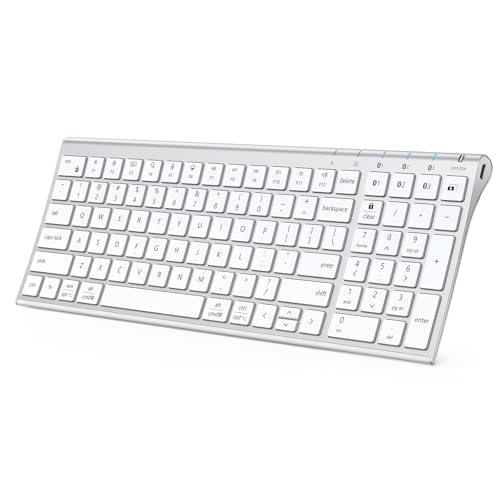
IClever Bluetooth Wireless Keyboard
Why We Love It

Logitech Pebble Keys 2 K380s Bluetooth Keyboard
Why We Love It

IClever Foldable Bluetooth Keyboard with Touchpad Portable
Why We Love It
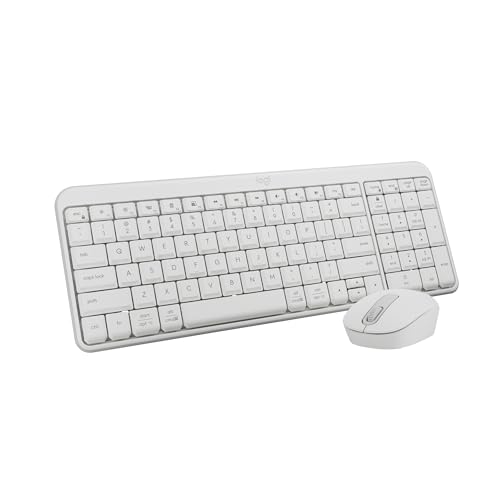
Logitech MK250 Bluetooth Wireless Combo
Why We Love It
Quick Pick
10 Best Wireless Keyboard Compact Of 2026
Quick Pick
Logitech K250 Bluetooth Wireless Keyboard - Graphite
Logitech K400 Plus Wireless Touch Keyboard Black
Magic-Refiner 60% Wireless Mechanical Keyboard, Bluetooth 5.0/2.4GHz with Dual Mode 2-in-1 Receiver, Compact 68-Key Hot Swappable Ergonomic Gaming Keyboard, Clicky Blue Switch for PC Mac Smartphone
Logitech Pebble Keys 2 K380s Bluetooth Keyboard, Tonal Graphite
OMOTON Ultra-Slim Bluetooth Keyboard for iPad,iPad Pro/Air/Mini,iPhone
Logitech MK250 Bluetooth Wireless Combo - Graphite
iClever Bluetooth Wireless Keyboard, BK10 SE Rechargeable Keyboard with Number Pad, Multi-Device Slim Design, Quiet Typing, Stable Connection for iPad, iPhone, Mac & PC (QWERTY US, Silver White)
Logitech Pebble Keys 2 K380s Bluetooth Keyboard, Tonal Off-White
iClever Foldable Bluetooth Keyboard with Touchpad Portable Keyboard Black | Quiet Typing, 3-Device Bluetooth Switching, 0.55 in Keycaps, USB-C Charging, Small & lightweight, for Business Travelers
Logitech MK250 Bluetooth Wireless Combo - Off White
Buying Guide: Wireless Keyboard Compact
📋 Table of Contents
1What should I look for in a wireless keyboard compact?
Look for a compact design that fits comfortably on your desk, a reliable wireless connection (Bluetooth or RF), and a battery life that suits your usage needs.
2What are the key specifications to consider?
Key specifications include connectivity type, battery life, keyboard layout (QWERTY or other), and compatibility with your devices (Windows, macOS, or both).
3How do I ensure the keyboard is the right size and compatible with my setup?
Check the keyboard's dimensions and ensure it fits your desk space. Verify compatibility with your operating system and devices, and consider if it requires a receiver or uses Bluetooth.
4When should I pay more for a wireless keyboard compact?
Pay more if you need advanced features like backlit keys, durable materials, or multi-device connectivity, which can enhance usability and longevity.
5What are common mistakes to avoid when buying a wireless keyboard compact?
Common mistakes include ignoring battery life, not checking compatibility with your devices, and overlooking the importance of ergonomic design for comfort during long use.
How we choose
Our editors are people who genuinely love testing and writing about products. We compare each product's real-world usability and strengths, then distill what matters most into our own "Why We Love It" points — so you get an honest, at-a-glance sense of what counts before you buy.