10 Best Wireless Gaming Keyboards For Mac Of 2026
Wireless Gaming Keyboards For Mac — Reviews, Recommendations & Updated Buying Guide November 2026


EPOMAKER TH108 V2 PRO Full Size Mechanical Keyboard with
Why We Love It


SATECHI SM1 75% Mechanical Keyboard
Why We Love It

FREEWOLF T96 Wireless Keyboard and Mouse Combo
Why We Love It

Rii [Arabic layout]RK802 Wireless Gaming keyboard
Why We Love It

Keychron B1 Pro Ultra-Slim Wireless Keyboard
Why We Love It

Game Keyboard&Mouse Combo, 75% Tri-Mode BT5.0/2.4GHz/USB-C
Why We Love It
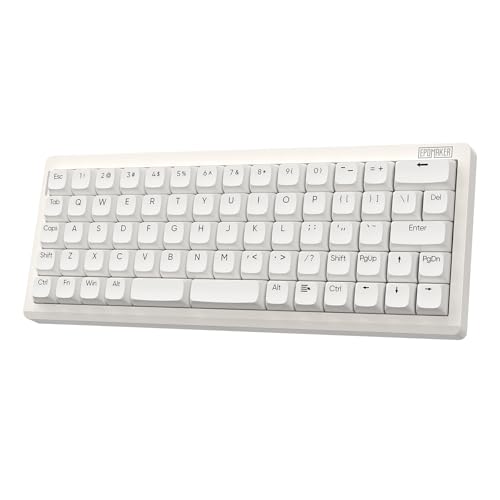
EPOMAKER Hack70 Wireless Mechanical Keyboard with QMK/VIA
Why We Love It

UGREEN Wireless Keyboard & Mouse Combo BT5.4/2.4G 99-Key for
Why We Love It

AULA F108 PRO Mechanical Gaming Keyboard with Screen & Knob
Why We Love It

EPOMAKER X Aula F75 MAX Tri-Mode Wireless Gaming Keyboard
Why We Love It
Quick Pick
10 Best Wireless Gaming Keyboards For Mac Of 2026
Quick Pick
EPOMAKER TH108 V2 PRO Full Size Mechanical Keyboard with Screen & Knob, 10000mAh, BT/2.4Ghz, Mac PBT Keycap, Hot Swap, RGB, Gasket, Wireless Gaming Keyboard for Mac/PC (Black, Sea Salt Silent V2)
SATECHI SM1 75% Mechanical Keyboard, US QWERTY, Rechargeable, Grey/White
FREEWOLF T96 Wireless Keyboard and Mouse Combo, Retro, BT & 2.4G Modes, PBT Keycaps, Media Knob, Display Screen, Silent Keys, 26-Key Anti-ghosting, American QWERTY, for Mac/Windows/Linux
Rii [Arabic layout]RK802 Wireless Gaming keyboard, 3 Modes(Bluetooth/2.4G/Wired), 60% Rechargeable RGB Backlit Gaming Keyboard Red Switch for PC Windows Laptop(Black)
Keychron B1 Pro Ultra-Slim Wireless Keyboard – Arabic & English Layout, 75% Scissor-Switch, Bluetooth 5.2/2.4GHz / USB-C, 1200-Hour Battery, Programmable via ZMK, Mac/Windows/Linux
Game Keyboard&Mouse Combo, 75% Tri-Mode BT5.0/2.4GHz/USB-C, Mechanical Keyboard+3D 1600DPI Mice with Smart Display 80 Keys Knob Volume Control 2000mAh Battery for Mac Laptop Computer PC Gamer (Black)
EPOMAKER Hack70 Wireless Mechanical Keyboard with QMK/VIA, 2.4Ghz/BT/Wired
UGREEN Wireless Keyboard & Mouse Combo BT5.4/2.4G 99-Key for PC | Wireless keyboard & mouse combo, 99-key slim, Bluetooth5.4/2.4G, 4 DPI mouse, compact, for Mac iPad Windows
AULA F108 PRO Mechanical Gaming Keyboard with Screen & Knob,Wireless Creamy Keyboard with 8000mAh Battery,Pre-lubed Switches,Side Printed PBT Keycaps,RGB Backlit Hot Swappable Custom Keyboards
EPOMAKER X Aula F75 MAX Tri-Mode Wireless Gaming Keyboard, TFT Screen, Knob, Hot Swappable, 2.4GHz/Type-C/BT5.0, Gasket Creamy, for PC/Mac/Office/Gaming (Black Gradient)
Buying Guide: Wireless Gaming Keyboards For Mac
📋 Table of Contents
1What connection type is best for low latency on a Mac?
Look for keyboards with Bluetooth 5.0 or a dedicated 2.4GHz wireless dongle for the lowest input lag. Dongles typically offer faster and more stable connections, which is crucial for competitive gaming on a Mac.
2Do I need a Mac-specific keyboard layout?
Yes — ensure the keyboard has a macOS-compatible layout with proper key mappings for Command, Option, and other Mac-specific functions. Some keyboards let you switch between Windows and Mac layouts via software or a physical toggle.
3How long should the battery last between charges?
Aim for at least 20-30 hours of continuous use on a single charge for most gaming sessions. Keyboards with RGB lighting or high polling rates may drain the battery faster, so look for models with quick-charge or low-power modes.
4Is RGB lighting worth the extra cost?
RGB lighting is mostly a visual feature, but it can help with key visibility in low light. If you prioritize aesthetics and customization, go for it. For pure performance, a non-backlit or single-color keyboard is often more affordable and reliable.
5What should I look for in a durable build for long-term use?
Opt for mechanical switches or high-quality membrane layers for better longevity. Metal-reinforced frames and spill-resistant designs add durability, especially if you game frequently or in less-than-ideal environments.
How we choose
Our editors are people who genuinely love testing and writing about products. We compare each product's real-world usability and strengths, then distill what matters most into our own "Why We Love It" points — so you get an honest, at-a-glance sense of what counts before you buy.