10 Best Wifi Smart Door Lock Multi Bolt Of 2026
Wifi Smart Door Lock Multi Bolt — Reviews, Recommendations & Updated Buying Guide November 2026


CL1X TUYA Smart Door Cylinder Lock with WiFi Gateway
Why We Love It


Wyze Auto-Lock Bolt v2
Why We Love It

WELOCK ToucD41-UAE Biometric Fingerprint Smart Cylinder Door
Why We Love It
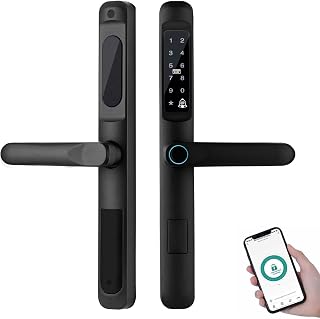
Smart Door Lock
Why We Love It

ULTRALOQ Bolt Fingerprint WiFi Smart Lock
Why We Love It

WELOCK PCB41 Keyless Entry Smart Door Lock with Password APP
Why We Love It

Eufy Security Smart Lock C30
Why We Love It

Smart Lock
Why We Love It

Bluetooth Fingerprint Smart Lock with Handle & Keypad
Why We Love It
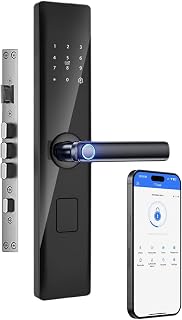
Smart Lock
Why We Love It
Quick Pick
10 Best Wifi Smart Door Lock Multi Bolt Of 2026
Quick Pick
CL1X TUYA Smart Door Cylinder Lock with WiFi Gateway (Fingerprint, PIN, RFID, App & Key) Black
Wyze Auto-Lock Bolt v2, Fingerprint Keyless Entry Smart Lock, AI Learning Scanner with Wi-Fi Front Door Lock Deadbolt, Auto-Lock, 8 Months Battery, BHMA2, IP53, Anti-Peep Keypad, Backup Keys
WELOCK ToucD41-UAE Biometric Fingerprint Smart Cylinder Door Lock with Password WI-FI App RFID Card Unlock For Home Office Airbnb
Smart Door Lock, 6-in-1 Door Handle with Remote WiFi Weatherproof, Fingerprint Keyless Security Entry Door Lock, Electronic Deadbolt, Smartphone Access, Smart Door Handle for Home Apartment
ULTRALOQ Bolt Fingerprint WiFi Smart Lock, Works with Apple Home, Siri, Alexa, 8-in-1 Keyless Entry Deadbolt Lock with Fingerprint, Keypad, App Remote Control, Auto Unlock,Easy Install, 10 Mo. Battery
WELOCK PCB41 Keyless Entry Smart Door Lock with Password APP 3 Pcs RFID Cards,Smart Lock Cylinder for Front Gate AirB&B Hotel Easy Installation
eufy Security Smart Lock C30, Keyless Entry Door Lock, Built-in Wi-Fi | Easy Installation, App Remote Control, Reliable Power, Keypad Deadbolt for Front Door, No Bridge Required, Traditional, Black
Smart Lock, Fingerprint Door Locks with Keypads Keyless Entry Deadbolt Front Door Lock,APP Control Touchscreen Keypad for Office Home Apartment Airbnb (V2 - Bluetooth and WiFi 2in1)
Bluetooth Fingerprint Smart Lock with Handle & Keypad – Fits Most US Doors, DIY Install, Keyless Entry: Code, FOB, Auto-Lock. Ideal for Home, Airbnb, Rental, Kids, Seniors. Alexa & Google Compatible
Smart Lock,Bluetooth and WiFi 2 in 1 Smart Lock, Fingerprint Door Lock, Keyless Entry Door Lock, APP Remote Control, Biometric for Home Bedroom Apartment (X1)
Buying Guide: Wifi Smart Door Lock Multi Bolt
📋 Table of Contents
1How many locking bolts should a multi-bolt smart door lock have?
Look for at least three locking bolts for enhanced security, especially on entry doors. More bolts provide better resistance against forced entry, though they may slightly reduce door clearance. Two-bolt systems are suitable for secondary doors or less critical access points.
2What Wi-Fi standards should I look for in a smart door lock?
Opt for models supporting Wi-Fi 5 (802.11ac) or newer Wi-Fi 6 (802.11ax) for faster and more stable connectivity. Wi-Fi 5 is widely compatible and sufficient for most homes, while Wi-Fi 6 offers better performance in crowded networks, which is ideal for smart homes with multiple devices.
3Is a Z-Wave or Zigbee integration worth considering?
Z-Wave and Zigbee offer more reliable, low-power mesh networking compared to Wi-Fi, especially in homes with thick walls or multiple floors. However, they require a hub for full functionality, which adds cost. Wi-Fi locks are easier to set up but may be less stable in poor signal areas.
4What battery life should I expect from a Wi-Fi smart door lock?
Most models last 6–12 months on a single set of AA or AAA batteries, depending on usage and Wi-Fi activity. Look for models with low-power Wi-Fi or motion-activated sensors to extend battery life. Some offer USB-C charging or backup power options for added convenience.
5What security features are essential for a Wi-Fi smart door lock?
Ensure the lock has AES-256 encryption for secure data transmission and a tamper-proof design. Two-factor authentication, like app-based codes or biometrics, adds another layer of protection. Avoid models with weak default passwords or unpatched firmware vulnerabilities.
How we choose
Our editors are people who genuinely love testing and writing about products. We compare each product's real-world usability and strengths, then distill what matters most into our own "Why We Love It" points — so you get an honest, at-a-glance sense of what counts before you buy.