10 Best Wifi Print Servers Of 2026
Wifi Print Servers — Reviews, Recommendations & Updated Buying Guide November 2026


Airshi WiFi Print Server
Why We Love It


Wireless Print Server
Why We Love It

WAVLINK USB Wireless Print Server
Why We Love It

Blue-TH WiFi Wireless Print Server with 3 USB Ports
Why We Love It

StarTech.com Ethernet to Parallel Network Print Server
Why We Love It

XUMIUZIY USB Wireless Print Server Wired Wireless Standalone
Why We Love It
USB2.0 Wireless Print Server Easy Web Management for All USB
Why We Love It

Wireless Print Server for USB Printer (NOT Plug&Play)
Why We Love It

Wireless print server to share 3 USB printers over local
Why We Love It
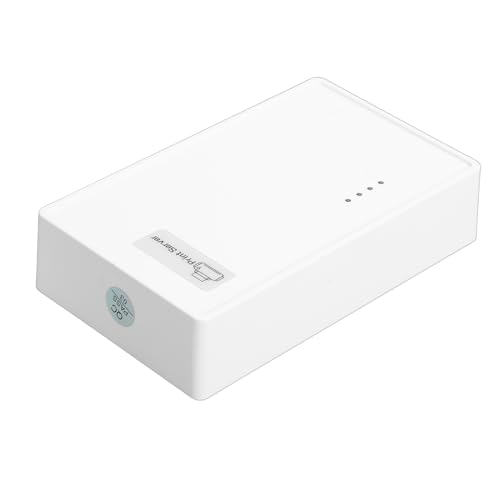
Eujgoov USB Printer Print Server Wireless WiFi Printer
Why We Love It
Quick Pick
10 Best Wifi Print Servers Of 2026
Quick Pick
Airshi WiFi Print Server, LAN Print Share Server Supports Image Printing, Multiple Interfaces, Maximum Support 256GB forXP, USB 2.0Print Server (UK Plug)
Wireless Print Server, 2 Port USB 2.0 WiFi Print Server with 100Mbps LAN & Bridge, Wired/Wireless/Standalone Modes, Compatible with Windows 10 8 7 XP, Mac OS and All RAW-Supported Printers
WAVLINK USB Wireless Print Server, WiFi Print Server with 10/100Mbps LAN/Bridge, 480Mbps USB2.0, Support Wireless/Wired/Standalone Modes, Compatible with Mac/Windows and All RAW-Supported Printers
Blue-TH WiFi Wireless Print Server with 3 USB Ports, Supports Three Different Network Segments.
StarTech.com Ethernet to Parallel Network Print Server, 10/100Mbps LAN, WebUI, Centronics Ethernet Printer Server Adapter, TAA
XUMIUZIY USB Wireless Print Server Wired Wireless Standalone Modes 480Mbps USB2.0 Print Server with 10/100Mbps LAN Bridge for for OS X Printers
USB2.0 Wireless Print Server Easy Web Management for All USB Printers, for Supermarkets/Educational Institutions
Wireless Print Server for USB Printer (NOT Plug&Play), 2 Port USB Print Server, Convert Wired Printer to Wireless WiFi Ethernet Networking - Windows Mac Linux Compliant - CR202
Wireless print server to share 3 USB printers over local network, easy installation, support image and text printing, compatible with all RAW printers and
Eujgoov USB Printer Print Server Wireless WiFi Printer Sharer with USB
Buying Guide: Wifi Print Servers
📋 Table of Contents
1What network standards should I look for in a Wi-Fi print server?
Opt for models supporting at least 802.11ac for faster speeds and better range. Some newer models use Wi-Fi 6 (802.11ax) for even quicker data transfer, which is ideal if you're printing high-resolution images or large documents frequently.
2How many simultaneous print jobs can a Wi-Fi print server handle?
Most consumer models handle 10-20 concurrent print jobs, while business-grade servers can manage 50 or more. If you're in a shared office or home with multiple users, look for a server with at least 20 concurrent connections to avoid bottlenecks.
3Is cloud printing support worth paying extra for?
Yes, if you need to print from mobile devices or remote locations. Cloud support via Google Cloud Print or Apple AirPrint adds convenience, but note that Google Cloud Print has been discontinued, so check for alternative services like HP ePrint or third-party apps.
4What security features should I prioritize?
Look for WPA3 encryption and support for HTTPS or SSL for secure connections. Some models also offer guest network isolation or built-in firewalls to prevent unauthorized access, which is crucial if the server is on a public or shared network.
5What are the common mistakes when setting up a Wi-Fi print server?
Many users forget to install the correct drivers or configure the server's IP address properly. Always ensure your printer is compatible with the server and that your network has a stable signal. Avoid placing the server too far from the router to prevent connectivity issues.
How we choose
Our editors are people who genuinely love testing and writing about products. We compare each product's real-world usability and strengths, then distill what matters most into our own "Why We Love It" points — so you get an honest, at-a-glance sense of what counts before you buy.