10 Best Wifi Extender Router Of 2026
Wifi Extender Router — Reviews, Recommendations & Updated Buying Guide November 2026


TP-Link RE205 AC750 Dual Band Mesh Wi-Fi
Why We Love It


TP-Link TL-WA850RE N300 Router
Why We Love It

TP-Link RE450 AC1750 Dual Band Mesh Wi-Fi
Why We Love It

AX3000 WiFi 6 Extender
Why We Love It

TP-Link RE315 AC1200 Dual Band Mesh Wi-Fi
Why We Love It

BrosTrend AX1500 WiFi 6 Extender
Why We Love It

TP-Link RE705X AX3000 Dual Band Wi-Fi 6 Mesh Wi-Fi
Why We Love It
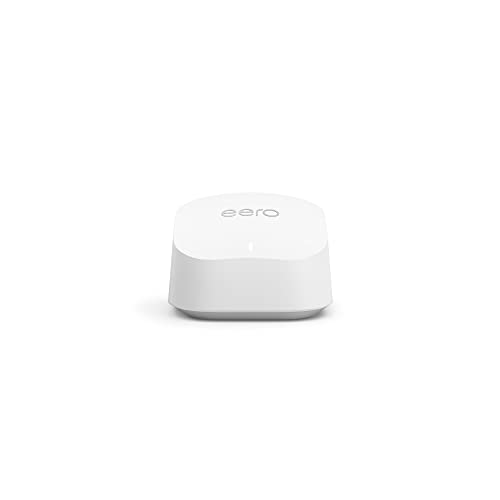
Amazon eero 6+ dual-band mesh Wi-Fi 6 router | extender
Why We Love It

TP-Link TL-WA801N Extender, PoE
Why We Love It

WiFi Range Extender
Why We Love It
Quick Pick
10 Best Wifi Extender Router Of 2026
Quick Pick
TP-Link RE205 AC750 Dual Band Mesh Wi-Fi, Whole Home, AI Roaming, WPA3
TP-Link TL-WA850RE N300 Router, EasyMesh, HomeShield, WPA3, VPN, Gaming
TP-Link RE450 AC1750 Dual Band Mesh Wi-Fi, 1.75Gbps, 4K, Whole Home, WPA3
AX3000 WiFi 6 Extender, Dual Band Wireless Range Extender & Signal Booster, Gigabit Ethernet Port, Up to 12,000 sq.ft Coverage, Supports Up to 99 Devices, Easy Setup, White
TP-Link RE315 AC1200 Dual Band Mesh Wi-Fi, 1.2Gbps, EasyMesh, Whole Home
BrosTrend AX1500 WiFi 6 Extender, Dual Band Coverage Up to 185㎡ &40 Devices | WiFi Extender with Gigabit Ethernet Port, Wi-Fi Booster Wireless Range Repeater Easy Setup, Works with Any Wi-Fi Routers
TP-Link RE705X AX3000 Dual Band Wi-Fi 6 Mesh Wi-Fi, 160MHz, EasyMesh, WPA3
Amazon eero 6+ dual-band mesh Wi-Fi 6 router | extender, with built-in Zigbee smart home hub and 160 MHz client device support
TP-Link TL-WA801N Extender, PoE, EasyMesh, Gigabit Port, AP Mode, WPA3
WiFi Range Extender - Signal Booster Up to 5000sq.ft and 50+ Devices | Wireless Internet Repeater, Long Range Amplifier with Ethernet Port, 1-Key Setup, Access Point, Alexa Compatible
Buying Guide: Wifi Extender Router
📋 Table of Contents
1What should I look for in a WiFi extender router?
Look for a model that supports the latest WiFi standards (like WiFi 6), has good range coverage, and offers easy setup through a mobile app or web interface.
2What are the key specifications to consider?
Key specs include the WiFi standard, number of antennas, signal strength, compatibility with your existing router, and whether it supports dual-band or tri-band connectivity.
3How do I ensure the extender is compatible with my current network?
Check that the extender supports the same WiFi protocols as your router and that it can connect to your existing network without requiring a separate ISP setup.
4When should I pay more for a WiFi extender router?
Pay more if you need extensive coverage for large homes, require high-speed performance for streaming or gaming, or need advanced features like mesh networking or parental controls.
5What are common mistakes to avoid when buying a WiFi extender?
Common mistakes include buying a model with insufficient range, ignoring compatibility with your current network, or not considering placement for optimal signal coverage.
How we choose
Our editors are people who genuinely love testing and writing about products. We compare each product's real-world usability and strengths, then distill what matters most into our own "Why We Love It" points — so you get an honest, at-a-glance sense of what counts before you buy.