10 Best Wide Format Inkjet Printer Of 2026
Wide Format Inkjet Printer — Reviews, Recommendations & Updated Buying Guide November 2026


Brother Wireless All in One Printer
Why We Love It


HP OfficeJet Pro 9730 Wide Format All-in-One Printer
Why We Love It

Brother Wireless All in One Printer
Why We Love It

Canon PIXMA G3480 3-in-1 Refillable MegaTank Inkjet Printer
Why We Love It
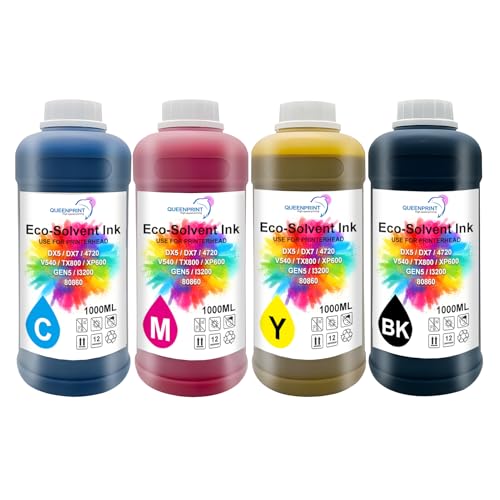
QUEENPRINT High speed printing Eco Solvent Ink for Wide
Why We Love It

Bewinner Inkjet Printer Printhead Replacement for Wide
Why We Love It

Aulay Eco Solvent Ink 1000ML for Wide Format Grand Format
Why We Love It
Quick Pick
10 Best Wide Format Inkjet Printer Of 2026
Quick Pick
Brother Wireless All in One Printer, MFC-J2340DW, Wide Format Borderless Printing, High Yield Ink Cartridge, Large
HP OfficeJet Pro 9730 Wide Format All-in-One Printer | Wireless | Print, Copy, Scan | ADF, Two-Sided Printing & Scanning, Quiet Mode | Input Capacity up to 500 Sheet | UAE Version [537P5C]
Brother Wireless All in One Printer, MFC-J3540DW, Wide Format Borderless Printing, High Yield Ink Cartridge, Large
Canon PIXMA G3480 3-in-1 Refillable MegaTank Inkjet Printer
QUEENPRINT High speed printing Eco Solvent Ink for Wide Format Grand Format Printers Use for EPN DX9/DX4/DX7/DX5/13200/KP600/TX800 Printhead, Mimaki, Roland, Mutoh(4-Pack BK+C+M+Y
Bewinner Inkjet Printer Printhead Replacement for Wide Format Printers
Aulay Eco Solvent Ink 1000ML for Wide Format Grand Format Printers Use for DX4 DX5 DX7 DX9 DX10 DX 11 XP600 TX800 Printhead
Buying Guide: Wide Format Inkjet Printer
📋 Table of Contents
1What print width should I look for based on my needs?
For most signage or posters, a printer with a width of 24 to 64 inches is standard. If you need larger formats like vehicle wraps or banners, consider 80 inches or more. Ensure your workspace can accommodate the printer’s size and that your media roll can handle the width without sagging.
2What type of ink is best for indoor vs. outdoor use?
For indoor use, aqueous or UV-curable inks are common and offer good durability. For outdoor applications, UV-curable or solvent-based inks are better due to their resistance to fading, moisture, and UV light. Always check the printer’s compatibility with the ink type you plan to use.
3How important is print resolution for different applications?
A resolution of 150 to 300 dpi is standard for most wide format printing, suitable for posters and banners. For high-detail work like architectural drawings or fine art, look for printers that support 600 dpi or higher. Higher resolution increases file size and print time, so balance quality with workflow efficiency.
4What media types are compatible with wide format inkjet printers?
Most wide format printers support vinyl, fabric, paper, and rigid substrates like foam board or acrylic. Check the printer’s specifications for supported media thickness and width. Some models offer roll-fed or sheet-fed options, so choose based on your production volume and material preferences.
5Should I prioritize a printer with a built-in RIP or use a separate one?
A built-in RIP (Raster Image Processor) simplifies workflow by handling color management and print preparation directly on the printer. If you need advanced color control or handle large volumes, a separate RIP software may offer more flexibility. Consider your design workflow and whether you need integration with CAD or graphic design software.
How we choose
Our editors are people who genuinely love testing and writing about products. We compare each product's real-world usability and strengths, then distill what matters most into our own "Why We Love It" points — so you get an honest, at-a-glance sense of what counts before you buy.