10 Best Wavlink Print Servers Of 2026
Wavlink Print Servers — Reviews, Recommendations & Updated Buying Guide November 2026


WAVLINK USB Wireless Print Server
Why We Love It


USB 2.0 Network Print Server
Why We Love It

Wireless Print Server
Why We Love It

StarTech.com Ethernet to Parallel Network Print Server
Why We Love It

Brother NC8000 Print Server RJ45 Printer Accessory
Why We Love It

3-Port USB 2.0 Network Print Server 10/100 Mbps Ethernet USB
Why We Love It
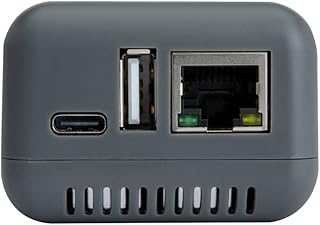
1-port Networking Print Server RJ45 for Your USB Printer
Why We Love It

USB2.0 Wireless Print Server Easy Web Management for All USB
Why We Love It

Wireless Print Server for USB Printer (NOT Plug&Play)
Why We Love It

Wireless Print Server with 4 USB Sharing
Why We Love It
Quick Pick
10 Best Wavlink Print Servers Of 2026
Quick Pick
WAVLINK USB Wireless Print Server, WiFi Print Server with 10/100Mbps LAN/Bridge, 480Mbps USB2.0, Support Wireless/Wired/Standalone Modes, Compatible with Mac/Windows and All RAW-Supported Printers
USB 2.0 Network Print Server, WAVLINK LAN Print Share Server for USB Printers, LPR Print Protocol 10/100Mbps Computer Print Server Adapter for Windows, MacOS 10.7 or above, No Driver Required
Wireless Print Server, 2 Port USB 2.0 WiFi Print Server with 100Mbps LAN & Bridge, Wired/Wireless/Standalone Modes, Compatible with Windows 10 8 7 XP, Mac OS and All RAW-Supported Printers
StarTech.com Ethernet to Parallel Network Print Server, 10/100Mbps LAN, WebUI, Centronics Ethernet Printer Server Adapter, TAA
Brother NC8000 Print Server RJ45 Printer Accessory
3-Port USB 2.0 Network Print Server 10/100 Mbps Ethernet USB Printer Adapter Windows 11
1-port Networking Print Server RJ45 for Your USB Printer
USB2.0 Wireless Print Server Easy Web Management for All USB Printers, for Supermarkets/Educational Institutions
Wireless Print Server for USB Printer (NOT Plug&Play), 2 Port USB Print Server, Convert Wired Printer to Wireless WiFi Ethernet Networking - Windows Mac Linux Compliant - CR202
Wireless Print Server with 4 USB Sharing, Multi Mode (Wired / 2.4G WiFi/Standalone), Easy Setup, 100Mbps LAN, Plug and Play for & (White)
Buying Guide: Wavlink Print Servers
📋 Table of Contents
1What's the difference between Wavlink's wired and wireless print servers?
Wired models connect directly to your network via Ethernet for stable, consistent performance, while wireless ones offer flexibility to place them anywhere. Wireless is better if your printer is far from your router, but wired is more reliable if you need fast printing across many devices.
2How do I know if a Wavlink print server will work with my old printer?
Check if your printer has a USB or parallel port, as most Wavlink servers support these legacy connections. You should also verify the server's driver support on Wavlink's website—older printers sometimes need manual driver installation rather than plug-and-play setup.
3Does a Wavlink print server need its own power connection?
Yes, Wavlink print servers require a power adapter to operate—they can't run on USB power alone. Keep this in mind when choosing placement, as you'll need an outlet near your printer.
4Which Wavlink model is best for a small office with 5-10 users?
Their mid-range wireless models handle multiple simultaneous print jobs well for small offices without overheating or bottlenecking. Look for models with dual-band WiFi support to ensure smooth performance even when other devices are connected to your network.
5What setup difficulties should I expect with a Wavlink print server?
Most Wavlink servers have straightforward plug-and-play installation, but you may need to manually install drivers on Windows or configure settings through the web interface. The main hassle is usually getting all devices on your network to recognize and connect to the shared printer rather than the server itself.
How we choose
Our editors are people who genuinely love testing and writing about products. We compare each product's real-world usability and strengths, then distill what matters most into our own "Why We Love It" points — so you get an honest, at-a-glance sense of what counts before you buy.