10 Best Wall Mount Monitor Arms Of 2026
Wall Mount Monitor Arms — Reviews, Recommendations & Updated Buying Guide November 2026

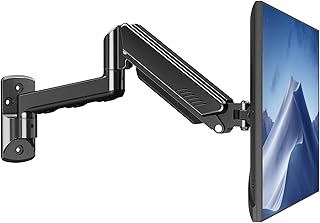
MOUNTUP Single Monitor Wall Mount for Max 32 Inch Computer
Why We Love It


PUTORSEN Monitor Arm Wall Mount Bracket for 17-42 inch
Why We Love It

Suptek TV Wall Mount Swivel Tilt Rotation Full Motion
Why We Love It

MOUNTUP Dual Monitor Wall Mount for 2 Max 32 Inch Computer
Why We Love It

GAMEON GO-5015 Single Monitor Arm
Why We Love It

MOUNTUP Full Motion TV Monitor Wall Mount for Most 14-42
Why We Love It

MOUNT PRO Single Monitor Wall Mount for 13 to 32 Inch
Why We Love It
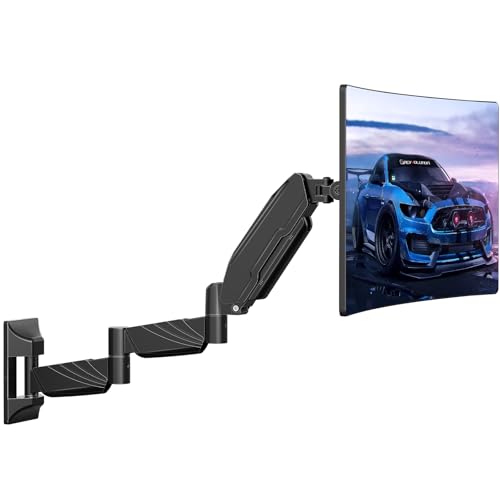
MOUNT PRO Monitor Wall Mount for 13 to 32 inch Computer
Why We Love It

Mount-It! Full Motion TV Wall Mount Monitor Wall Bracket
Why We Love It

MOUNT PRO Dual Monitor Wall Mount for 13 to 32 Inch Computer
Why We Love It
Quick Pick
10 Best Wall Mount Monitor Arms Of 2026
Quick Pick
MOUNTUP Single Monitor Wall Mount for Max 32 Inch Computer Screen, Fully Adjustable Gas Spring Monitor Arm, Wall Mounted Monitor Holder Support 2.2-17.6lbs Display, VESA Bracket Fit 75x75mm, 100x100mm
PUTORSEN Monitor Arm Wall Mount Bracket for 17-42 inch Screens, Height Adjustable Gas Spring Single Wall Monitor Mount, Tilt Swivel Rotate, Load 12KG, VESA 75x75/100x100mm, Black
Suptek TV Wall Mount Swivel Tilt Rotation Full Motion Adjustable Articulating for Most 15-32 inch LED, LCD Monitor Wall Mount VESA 75,100 (MA2720)
MOUNTUP Dual Monitor Wall Mount for 2 Max 32 Inch Computer Screen, Fully Adjustable Spring Double Monitor Arm, Wall Mounted Monitor Holder Support 2.2-17.6lbs Display, VESA Bracket 75x75, 100x100
GAMEON GO-5015 Single Monitor Arm, Economy Spring Assisted Wall Mount for Gaming and Office Use, 17" - 32", Arm Up To 9 KG Black
MOUNTUP Full Motion TV Monitor Wall Mount for Most 14-42 Inch LED LCD Flat Screen TVs & Monitors, Swivels Tilts Extension Rotation, TV Bracket Max VESA 200x200mm, up to 44 lbs.(20kg)
MOUNT PRO Single Monitor Wall Mount for 13 to 32 Inch Computer Screens, Gas Spring Wall Monitor Arm Holds Up to 17.6lbs, Full Motion Adjustable Wall Monitor Mount, VESA Mount 75x75, 100x100,Black
MOUNT PRO Monitor Wall Mount for 13 to 32 inch Computer Screen, Extra Long Adjustable Single Wall Mount Monitor Arm, Full Motion Vesa Wall Bracket 100x100, Hold up to 17.6lbs, Black
Mount-It! Full Motion TV Wall Mount Monitor Wall Bracket with Swivel & Articulating Tilt Arm, Fits up to 55 Inch Lcd Led Oled Flat Screens up to 66 lbs/Vesa 400x400
MOUNT PRO Dual Monitor Wall Mount for 13 to 32 Inch Computer Screens, Gas Spring Wall Monitor Arm for 2 Monitors, Each Holds Up to 17.6lbs, Full Motion Wall Monitor Mount with VESA 75x75/100x100
Buying Guide: Wall Mount Monitor Arms
📋 Table of Contents
1What weight capacity should I look for in a wall mount monitor arm?
Look for a weight capacity of at least 15-20 pounds to support most monitors, especially if you plan to add a keyboard tray or other accessories. Higher capacities (up to 30 pounds) are better for larger screens or dual-monitor setups, ensuring stability and reducing strain on the mounting hardware.
2What types of mounting brackets are best for different monitor sizes?
VESA 75x75 or 100x100mm brackets are standard for most monitors, but check your monitor’s back for compatibility. For larger or heavier displays, consider a full-motion arm with a universal clamp or a fixed bracket with reinforced mounting points to prevent wobbling or detachment.
3How does adjustable height and angle affect ergonomics?
Adjustable height and tilt allow you to position the screen at eye level, reducing neck strain. Look for arms with at least 15 inches of vertical range and 15-30 degrees of tilt. Full 360-degree rotation and swivel features enhance flexibility for multi-tasking and collaboration.
4What materials are best for durability and stability?
Steel or aluminum arms offer the best durability and stability, especially for heavier monitors. Avoid lightweight plastic arms unless you're using them for small, lightweight displays. Reinforced joints and anti-slip padding on the wall clamp also improve long-term performance.
5Are there common mistakes to avoid when installing a wall mount monitor arm?
Avoid over-tightening the wall clamp, as it can crack drywall or damage the stud. Always use a stud finder and mount into a solid wall stud for safety. Also, ensure the arm is fully extended and secured before attaching the monitor to prevent accidental detachment or damage.
How we choose
Our editors are people who genuinely love testing and writing about products. We compare each product's real-world usability and strengths, then distill what matters most into our own "Why We Love It" points — so you get an honest, at-a-glance sense of what counts before you buy.