10 Best Wacom Tablet Of 2026
Wacom Tablet — Reviews, Recommendations & Updated Buying Guide November 2026


Wacom Intuos S tavoletta Grafica 2540 lpi (linee per
Why We Love It


Wacom Intuos M Black–with Pen
Why We Love It

Wacom Intuos Medium
Why We Love It

Wacom One Medium, Pen Tablet
Why We Love It

Wacom Intuos Pro Small
Why We Love It
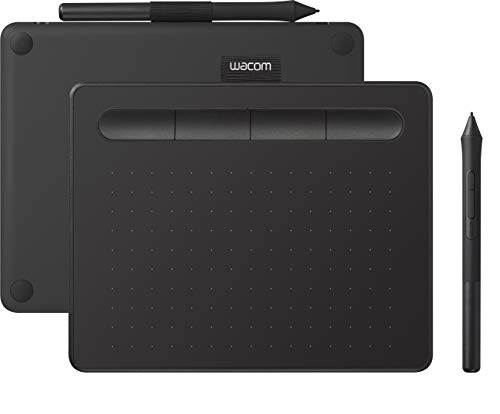
Wacom Intuos CTL-4100/K0-CX Digital Graphics Pen Tablet for
Why We Love It

Wacom Cintiq 16 (2025 Edition)
Why We Love It

One by Wacom Medium
Why We Love It

Wacom Intuos Pro S (EN DE RU SV PL)
Why We Love It

XP-Pen Deco 01 V3 Drawing Tablet
Why We Love It
Quick Pick
10 Best Wacom Tablet Of 2026
Quick Pick
Wacom Intuos S tavoletta Grafica 2540 lpi (linee per pollice) 152 x 95 mm USB/Bluetooth Nero
Wacom Intuos M Black–with Pen, Stylus Battery-Free & Pressure-Sensitive, Compatible with Windows, Mac & Android, Perfect Tablet for Drawing, Graphics or Remote Working | Graphics tablet (PC required), Wacom natural pencil experience and precise control for drawing, painting and editing photos
Wacom Intuos Medium, the Innovative Tablet Incl. Pro Pen 3, Compact and Lightweight-a Versatile Choice for Illustrators, Designers, and Photo Editors | Graphics tablet (PC required), compact, ultra-thin, pen-on-paper feel for seamless workflow, Japanese technology
Wacom One Medium, Pen Tablet, incl. battery-free Pen with tilt recognition | Drawing Tablet (PC required), slim, lightweight with trusted pen technology for natural drawing, writing and photo editing
Wacom Intuos Pro Small, The Innovative Pen Tablet incl. Wacom Pro Pen 3, Compact and Lightweight - Ideal for Creators on The go or Those with Limited Desk Space, Without compromising on Performance
Wacom Intuos CTL-4100/K0-CX Digital Graphics Pen Tablet for Drawing (Black) Small (7.8-inch x 6.3-inch) | Battery Free Pen with 4096 Pressure | Compatible with Windows, Mac & Android
Wacom Cintiq 16 (2025 Edition) - Compact 2.5K Creative Pen Display with Wacom Pro Pen 3, Anti-Glare Glass, Foldable Stand and USB-C
One by Wacom Medium, Pen Tablet, incl. battery-free Wacom Pen 2K | Drawing Tablet (PC required) for sketching, drawing and E-learning with an intuitive pen experience and Japanese Technology
Wacom Intuos Pro S (EN DE RU SV PL)
XP-Pen Deco 01 V3 Drawing Tablet, 10x6.25 Inch, 16384 Levels Pressure | Graphic Tablet, Battery-Free Stylus with Tilt Function, 8 Shortcut Keys, Compatible with PC, Chromebook, Android, MAC
Buying Guide: Wacom Tablet
📋 Table of Contents
1What should I look for when choosing a Wacom tablet?
Consider the tablet's size, pressure sensitivity levels, and whether it includes a stylus. Also, check if it's compatible with your operating system and any software you use.
2What are the key specifications to compare between models?
Key specs include screen size, resolution, battery life, connectivity options (USB-C, Bluetooth), and the number of pressure levels the stylus can detect.
3How do I ensure the tablet is compatible with my devices?
Check the tablet's system requirements and ensure it supports your computer's operating system, as well as any mobile devices you plan to use it with.
4When should I pay more for a Wacom tablet?
Pay more if you need advanced features like a high-resolution display, higher pressure sensitivity, or additional tools like a built-in display and stylus for professional use.
5What are common mistakes to avoid when buying a Wacom tablet?
Common mistakes include ignoring compatibility with your devices, underestimating the importance of pressure sensitivity, and not checking if the stylus is included or needs to be purchased separately.
How we choose
Our editors are people who genuinely love testing and writing about products. We compare each product's real-world usability and strengths, then distill what matters most into our own "Why We Love It" points — so you get an honest, at-a-glance sense of what counts before you buy.