10 Best Wacom Pentablet Of 2026
Wacom Pentablet — Reviews, Recommendations & Updated Buying Guide November 2026


Wacom Intuos Small
Why We Love It


Wacom Intuos Pro Medium
Why We Love It

Wacom Intuos Small Bluetooth Graphics Drawing Tablet
Why We Love It

Wacom Intuos Medium
Why We Love It
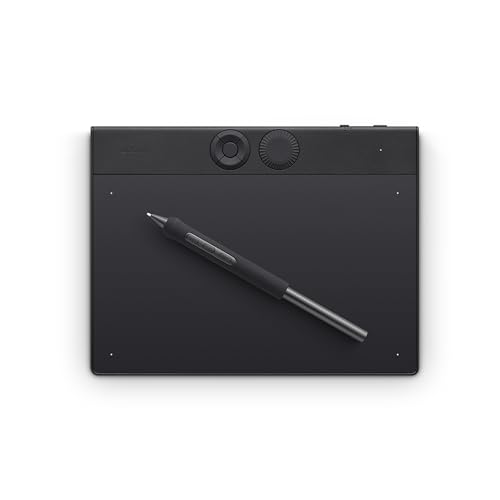
Wacom Intuos Pro Small
Why We Love It

Wacom One Small
Why We Love It

Wacom One Medium
Why We Love It

Wacom Standard Nibs, for Pro Pen 2
Why We Love It

Dr. Grip Digital Pen for Wacom One Tablets & Displays and
Why We Love It

Wacom Art Pen 2
Why We Love It
Quick Pick
10 Best Wacom Pentablet Of 2026
Quick Pick
Wacom Intuos Small, Wired Graphic Drawing Tablet with Pen + Software | Battery-free pen, 4 ExpressKeys for shortcuts, works with Mac, Windows & Chromebook; Ideal for creators, students & teachers
Wacom Intuos Pro Medium, Bluetooth Graphic Drawing Tablet with ProPen 3
Wacom Intuos Small Bluetooth Graphics Drawing Tablet, Portable for Teachers, Students and Creators, 4 Customizable ExpressKeys, Compatible with Chromebook Mac OS Android and Windows - Black
Wacom Intuos Medium, Bluetooth Graphic Drawing Tablet with Pen + Software | Battery-free pen, 4 ExpressKeys for shortcuts, works with Mac, Windows & Chromebook; Ideal for creators, students & teachers
Wacom Intuos Pro Small, Bluetooth Graphic Drawing Tablet with ProPen 3
Wacom One Small, Bluetooth Graphic Drawing Tablet with Pen + Software
Wacom One Medium, Bluetooth Graphic Drawing Tablet with Pen + Software | Battery-free pen, works with Mac, Windows & Chromebook. Ideal for creative beginners, office work & students
Wacom Standard Nibs, for Pro Pen 2, 10 Pack
Dr. Grip Digital Pen for Wacom One Tablets & Displays and MovinkPad 11 | Stylus made in collaboration with Pilot, this features the signature thick, squishy silicone grip, which reduces hand fatigue
Wacom Art Pen 2, with 360° Rotation, Pressure Sensitivity and Tilt Control
Buying Guide: Wacom Pentablet
📋 Table of Contents
1What should I look for in a Wacom PenTablet for graphic design?
Look for high pressure sensitivity, a responsive surface, and compatibility with your operating system. Consider the size and resolution for precision and comfort during long sessions.
2What are the key specifications to compare between different models?
Key specs include pressure sensitivity levels, active area size, connectivity options (USB or Bluetooth), and whether it includes a stand or stylus.
3How do I ensure the tablet is compatible with my computer or device?
Check the system requirements listed by Wacom for your specific model and ensure your computer's OS and ports match the tablet's requirements.
4When should I pay more for a higher-end Wacom PenTablet?
Pay more if you need advanced features like higher pressure sensitivity, larger active area, or additional software for professional use, such as in illustration or animation.
5What are common mistakes people make when buying a Wacom PenTablet?
Common mistakes include ignoring compatibility with existing devices, underestimating the importance of pressure sensitivity, and not considering the ergonomics of the tablet and stylus.
How we choose
Our editors are people who genuinely love testing and writing about products. We compare each product's real-world usability and strengths, then distill what matters most into our own "Why We Love It" points — so you get an honest, at-a-glance sense of what counts before you buy.