10 Best Visioneer Flatbed Scanner Of 2026
Visioneer Flatbed Scanner — Reviews, Recommendations & Updated Buying Guide November 2026


Canon LiDE 300 Colour Flatbed Scanner
Why We Love It


Epson Perfection V39 II Color Photo and Document Flatbed
Why We Love It

Plustek OpticSlim 2610 A4 Flatbed Scanner
Why We Love It

Canon LiDE 400 Flatbed Scanner
Why We Love It

Epson WorkForce DS-1630 Flatbed Scanner with ADF
Why We Love It

Visioneer Patriot Pd40-u Sheetfed Scanner - 600 Dpi Optical
Why We Love It

Epson WorkForce DS-1730 Compact Flatbed Scanner For Small
Why We Love It
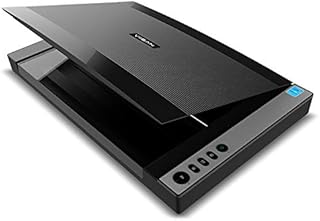
Viisan VF3120 A3 Flatbed Scanner Resolution 1200x1200 dpi
Why We Love It

Epson Perfection V19 II Flatbed Photo Scanner 4800 dpi
Why We Love It
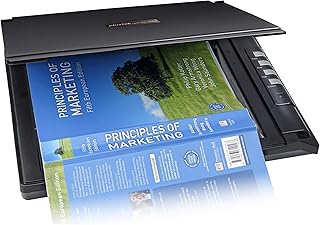
OPTICSLIM 2680H Scanner
Why We Love It
Quick Pick
10 Best Visioneer Flatbed Scanner Of 2026
Quick Pick
Canon LiDE 300 Colour Flatbed Scanner - Black
Epson Perfection V39 II Color Photo and Document Flatbed Scanner with 4800 dpi Optical Resolution, Scan to Cloud, USB Power and High-Rise, Removable Lid
Plustek OpticSlim 2610 A4 Flatbed Scanner
Canon LiDE 400 Flatbed Scanner, Fast A4 Scanning with USB-C 3.0 Port | A4 flatbed scanning with 48-bit color depth; USB-powered, no consumable cost—scan documents and photos without ink
Epson WorkForce DS-1630 Flatbed Scanner with ADF
Visioneer Patriot Pd40-u Sheetfed Scanner - 600 Dpi Optical - 60-60 - Duplex Scanning - Usb,Beige
Epson WorkForce DS-1730 Compact Flatbed Scanner For Small Businesses And Home Offices
Viisan VF3120 A3 Flatbed Scanner Resolution 1200x1200 dpi, editing software & OCR converts images to texts Mac driver available
Epson Perfection V19 II Flatbed Photo Scanner 4800 dpi Optical Resolution | USB Power High-Rise Removable Lid for Documents and Old Pictures to Digital Conversion
OPTICSLIM 2680H Scanner
Buying Guide: Visioneer Flatbed Scanner
📋 Table of Contents
1What optical resolution do I actually need for my scanning needs?
For document archiving and general office use, 600 DPI is sufficient, but if you're scanning photos, artwork, or need to enlarge images, go for 2400 DPI or higher. Check what your software and intended use actually require rather than chasing the highest spec.
2What's the difference between Visioneer's consumer and professional scanner models?
Consumer models like the Patriot series are slower and handle basic document scanning, while professional models process higher volumes and offer faster scan speeds with better build quality. Pick based on how many pages you scan weekly—occasional users don't need professional-grade equipment.
3How important is the automatic document feeder (ADF) versus a flatbed?
An ADF saves time for multi-page documents, but a flatbed is better for fragile, bound, or irregularly-sized materials since it's gentler. Many Visioneer models combine both, so if you scan mixed document types, look for this combination.
4What scan speed should I look for and does it really matter?
Scan speed matters if you process large batches regularly—aim for at least 20-25 pages per minute for office use. If you only scan occasionally, a slower model won't frustrate you enough to justify spending more.
5Should I check the scanner's compatibility with my operating system before buying?
Yes, especially if you use older computers or specific software—verify that driver support is available for your OS version. Visioneer generally supports Windows and Mac, but some older models may have limited compatibility with newer operating systems.
How we choose
Our editors are people who genuinely love testing and writing about products. We compare each product's real-world usability and strengths, then distill what matters most into our own "Why We Love It" points — so you get an honest, at-a-glance sense of what counts before you buy.