10 Best Video Monitor Of 2026
Video Monitor — Reviews, Recommendations & Updated Buying Guide November 2026


NEEWER F100 7inch Camera Field Monitor HD Video Assist IPS
Why We Love It


Dell 27 Video Conferencing Monitor - P2724DEB 68.47cm (27.0)
Why We Love It

NEEWER F700 7" Camera Field Monitor
Why We Love It
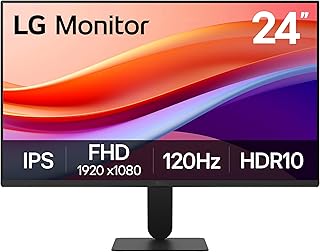
LG 24U411A-B 24-inch Full HD (1920 x 1080) IPS Computer
Why We Love It

NEEWER F700 7" Camera Field Monitor
Why We Love It

FEELWORLD F5 Prox 5.5 Inch 1600nit Hight Bright Camera Field
Why We Love It

16 Portable Screen Monitor
Why We Love It

BenQ PD2706QN 27” IPS 2K QHD Display P3 90W USB-C Designer
Why We Love It

Dell 34 Curved Video Conferencing Monitor - P3424WEB 86.5cm
Why We Love It
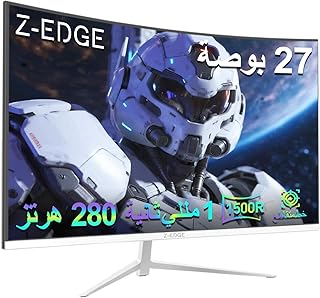
Z-EDGE 27-inch Curved Gaming Monitor
Why We Love It
Quick Pick
10 Best Video Monitor Of 2026
Quick Pick
NEEWER F100 7inch Camera Field Monitor HD Video Assist IPS 1280x800 HDMI Input 1080p with Sunshade and Ball Head for DSLR Cameras, Handheld Stabilizer, Film Video Making Rig (Battery Not Included)
Dell 27 Video Conferencing Monitor - P2724DEB 68.47cm (27.0), W129112309 (- P2724DEB 68.47cm (27.0))
NEEWER F700 7" Camera Field Monitor, 2000nit HD 1920x1080 Touch Screen | IPS, 3D LUT, 4K HDMI Loop in/Out, Peak Focus DSLR Video Assist HDR Waveform, Cold Shoe Mount, 2 Batteries NP-F750 & Cable
LG 24U411A-B 24-inch Full HD (1920 x 1080) IPS Computer Monitor, 120Hz, HDR10, Reader Mode, Flicker Safe, HDMI, Slim Stand Base, Black
NEEWER F700 7" Camera Field Monitor, 2000nit HD 1920x1080 IPS Touch Screen | 3D LUT, 4K HDMI Loop in/Out, with Peak Focus DSLR Video Assist HDR Waveform, Cold Shoe Mount, Battery Not Included
FEELWORLD F5 Prox 5.5 Inch 1600nit Hight Bright Camera Field Monitor Touchscreen Waveform 3D LUT F970 External Kit Install for Power Wireless Transmission 1920x1080 4K HDMI in Out Type-c Input
16 Portable Screen Monitor, 3840 * 2400FHD High Resolution, 100% sRGB Travel Monitor, HDMI Dual USB Type C Ports Computer Screen, Built-in Stand/Cover Stand Desktop Monitor (16-inch 4K)
BenQ PD2706QN 27” IPS 2K QHD Display P3 90W USB-C Designer Monitor
Dell 34 Curved Video Conferencing Monitor - P3424WEB 86.5cm, DELL-P3424WEB
Z-EDGE 27-inch Curved Gaming Monitor - 16:9 Full HD 1920x1080, 280Hz Refresh Rate, 1ms Response Time, Frameless LED Display, AMD FreeSync - DisplayPort & HDMI Ports UG27P White | 8 Bit/HDR/FreeSync/HDR/VESA Compatible/PS5/HDMI & DisplayPort /for Game,Office
Buying Guide: Video Monitor
📋 Table of Contents
1What monitor size should I choose for my desk setup?
For typical desk distances (60-80cm), a 24-27 inch monitor is ideal—large enough to see detail without straining your neck. If you have limited desk space, 24 inches works well; if you want more screen real estate for multitasking, go for 27 inches or larger.
2What's the difference between 60Hz, 144Hz, and 240Hz refresh rates?
Refresh rate is how many times per second the screen updates. 60Hz is fine for office work and general use, while 144Hz and higher are designed for gaming and fast-motion content where smoother visuals matter. Unless you play competitive games, 60Hz will serve you well.
3Does resolution matter more than refresh rate?
They serve different purposes—resolution affects image sharpness and detail, while refresh rate affects smoothness. For work and content creation, prioritize resolution (1440p or 4K); for gaming, refresh rate becomes more important. Most people benefit more from a higher resolution at 60Hz than a lower resolution at high refresh rates.
4When is it worth paying more for a monitor?
Invest more if you do color-sensitive work like photo or video editing (look for 95%+ color accuracy), need ultrawide formats for productivity, or want high refresh rates for gaming. Standard office monitors are affordable and reliable, so upgrade only if your specific work demands it.
5What input ports should I check before buying?
Look for HDMI and DisplayPort as your main options—most modern devices use these. If you have older equipment, check for DVI or VGA, and if you use multiple devices, having 2-3 input ports prevents constant cable swapping.
How we choose
Our editors are people who genuinely love testing and writing about products. We compare each product's real-world usability and strengths, then distill what matters most into our own "Why We Love It" points — so you get an honest, at-a-glance sense of what counts before you buy.