10 Best Vicovation Tbox Of 2026
Vicovation Tbox — Reviews, Recommendations & Updated Buying Guide November 2026


TourBox Elite Plus Editing Controller
Why We Love It


XVIVE BREAKOUT BOX FOR 5 PX-A CONNECTIONS
Why We Love It

YOLOLIV YoloBox Extreme, 4K Multicam Live Streaming
Why We Love It
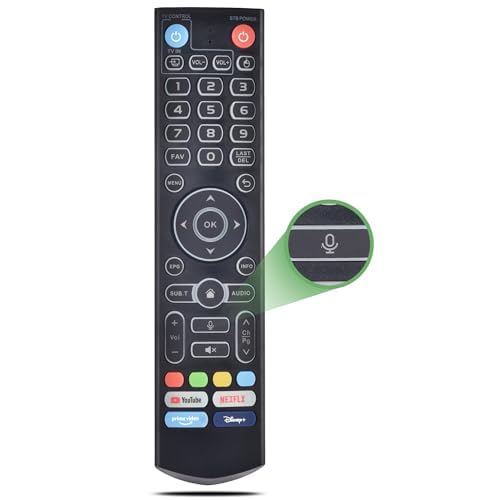
Replacement Intelligent Voice Backlit Remote for vSeeBox V5
Why We Love It

WONDERBOX Unisex Adult Gift Box
Why We Love It

XINFUTE New fit for vSeeBox V3 Pro Android TV Stream Box
Why We Love It

Winco PLTC-7K Bus Box
Why We Love It

HTC VIVE Focus 3 Facial Tracker
Why We Love It
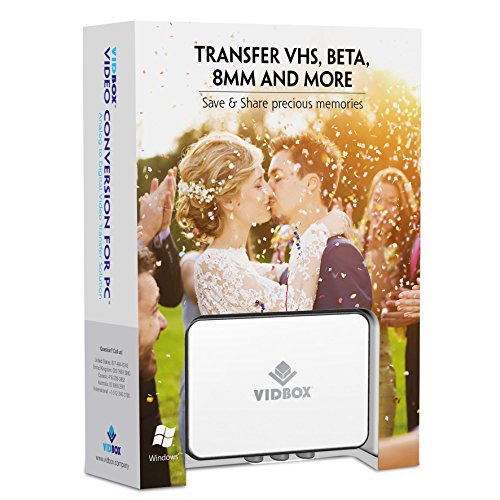
VIDBOX - Video Conversion for PC
Why We Love It

CPC200 TBOX Plus AI Box with 13 OS
Why We Love It
Quick Pick
10 Best Vicovation Tbox Of 2026
Quick Pick
TourBox Elite Plus Editing Controller, Complete Control, Ice Translucent
XVIVE BREAKOUT BOX FOR 5 PX-A CONNECTIONS
YOLOLIV YoloBox Extreme, 4K Multicam Live Streaming, ISO Recording
Replacement Intelligent Voice Backlit Remote for vSeeBox V5 V3 Pro/Plus – Compatible with V6 Plus / V5 / V3 / V2 / V1 Max/Elite/Max/OctaStream – Latest Technology Android TV Box
WONDERBOX Unisex Adult Gift Box, Multicoloured, One Size
XINFUTE New fit for vSeeBox V3 Pro Android TV Stream Box Voice Remote Control V1 V2 V5 Pro
Winco PLTC-7K Bus Box, Medium, Black
HTC VIVE Focus 3 Facial Tracker
VIDBOX - Video Conversion for PC
CPC200 TBOX Plus AI Box with 13 OS, QCM6125 8-Core, 8GB RAM 128GB ROM, Wireless CarPlay and Android Auto, 4G LTE, GPS, Dual-Band WiFi, Bluetooth, TF Card
Buying Guide: Vicovation Tbox
📋 Table of Contents
1What's the main difference between Vicovation Tbox and other dash cam storage solutions?
The Tbox is a dedicated hardwired power box that sits between your dash cam and vehicle's electrical system, providing clean power and protecting against voltage spikes. It's designed specifically for Vicovation cameras and includes built-in capacitors to handle power cuts gracefully, unlike standard USB chargers.
2Do I need the Tbox if my dash cam already has a battery?
If your camera has an internal battery, the Tbox isn't essential for basic operation, but it's worth considering if you want reliable 24/7 recording or parking mode surveillance. The Tbox ensures stable power delivery and protects your camera from electrical issues that can damage the device or corrupt footage.
3How difficult is it to install the Vicovation Tbox in my car?
Installation requires basic electrical knowledge—you'll need to connect it to your car's fuse box and run cables to your dash cam, which typically takes 30-60 minutes. If you're not comfortable working with your vehicle's electrical system, having a professional installer handle it is a safer option.
4Will the Tbox work with non-Vicovation dash cameras?
The Tbox is designed for Vicovation cameras and may not be fully compatible with other brands due to connector differences and power requirements. You should check your camera's specifications and contact Vicovation support before attempting to use it with another brand.
5What storage capacity do I need for continuous recording with the Tbox?
Storage needs depend on your camera's resolution and frame rate—a 64GB card typically provides 8-12 hours of 1080p recording, while 128GB or higher is better for continuous 24/7 parking mode. For most daily driving, a 128GB card strikes a good balance between capacity and cost.
How we choose
Our editors are people who genuinely love testing and writing about products. We compare each product's real-world usability and strengths, then distill what matters most into our own "Why We Love It" points — so you get an honest, at-a-glance sense of what counts before you buy.