10 Best User-friendly Computer Of 2026
User-friendly Computer — Reviews, Recommendations & Updated Buying Guide November 2026


Calibrite Display 123
Why We Love It

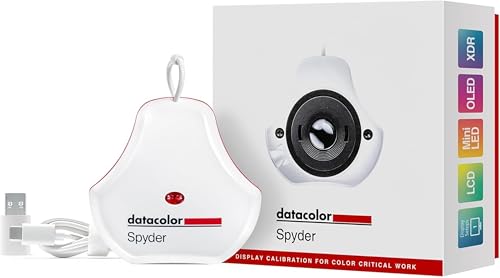
Datacolor Spyder Monitor Calibration for Optimised Colour
Why We Love It

CATEYE Wired Bike Computer
Why We Love It

Picador User Friendly: How the Hidden Rules of Design Are
Why We Love It

Datacolor SpyderPro Calibration Computer Monitor and Laptop
Why We Love It

Head First Java, 3rd Edition
Why We Love It

A Friendly Introduction to Mathematical Logic
Why We Love It

TECH STORE ON CAINE Computer Digital Forensics Investigative
Why We Love It

Framework Laptop 13 User Guide: A Complete Beginner-Friendly
Why We Love It

Computers For Beginners and Seniors: The Most User-Friendly
Why We Love It
Quick Pick
10 Best User-friendly Computer Of 2026
Quick Pick
Calibrite Display 123 - User-Friendly Monitor Calibration Tool for Accurate Colour on Single or Dual Display setups
Datacolor Spyder Monitor Calibration for Optimised Colour Management - User-friendly Screen Calibration for Colour Accuracy and Consistency in Colour Rendering, 2024 Version
CATEYE Wired Bike Computer | Entry-Level Speedometer and Odometer, Perfect for Beginner Cyclists, Auto Start/Stop, Easy Setup for Road, MTB, Gravel Bikes
Picador User Friendly: How the Hidden Rules of Design Are Changing the Way We Live, Work, and Play
Datacolor SpyderPro Calibration Computer Monitor and Laptop Screens for Photo and Video Editing, User Friendly, Colour Accuracy and Consistency, Photography Accessories for Beginners & Professionals
Head First Java, 3rd Edition
A Friendly Introduction to Mathematical Logic
TECH STORE ON CAINE Computer Digital Forensics Investigative Environment Linux Live for PCs - Professional Law Enforcement Utilities
Framework Laptop 13 User Guide: A Complete Beginner-Friendly Manual to Setup, Customize, Upgrade, Troubleshoot, and Master Your Modular Computing Experience
Computers For Beginners and Seniors: The Most User-Friendly Step By Step Guide For Seniors and Beginners to Master Their Computer with Ease and Confidence
Buying Guide: User-friendly Computer
📋 Table of Contents
1What should I look for in a user-friendly computer?
Look for intuitive interfaces, pre-installed software that simplifies tasks, and ergonomic design for ease of use.
2What are the key specifications for a user-friendly computer?
Key specs include a responsive touchscreen, sufficient RAM (at least 8GB), and a fast processor (such as Intel i5 or equivalent) for smooth performance.
3How do I ensure the computer is compatible with my existing devices?
Check for available ports (USB, HDMI, etc.) and ensure it supports wireless connectivity like Bluetooth and Wi-Fi.
4When should I pay more for a user-friendly computer?
Pay more if you need advanced features like voice recognition, high-resolution display, or specialized software for accessibility.
5What are common mistakes to avoid when buying a user-friendly computer?
Avoid overcomplicating the setup, ignoring customer reviews on usability, and not testing the interface before purchasing.
How we choose
Our editors are people who genuinely love testing and writing about products. We compare each product's real-world usability and strengths, then distill what matters most into our own "Why We Love It" points — so you get an honest, at-a-glance sense of what counts before you buy.