10 Best Usb Memory Capacity Of 2026
Usb Memory Capacity — Reviews, Recommendations & Updated Buying Guide November 2026


SanDisk Cruzer Blade 64GB
Why We Love It


Kitpan 10 Pack 4GB Flash Drives Multicolor-Speed USB 2.0
Why We Love It

256GB Flash Drive
Why We Love It

SanDisk 128GB Cruzer Blade USB 2.0 Flash Drive
Why We Love It

Lexar 64GB USB 3.1 Flash Drive
Why We Love It
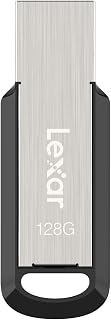
Lexar 128GB JumpDrive M400 USB 3.0 Flash Drive
Why We Love It

Acer UT300 USB 3.2 Gen1 Flash Drive 128GB
Why We Love It

Lexar JumpDrive V40 USB Flash Drive (Black) 16GB
Why We Love It

HP USB Memory GB USB 2.0 Super Mini Metal
Why We Love It

10 Pack 8GB Flash Drives Multicolor-Speed USB 2.0 Thumb
Why We Love It
Quick Pick
10 Best Usb Memory Capacity Of 2026
Quick Pick
SanDisk Cruzer Blade 64GB, USB-A Flash Drive, Black | Memory stick to help share your photos, videos, songs and other files between computers with ease - SDCZ50-064G-B35
Kitpan 10 Pack 4GB Flash Drives Multicolor-Speed USB 2.0 Thumb Drives for Document Transfer-Small Capacity Memory Sticks for Office/School/Project Keep-Assorted Color for Easy USB Identification
256GB Flash Drive, USB C Flash Drive with Dual USB-C & USB-A Swivel Design - High Speed USB Flash Drive for Android Phones, Laptop, PC, Car, Smart TV (256 GB)
SanDisk 128GB Cruzer Blade USB 2.0 Flash Drive
Lexar 64GB USB 3.1 Flash Drive, USB-A & USB C USB Stick up to 130MB/s Read, Type-C Thumb Drive Swivel Design, Jump Drive for USB3.0/USB2.0, Memory Stick for Android Device/Tablet/Laptop/PC/Phone
Lexar 128GB JumpDrive M400 USB 3.0 Flash Drive, Up to 150MB/s Read (LJDM400128G-BNBNU)
Acer UT300 USB 3.2 Gen1 Flash Drive 128GB, Memory Pen Stick with Transfer Speeds Up to 150 MB/s, USB Type-C Type-A Thumb Drive for Phones, Laptops, TVs and Audio Equipment
Lexar JumpDrive V40 USB Flash Drive (Black) 16GB | light weight
HP USB Memory GB USB 2.0 Super Mini Metal, Shockproof, Splashproof Dustproof Flash Drives v222 W hpfd222 W - 64
10 Pack 8GB Flash Drives Multicolor-Speed USB 2.0 Thumb Drives for Document Transfer-Small Capacity Memory Sticks for Office/School/Project Keep-Assorted Color for Easy USB Identification
Buying Guide: Usb Memory Capacity
📋 Table of Contents
1What factors should I consider when choosing a USB memory capacity?
Consider your storage needs, such as the amount of data you need to transfer or store, and the types of files you will be handling, like high-resolution photos or videos, which require more space.
2What are the key specifications to look for in a USB drive?
Look for storage capacity, transfer speed (USB 2.0, USB 3.0, or USB 3.2), build quality, and compatibility with both Windows and macOS operating systems.
3How do I ensure the USB drive is compatible with my devices?
Check if the USB drive has the correct port type (USB-A, USB-C, or USB-C to USB-A adapter) and confirm it works with your computer, smartphone, or other devices you plan to use it with.
4When should I pay more for a higher-capacity USB drive?
Pay more for a higher-capacity drive if you need to store large files, such as 4K videos, high-resolution images, or software packages, and if you require frequent or bulk data transfers.
5What are common mistakes people make when buying USB drives?
Common mistakes include buying a drive with insufficient capacity, ignoring transfer speed for large files, or not checking for reliable brands that offer good durability and data security.
How we choose
Our editors are people who genuinely love testing and writing about products. We compare each product's real-world usability and strengths, then distill what matters most into our own "Why We Love It" points — so you get an honest, at-a-glance sense of what counts before you buy.