10 Best Usb-c Audio Interfaces For Recording Of 2026
Usb-c Audio Interfaces For Recording — Reviews, Recommendations & Updated Buying Guide November 2026


Guitar Audio Interface Pocket Internal Recording Sound Card
Why We Love It


Nalacal Recording Music Usb Audio Interface For Pc
Why We Love It
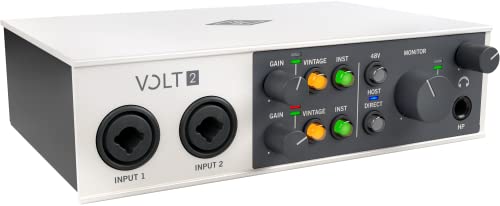
Universal Audio Volt 2 USB Audio Interface
Why We Love It
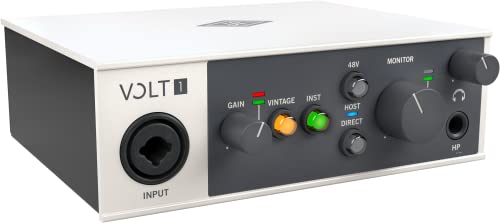
Universal Audio Volt 1 USB Audio Interface
Why We Love It

Universal Audio Volt 176 USB Audio Interface
Why We Love It

M-AUDIO M-Track Duo HD USB-C Audio Interface
Why We Love It

MOSWAG USB C to 1/4" Male TRS Audio Stereo Cable
Why We Love It

Fender Link I/O Portable USB-C Audio Interface
Why We Love It

USB C Microphone Adapter
Why We Love It

Audient Audio Interface iD4 MKII
Why We Love It
Quick Pick
10 Best Usb-c Audio Interfaces For Recording Of 2026
Quick Pick
Guitar Audio Interface Pocket Internal Recording Sound Card, with Type-C and Lightning, Wireless Audio Interface Transmitter and Receiver, for Live Streaming by Phone and Laptop (MOMIX CAB)
Nalacal Recording Music Usb Audio Interface For Pc, Sound Card Studio, Computer With 3.5Mm Microphone Jack, Plug And Play
Universal Audio Volt 2 USB Audio Interface
Universal Audio Volt 1 USB Audio Interface
Universal Audio Volt 176 USB Audio Interface
M-AUDIO M-Track Duo HD USB-C Audio Interface
MOSWAG USB C to 1/4" Male TRS Audio Stereo Cable, USB Type C to 6.35mm 1/4 DAC Auxiliary Adapter Cable with Recording Listening for Samsung Galaxy Note 10+/S20+, Speakers, Headphones, Home Theater
Fender Link I/O Portable USB-C Audio Interface, Fits in Your Pocket, Provides Pristine, Bi-directional Audio over USB connection
USB C Microphone Adapter, 3.5mm Audio Splitter with Charging Port
Audient Audio Interface iD4 MKII, Class A Console Microphone Preamp (High Speed USB-C, Monitor Mix and Monitor Panning Function, 2 Headphone Outputs, Mac/PC/iOS Compatible), Black
Buying Guide: Usb-c Audio Interfaces For Recording
📋 Table of Contents
1What sample rate and bit depth should I look for in a USB-C audio interface?
For high-quality recording, aim for at least 24-bit depth and a sample rate of 44.1kHz or 48kHz. Higher rates like 96kHz or 192kHz can be useful for post-processing but aren't always necessary for most home studio setups.
2How many inputs do I actually need for my recording setup?
If you're recording a single instrument or voice, one XLR or 1/4" input is enough. For bands or multi-track sessions, look for at least 2-4 inputs. More inputs can save time and reduce the need for multiple passes.
3Is a built-in mixer or preamp worth paying extra for?
A good preamp improves signal clarity and warmth, especially for microphones. A built-in mixer with level controls and phantom power is ideal for live recording or when using multiple sources without a separate mixer.
4What's the difference between USB-C and USB-A audio interfaces for recording?
USB-C offers faster data transfer and better power delivery, which is useful for high-resolution audio and bus-powered setups. However, USB-A is still widely supported and may be more compatible with older devices if you have the right adapter.
5What accessories are essential for a USB-C audio interface?
A sturdy pop filter is a must for vocal recordings, while a shock mount helps reduce handling noise. A USB-C to USB-A adapter can future-proof your setup, and a carrying case protects your gear during transport or on-the-go sessions.
How we choose
Our editors are people who genuinely love testing and writing about products. We compare each product's real-world usability and strengths, then distill what matters most into our own "Why We Love It" points — so you get an honest, at-a-glance sense of what counts before you buy.