10 Best Usb-c Audio Interfaces For Podcasting Of 2026
Usb-c Audio Interfaces For Podcasting — Reviews, Recommendations & Updated Buying Guide November 2026


M-AUDIO M-Track Duo HD USB-C Audio Interface
Why We Love It


MOTU M2 USB-C Audio Interface
Why We Love It
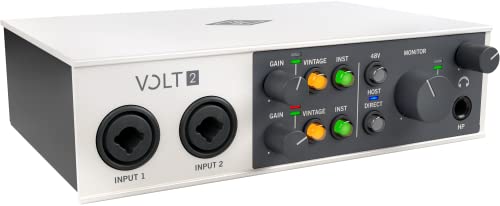
Universal Audio Volt 2 USB Audio Interface
Why We Love It

Motu M4 4x4 USB-C Audio Interface
Why We Love It
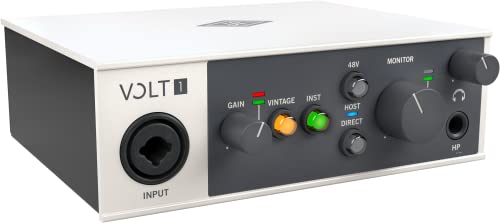
Universal Audio Volt 1 USB Audio Interface
Why We Love It

Antelope Audio Zenith 2 USB-C Audio Interface for Streaming
Why We Love It

Tascam US-2x2HR 2 Mic 2IN/2OUT High Resolution Versatile USB
Why We Love It

Universal Audio Volt 176 USB Audio Interface
Why We Love It
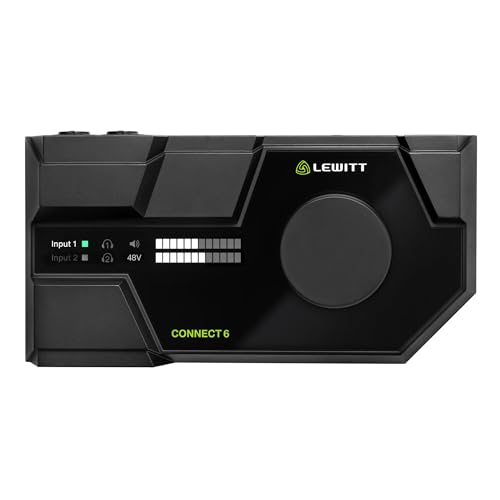
Lewitt Connect 6 Dual USB-C 6-in/ 6-out Audio interface with
Why We Love It

M-AUDIO M-Track Solo USB Audio Interface | XLR
Why We Love It
Quick Pick
10 Best Usb-c Audio Interfaces For Podcasting Of 2026
Quick Pick
M-AUDIO M-Track Duo HD USB-C Audio Interface
MOTU M2 USB-C Audio Interface
Universal Audio Volt 2 USB Audio Interface
Motu M4 4x4 USB-C Audio Interface
Universal Audio Volt 1 USB Audio Interface
Antelope Audio Zenith 2 USB-C Audio Interface for Streaming & Podcasting
Tascam US-2x2HR 2 Mic 2IN/2OUT High Resolution Versatile USB Audio Interface for Recording, Streaming, Podcasting, Songwriting
Universal Audio Volt 176 USB Audio Interface
Lewitt Connect 6 Dual USB-C 6-in/ 6-out Audio interface with DSP, Mobile In and Out, 2 Mic Preamps, 2 Headphones Outputs, Loopback for Recording, Streaming & Podcasting - Mac/PC/iOS/iPadOS/Android
M-AUDIO M-Track Solo USB Audio Interface | XLR, Line and DI Inputs, Professional Software Suite for Recording, Streaming, and Podcasting
Buying Guide: Usb-c Audio Interfaces For Podcasting
📋 Table of Contents
1What sample rate and bit depth do I need for clear podcast audio?
Aim for at least 44.1kHz sample rate and 24-bit depth to capture clean, studio-quality audio. Higher rates like 48kHz are common in professional setups and ensure compatibility with most editing software.
2Should I prioritize XLR inputs or USB-C mic compatibility?
If using a dynamic or condenser mic with XLR, look for an interface with XLR inputs. For USB-C mics or built-in mics, a USB-C interface with phantom power (48V) is sufficient for most solo podcasters or small setups.
3How important is latency for podcasting?
Low latency (under 10ms) is crucial for real-time monitoring to avoid echo or delay. Look for interfaces with ASIO or Core Audio drivers to minimize lag and ensure smooth recording sessions.
4What connectivity features should I look for besides USB-C?
Check for headphone outputs with volume control, direct monitoring options, and support for multiple inputs if you plan to record guests. MIDI support is a bonus if you use external controllers or software instruments.
5Are built-in preamps worth paying extra for?
High-quality preamps improve sound clarity and reduce noise, especially with condenser mics. While budget models can work, investing in a unit with clean, transparent preamps ensures better audio quality and long-term value.
How we choose
Our editors are people who genuinely love testing and writing about products. We compare each product's real-world usability and strengths, then distill what matters most into our own "Why We Love It" points — so you get an honest, at-a-glance sense of what counts before you buy.