10 Best Usb Business Card Scanner Of 2026
Usb Business Card Scanner — Reviews, Recommendations & Updated Buying Guide November 2026


S602 Card & Id Scanner USB
Why We Love It


PenPower WorldCard Pro Business Card Scanner (Win/Mac)
Why We Love It

Plustek D620 Card & ID Scanner USB
Why We Love It

DocketPORT 667 Simplex Card Scanner (DP667)
Why We Love It

MUNBYN Portable Scanner
Why We Love It

Brother ADS-4300N Desktop Document Scanner |SuperSpeed USB
Why We Love It

AMBIR Business Card Scanner PS670ST-BCS High Speed Single
Why We Love It
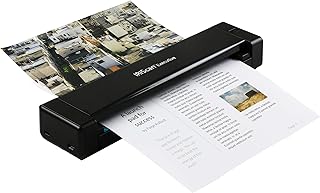
IRIScan Executive Portable Duplex Scanner
Why We Love It

Brother ADS-3100 High speed Desktop Scanner
Why We Love It

Alestron - BUSINESS CARD READER FOR IPHONE WITH CONTACT
Why We Love It
Quick Pick
10 Best Usb Business Card Scanner Of 2026
Quick Pick
S602 Card & Id Scanner USB
PenPower WorldCard Pro Business Card Scanner (Win/Mac)
Plustek D620 Card & ID Scanner USB
DocketPORT 667 Simplex Card Scanner (DP667)
MUNBYN Portable Scanner, 900 DPI Handheld A4 Document/Photo Scanner, 16GB | 3-5 Sec A4 Scans, 300/600/900 DPI, JPEG/PDF, USB Transfer, No Driver, AA Battery Power, For Documents, Photos and Book Pages
Brother ADS-4300N Desktop Document Scanner |SuperSpeed USB 3.0 |Double-sided |Advanced Image Capture, UK Plug
AMBIR Business Card Scanner PS670ST-BCS High Speed Single Sided Vertical USB Powered Business Card Scanner with AmbirScan Business Card for Windows PC and MAC
IRIScan Executive Portable Duplex Scanner - v4pro 8PPM Document Scanner: Free PDF Editor, USB, Scan to Word, PDF, XLS, Business Cards to Outlook, Duplex Scanner Win.
Brother ADS-3100 High speed Desktop Scanner | Duplex A4 Document Scanner | Super Speed USB3.0 | White
Alestron - BUSINESS CARD READER FOR IPHONE WITH CONTACT MANAGEMENT FOR PC
Buying Guide: Usb Business Card Scanner
📋 Table of Contents
1What resolution or scanning accuracy should I look for in a USB business card scanner?
Look for a scanner with at least 300 DPI resolution for clear text and images. Higher resolutions like 600 DPI are better for small fonts or detailed graphics. Accuracy is also key — ensure the scanner can detect and correct skewed cards automatically for reliable data capture.
2Does the scanner support different business card sizes and formats?
Yes, choose a model that supports standard sizes like 3.5 x 2 inches (credit card size) and common international formats. Some scanners also handle folded or multi-panel cards. Check if it supports both portrait and landscape orientations for maximum flexibility.
3What connectivity options are best for a USB business card scanner?
A standard USB 2.0 or USB 3.0 port is essential for most desktop use. For portability, look for models with a USB-C or micro-USB connector. Some scanners also include Bluetooth or Wi-Fi for wireless connectivity to mobile devices or cloud storage.
4How important is software compatibility when buying a USB business card scanner?
It’s very important — ensure the scanner works with your operating system (Windows, macOS, or Linux) and includes software for organizing contact info. Look for models that integrate with apps like Microsoft Outlook, Google Contacts, or cloud services like Dropbox or Google Drive for seamless use.
5Are there any common mistakes to avoid when purchasing a USB business card scanner?
Avoid models with poor lighting or low-resolution cameras, as they can cause blurry scans. Also, skip scanners that require proprietary software or drivers not available for your system. Always check user reviews for reliability and ease of use, especially with different card types and lighting conditions.
How we choose
Our editors are people who genuinely love testing and writing about products. We compare each product's real-world usability and strengths, then distill what matters most into our own "Why We Love It" points — so you get an honest, at-a-glance sense of what counts before you buy.