10 Best Usb Audio Interfaces For Recording Of 2026
Usb Audio Interfaces For Recording — Reviews, Recommendations & Updated Buying Guide November 2026


Nalacal Recording Music Usb Audio Interface For Pc
Why We Love It


Behringer UMC202HD Audiophile 2x2
Why We Love It
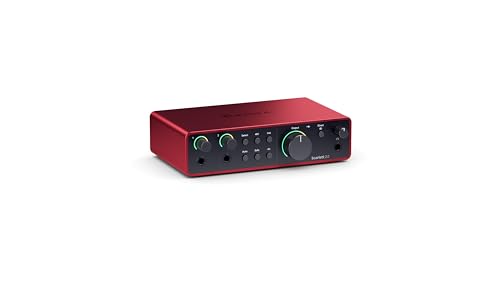
Focusrite Scarlett 2i2 4th Gen USB-C Audio Interface
Why We Love It

USB MIDI Cable 6FT
Why We Love It
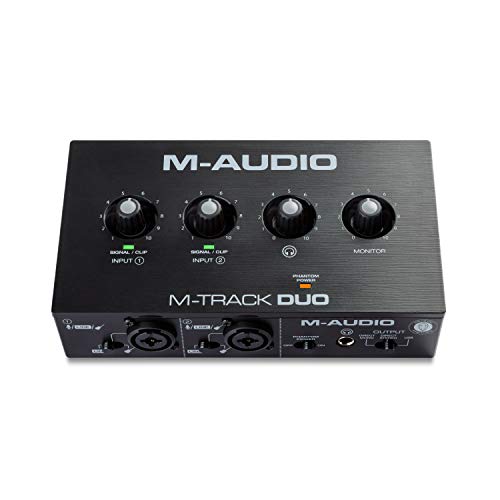
M-AUDIO M-Track Duo USB Audio Interface
Why We Love It

Universal Audio Volt 2 Gen 2 2-in / 4-out USB Audio
Why We Love It

Focusrite Scarlett 3rd Gen Audio Interface
Why We Love It

Focusrite Scarlett Solo 4th Gen USB-C Audio Interface
Why We Love It

Universal Audio Volt 276 USB Audio Interface
Why We Love It

TERRIFI V8-Live Sound Card
Why We Love It
Quick Pick
10 Best Usb Audio Interfaces For Recording Of 2026
Quick Pick
Nalacal Recording Music Usb Audio Interface For Pc, Sound Card Studio, Computer With 3.5Mm Microphone Jack, Plug And Play
Behringer UMC202HD Audiophile 2x2, 24-Bit/192 kHz USB Audio Interface with Midas Mic Preamplifiers | For Recording Microphones and Instruments
Focusrite Scarlett 2i2 4th Gen USB-C Audio Interface
USB MIDI Cable 6FT, USB 2.1 Type A to Type B Cord Compatible with MIDI Keyboards, Controllers, Audio Interfaces, Recording Equipment, USB Microphones & Printers, 2-Pack
M-AUDIO M-Track Duo USB Audio Interface
Universal Audio Volt 2 Gen 2 2-in / 4-out USB Audio Interface with Onboard Tone Shaping
Focusrite Scarlett 3rd Gen Audio Interface
Focusrite Scarlett Solo 4th Gen USB-C Audio Interface
Universal Audio Volt 276 USB Audio Interface
TERRIFI V8-Live Sound Card, Audio Mixer with Sound Card, USB External V8 Karaoke Recording Mobile Audio Mixer, Suitable for Live Streaming, Podcast Recording, Gaming, K Songs, Voice Chatting
Buying Guide: Usb Audio Interfaces For Recording
📋 Table of Contents
1How many inputs do I actually need for my setup?
For solo recording, one XLR input is often enough. If you plan to record multiple instruments or vocals at once, look for at least two to four inputs. More inputs can future-proof your setup but may add unnecessary cost for basic use.
2What is the importance of preamps in an audio interface?
High-quality preamps boost your microphone or instrument signal cleanly and with low noise. Cheaper models may introduce hiss or distortion, especially with dynamic or condenser mics. Look for interfaces with at least 40dB of clean gain and a clear frequency response.
3Should I prioritize USB 2.0 or USB 3.0 connectivity?
USB 2.0 is sufficient for most home recording setups and ensures compatibility with older devices. USB 3.0 offers faster data transfer and lower latency, which is useful for high-sample-rate recording or multiple inputs, but it’s not essential unless you’re working with large sessions.
4What is the best sample rate and bit depth for recording?
A sample rate of 44.1kHz is standard for most music and podcasts, while 48kHz is common in video and film work. A bit depth of 24-bit is ideal for capturing dynamic range and reducing noise, especially in post-production. Avoid 16-bit for anything but final output.
5Are phantom power and MIDI support worth including?
Phantom power (48V) is essential if you use condenser microphones. MIDI support is only necessary if you plan to connect a MIDI keyboard or controller. If you don’t need these features, you can save money by choosing a model without them.
How we choose
Our editors are people who genuinely love testing and writing about products. We compare each product's real-world usability and strengths, then distill what matters most into our own "Why We Love It" points — so you get an honest, at-a-glance sense of what counts before you buy.