10 Best Usb 3.0 Usb Flash Drive Of 2026
Usb 3.0 Usb Flash Drive — Reviews, Recommendations & Updated Buying Guide November 2026

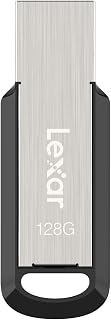
Lexar 128GB JumpDrive M400 USB 3.0 Flash Drive
Why We Love It


SanDisk Ultra Flair 32GB USB 3.0 Pen Drive
Why We Love It

HIKSEMI 32GB USB 3.0 Classic Metal Flash Drive
Why We Love It

Lexar 256GB JumpDrive M400 USB 3.0 Flash Drive
Why We Love It

SanDisk Ultra Dual Drive Go USB-C Flash Drive
Why We Love It

SanDisk Ultra Flair 64GB USB 3.0 Pen Drive
Why We Love It

SanDisk Cruzer Glide 128Gb Usb 3.0 Flash Drive
Why We Love It

Lexar 64GB USB 3.1 Flash Drive
Why We Love It
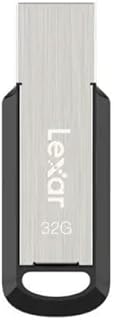
Lexar 32GB JumpDrive M400 USB 3.0 Flash Drive
Why We Love It

Lexar JumpDrive S80 USB 3.1 Flash Drive 32GB
Why We Love It
Quick Pick
10 Best Usb 3.0 Usb Flash Drive Of 2026
Quick Pick
Lexar 128GB JumpDrive M400 USB 3.0 Flash Drive, Up to 150MB/s Read (LJDM400128G-BNBNU)
SanDisk Ultra Flair 32GB USB 3.0 Pen Drive, SDCZ73-032G-I35
HIKSEMI 32GB USB 3.0 Classic Metal Flash Drive, Silver | HS-USB-M200 32G U3 |
Lexar 256GB JumpDrive M400 USB 3.0 Flash Drive, Up to 150MB/s Read (LJDM400256G-BNBNU)
SanDisk Ultra Dual Drive Go USB-C Flash Drive, 64GB, for Android Smartphone, up to 400MB/s, Reversible USB Type-C and USB Type-A Connectors, for Smartphones, Tablets, Macs
SanDisk Ultra Flair 64GB USB 3.0 Pen Drive, SDCZ73-064G-I35
SanDisk Cruzer Glide 128Gb Usb 3.0 Flash Drive Sdcz600-128G-G35, Black
Lexar 64GB USB 3.1 Flash Drive, USB-A & USB C USB Stick up to 130MB/s Read, Type-C Thumb Drive Swivel Design, Jump Drive for USB3.0/USB2.0, Memory Stick for Android Device/Tablet/Laptop/PC/Phone
Lexar 32GB JumpDrive M400 USB 3.0 Flash Drive - 130MB/s
Lexar JumpDrive S80 USB 3.1 Flash Drive 32GB, Up To 130MB/s Read, USB Stick for Computer, External Storage Data, Photo, Video (LJDS080032G-BNBAG) | Up To 130MB/s Read, USB Stick, External Storage, LJDS080032G-BNBAG
Buying Guide: Usb 3.0 Usb Flash Drive
📋 Table of Contents
1What storage capacity should I look for in a USB 3.0 flash drive?
For everyday use, 16GB to 64GB is sufficient for files like documents and photos. If you need to transfer large video files or work with high-resolution media, consider 128GB or higher. Larger drives are bulkier, so balance your needs with portability.
2How does USB 3.0 compare to USB 2.0 in terms of speed?
USB 3.0 transfers data up to 5Gbps, which is about 10x faster than USB 2.0’s 480Mbps. This makes USB 3.0 ideal for quickly moving large files like HD videos or software packages, especially when working with external drives or high-speed peripherals.
3What should I look for in a flash drive’s build quality?
Opt for drives with metal or reinforced plastic casings for durability, especially if you carry them frequently. Look for waterproof, dustproof, and drop-resistant models if you use them in harsh environments. A secure cap or retractable design also prevents accidental damage.
4Are there any common mistakes people make when buying a USB 3.0 flash drive?
Many buyers overlook compatibility — ensure the drive has a USB 3.0 port and your computer supports it. Also, avoid drives with low-quality chips, which can lead to data corruption. Always check for a reliable brand with good customer reviews to avoid counterfeit or faulty products.
5What accessories or features are worth paying extra for?
A built-in LED light can help locate the drive in dark places, and a USB-C or dual-ended port increases compatibility with modern devices. Some drives include encryption or password protection for added security, which is valuable for sensitive data or personal files.
How we choose
Our editors are people who genuinely love testing and writing about products. We compare each product's real-world usability and strengths, then distill what matters most into our own "Why We Love It" points — so you get an honest, at-a-glance sense of what counts before you buy.