10 Best Usb 3.0 Flashes Of 2026
Usb 3.0 Flashes — Reviews, Recommendations & Updated Buying Guide November 2026

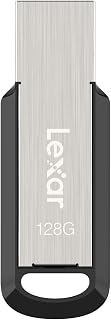
Lexar 128GB JumpDrive M400 USB 3.0 Flash Drive
Why We Love It


SanDisk Ultra Flair 32GB USB 3.0 Pen Drive
Why We Love It

UGREEN USB Hub 3.0
Why We Love It

HIKSEMI 32GB USB 3.0 Classic Metal Flash Drive
Why We Love It

Lexar 256GB JumpDrive M400 USB 3.0 Flash Drive
Why We Love It

Wahbite Apple Lightning to USB Camera Adapter
Why We Love It
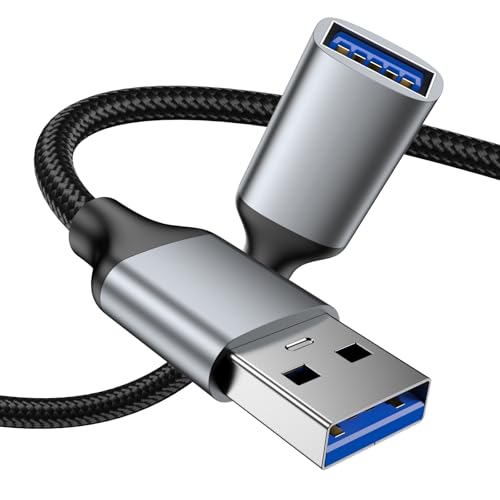
KAYQINHO 1m USB 3.0 Extension Cable
Why We Love It

SanDisk Cruzer Glide 128Gb Usb 3.0 Flash Drive
Why We Love It
Lexar 32GB JumpDrive M400 USB 3.0 Flash Drive
Why We Love It

UGREEN USB Hub 3.0 with 60CM Extended Cable
Why We Love It
Quick Pick
10 Best Usb 3.0 Flashes Of 2026
Quick Pick
Lexar 128GB JumpDrive M400 USB 3.0 Flash Drive, Up to 150MB/s Read (LJDM400128G-BNBNU)
SanDisk Ultra Flair 32GB USB 3.0 Pen Drive, SDCZ73-032G-I35
UGREEN USB Hub 3.0, USB Splitter 4 Port Ultra Slim with 5Gbps Data Transfer | USB Extender for Mouse, Keyboard, Flash Drive, Card Reader, Printer, Compatible with Laptop, Desktop PC, Xbox, PS5, etc.
HIKSEMI 32GB USB 3.0 Classic Metal Flash Drive, Silver | HS-USB-M200 32G U3 |
Lexar 256GB JumpDrive M400 USB 3.0 Flash Drive, Up to 150MB/s Read (LJDM400256G-BNBNU)
Wahbite Apple Lightning to USB Camera Adapter, USB 3.0 OTG Cable for iPhone/iPad to Connect Card Reader, USB Flash Drive, U Disk, Keyboard, Mouse, Hubs, MIDI, Plug & Play, black#1Pack
KAYQINHO 1m USB 3.0 Extension Cable, USB Type A Male to Female Extender Cord Nylon Braided High Speed Data Transfer Metal interface for Webcam, Keyboard, Flash Drive, Hard Drive, Printer.
SanDisk Cruzer Glide 128Gb Usb 3.0 Flash Drive Sdcz600-128G-G35, Black
Lexar 32GB JumpDrive M400 USB 3.0 Flash Drive - 130MB/s
UGREEN USB Hub 3.0 with 60CM Extended Cable, 4 Ports Slim USB Splitter | 5Gbps Data Transfer, USB Extender for Mouse/Keyboard/Card Reader/Printer/Flash Drive, Compatible with PC/Laptop/Xbox
Buying Guide: Usb 3.0 Flashes
📋 Table of Contents
1What transfer speed should I look for in a USB 3.0 flash drive?
USB 3.0 drives typically offer transfer speeds between 5-10 GB per minute, with faster models reaching up to 15 GB per minute. Look for drives that support USB 3.1 or USB 3.2 for even higher speeds, especially if you frequently transfer large files like videos or high-resolution images.
2Is there a difference between USB 3.0 and USB 3.0 Gen 1?
USB 3.0 and USB 3.0 Gen 1 are essentially the same standard, both offering transfer speeds of up to 5 Gbps. However, newer drives may be labeled as USB 3.1 or USB 3.2, which provide significantly faster speeds. Always check the labeling to ensure you're getting the correct version for your needs.
3What storage capacity is best for everyday use?
For most users, a 16GB to 64GB USB 3.0 flash drive is sufficient for storing documents, photos, and basic media. If you work with large files like videos or high-resolution images, consider 128GB or higher. Avoid overfilling the drive to maintain performance and longevity.
4Are metal or plastic USB 3.0 flash drives better?
Metal USB drives are more durable and less likely to break, making them ideal for frequent use or rough handling. Plastic drives are lighter and often more affordable but may be more prone to cracking. Choose based on your usage environment and how often you'll be moving the drive around.
5What accessories or features are worth paying extra for?
Look for drives with built-in LED indicators for easy status checks, retractable USB caps for protection, or rugged designs for outdoor use. Some models include encryption or password protection for added security, which is valuable for sensitive data. Avoid paying for unnecessary features like USB-C compatibility if you only use standard USB ports.
How we choose
Our editors are people who genuinely love testing and writing about products. We compare each product's real-world usability and strengths, then distill what matters most into our own "Why We Love It" points — so you get an honest, at-a-glance sense of what counts before you buy.