10 Best Universal Docking Stations Of 2026
Universal Docking Stations — Reviews, Recommendations & Updated Buying Guide November 2026


Lenovo 40AF0135UK ThinkPad Hybrid USB-C with USB-A Dock
Why We Love It


UGREEN Laptop Docking Station Dual Monitor
Why We Love It

Lenovo USB-C Dual Display Travel Dock
Why We Love It

UGREEN Revodok Pro 207 USB C Docking Station Dual Monitor
Why We Love It
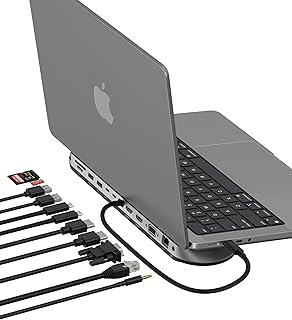
Belkin Connect 11-in-1 Universal USB-C Pro Dock w/ 3-Monitor
Why We Love It
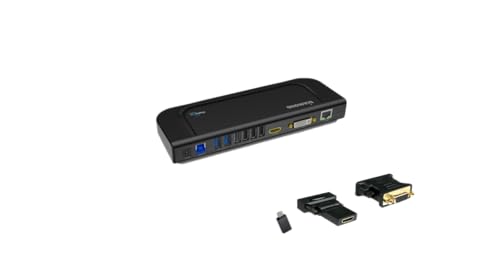
Diamond Multimedia Dual Video Output
Why We Love It

WAVLINK USB 3.0 Universal Docking Station
Why We Love It

UNITEK Universal Dual 4K KVM Docking Station
Why We Love It

UGREEN Laptop Docking Station
Why We Love It

UGREEN Docking Station Triple Monitors with 2×4K@60Hz HDMI
Why We Love It
Quick Pick
10 Best Universal Docking Stations Of 2026
Quick Pick
Lenovo 40AF0135UK ThinkPad Hybrid USB-C with USB-A Dock - Docking station - USB-C - GigE - 135 Watt - GB - for ThinkPad L480 L580 T480s X1 Yoga X280 - (Laptops > Laptop Docking Stations)
UGREEN Laptop Docking Station Dual Monitor, 10-in-1 Dual 4K@60Hz USB C Hub | 2x HDMI, Single 8K, 100W PD, 1Gbps Ethernet, 4x 5Gbps USB-A/C Data, SD/TF, Revodok Pro Aluminum USB-C Dock for Dell/HP/Lenovo
Lenovo USB-C Dual Display Travel Dock, 7 Ports, HDMI & DP Ports Support Dual Displays at 4K, Up to 100W PD Pass Through, Integrated USB-C Cable, Black
UGREEN Revodok Pro 207 USB C Docking Station Dual Monitor, 7-in-1 Dock with 4K@60Hz HDMI, 10Gbps 2 Type C and A Data Ports, 100W PD Port for PC, Laptop, Dell XPS, HP, Thinkpad, and More | 100W PD Ports, Aluminium Revodok Pro 207 USB C Dock Compatible with PC, Laptop, XPS, HP, ThinkPad, Surface, Chromebook, etc
Belkin Connect 11-in-1 Universal USB-C Pro Dock w/ 3-Monitor Support, Silicon Motion Technology - Works with Mac, Windows, and Chromebook - 100W PD w/ 10Gbps Transfer Speeds & 2.5Gbps Ethernet - Grey
Diamond Multimedia Dual Video Output, USB 3.0/2.0 Universal Docking Station with Gigabit Ethernet, HDMI, DVI, Audio for Windows 11, MacOS and Android 5.0+. Display Link Certified DL-3900 Chip
WAVLINK USB 3.0 Universal Docking Station, USB 3.0 Laptop Docking Station Dual Display with HDMI & DVI to VGA/HDMI, Gigabit Ethernet, 6 USB Ports, Audio for Laptop, Ultrabook and PC, No Power Charging
UNITEK Universal Dual 4K KVM Docking Station, 13 Ports, DisplayLink Technology, 60Hz Display Support, Black
UGREEN Laptop Docking Station, 13-in-1 Triple 4K Display Dock (2 HDMI + DP) | 100W Max PD, 27W Max USB-C, 10Gbps USB-C/A, Ethernet, SD/TF, Audio, for Dell/Lenovo/HP (Windows Only, Included 140W Adapter)
UGREEN Docking Station Triple Monitors with 2×4K@60Hz HDMI, 4K@120Hz DP | 2×Type-C 3.2, 2×USB-A 2.0 Data, 170MB/s SD/TF, 1Gbps Ethernet, 3.5mm Audio, 100W PD, 12-in-1 Dock for Laptop, HP, Thinkpad
Buying Guide: Universal Docking Stations
📋 Table of Contents
1How many ports and which types should a universal docking station have?
Look for at least 4–6 ports, including USB-A, USB-C, HDMI/DisplayPort, and an SD card slot. A station with 3–4 USB-C ports (at least one for power delivery) and dual 4K display support covers most laptops and peripherals for a full desktop setup.
2What power delivery (PD) wattage is enough for charging my laptop?
A minimum of 60W PD is suitable for most ultrabooks, while 85W–100W is better for larger laptops like MacBook Pro or Dell XPS. Check your laptop’s charging wattage to avoid underpowered docking stations that cause slow charging or overheating.
3Does a docking station support dual monitors, and at what resolution?
Yes, but it depends on the video output. Look for docks with dual HDMI or DisplayPort that support 4K at 30Hz or 1080p at 60Hz. USB-C docks with DisplayPort Alt Mode typically offer better multi-monitor performance than USB-A-based models.
4Are audio and Ethernet ports worth including in a universal docking station?
If you need wired internet or audio jacks for headsets or speakers, include them. Ethernet ports (Gigabit or higher) and 3.5mm audio jacks add convenience, especially for older peripherals or stable network connections not available via Wi-Fi.
5What should I consider when choosing between USB-C and USB-A docking stations?
USB-C docks offer faster data transfer, power delivery, and video output in one cable, ideal for modern laptops. USB-A docks are bulkier and require a separate power source for charging, but they work well with older systems or when you need more legacy port options.
How we choose
Our editors are people who genuinely love testing and writing about products. We compare each product's real-world usability and strengths, then distill what matters most into our own "Why We Love It" points — so you get an honest, at-a-glance sense of what counts before you buy.