10 Best Under Desk Cable Wire Management Of 2026
Under Desk Cable Wire Management — Reviews, Recommendations & Updated Buying Guide November 2026

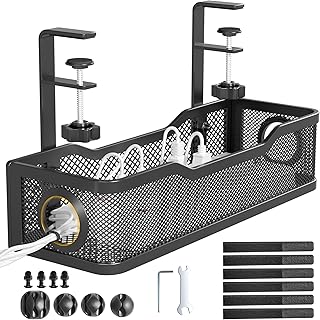
Under Desk Cable Management Tray Black
Why We Love It


Under Desk Cable Management Tray No Drill
Why We Love It

Under Desk Cable Management Tray White
Why We Love It

Extended Length Under Desk Cable Management Tray No Drill
Why We Love It

2 Pack Under Desk Cable Management Tray
Why We Love It
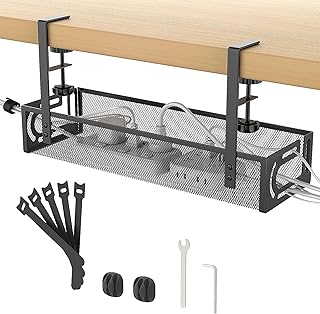
Under Desk Cable Management Tray
Why We Love It
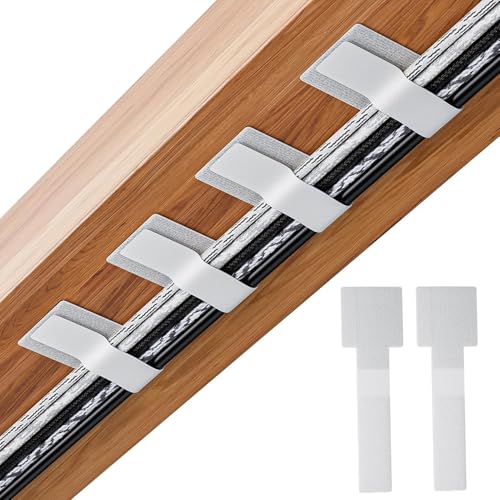
Cable Management Under Desk
Why We Love It
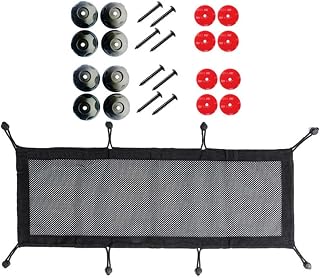
Under Desk Cable Management Net
Why We Love It

4 Pcs J Channel Desk Cable Raceway Management
Why We Love It

Aowin J Channel Desk Cable Raceway Management
Why We Love It
Quick Pick
10 Best Under Desk Cable Wire Management Of 2026
Quick Pick
Under Desk Cable Management Tray Black, Cinati Cable Management Under Desk No Drill, Cable Tray with Clamp for Desk Wire Management,Desk Cable Management Box for Office, Home - No Damage to Desk
Under Desk Cable Management Tray No Drill, Metal Mesh Cable Tray with Clamp for Desk Wire Management, Desk Cable Management Box and Cord Organizer for Office, Home (White)
Under Desk Cable Management Tray White, Cinati Wire Organizers No Drill, Cable Tray with Clamp for Wire Management, Cord Organization Box for Office, Home - No Damage to Desk
Extended Length Under Desk Cable Management Tray No Drill, Metal Mesh Cable Tray with Clamp for Desk Wire Management, Desk Cable Management Box and Cord Organizer for Office, Home
2 Pack Under Desk Cable Management Tray,Self-Adhesive Installation, Child & Pet-Safe Cable Management,Under Desk Cable Organizer for Wire Management, Perfect Home/Office Cable Organizer Rack (White)
Under Desk Cable Management Tray, A non drilling table cable basket for storing extension cords, a screw free and tidy wire organizer clip, suitable for homes, offices, internet cafes, kitchens, etc
Cable Management Under Desk,60PCS Hook and Loop Cable Straps, Self Adhesive Ties, Reusable Wire Organizers for Cords, Adjustable Cord Organizers for Desk, Home Office Essentials(White)
Under Desk Cable Management Net, Cord Organizer Kit for Wire Management, Wire Hider Kit for Most Office Standing Desks, 27.6 X 11.8 Inches
4 Pcs J Channel Desk Cable Raceway Management, Cable Management Under Desk, Cord Hider Desk Cable Tray, No Drilling Under Desk Cable Management Tray, Wire Organizer Trays
Aowin J Channel Desk Cable Raceway Management,Self Adhesive Under Desk Cable Management Raceway,Cord Hider Desk Cable Tray,Under Desk Wire Management for Home Office(Black,4 Pcs)
Buying Guide: Under Desk Cable Wire Management
📋 Table of Contents
1What materials are best for durability and flexibility in under desk cable management solutions?
Look for products made from braided nylon or high-density polyethylene (HDPE) for durability, and flexible PVC or silicone for bendable cable channels. These materials resist wear from frequent movement and can handle the weight of multiple cables without cracking or breaking.
2How many cable ports or slots should I look for in a desk cable management system?
Aim for at least 6-8 individual ports or slots to accommodate common devices like USB, HDMI, Ethernet, and power cords. More ports offer better organization, especially if you use multiple peripherals or have a cluttered setup with several devices.
3What’s the difference between vertical and horizontal cable management systems?
Vertical systems are ideal for saving desk space and keeping cables out of sight, while horizontal systems are better for managing cables that need to be accessed frequently. Choose based on your desk layout and how often you need to plug in or adjust your cables.
4Is a cable management system worth the investment for a small workspace?
Yes — even in small spaces, a well-designed system can reduce tripping hazards, improve airflow, and make your workspace look cleaner. Look for compact, wall-mounted or under-desk models that don’t take up much room but still offer good cable routing and organization.
5What features should I prioritize if I work with multiple devices daily?
Prioritize systems with built-in surge protection, USB hubs, or charging ports for convenience. Also, look for modular designs that allow you to add or remove components as your setup evolves. These features save time and reduce the need for additional accessories.
How we choose
Our editors are people who genuinely love testing and writing about products. We compare each product's real-world usability and strengths, then distill what matters most into our own "Why We Love It" points — so you get an honest, at-a-glance sense of what counts before you buy.