10 Best Ultrawide Qhd Tvs Of 2026
Ultrawide Qhd Tvs — Reviews, Recommendations & Updated Buying Guide November 2026


LG 34WQ75C 34-inch 21:9 Curved UltraWide QHD IPS HDR10
Why We Love It


LG 34WQ75C-B.AUS 34" Curved UltraWide™ QHD IPS HDR 10
Why We Love It

Samsung 49" Gaming Monitor G9 (G91SD) Odyssey OLED Dual QHD
Why We Love It
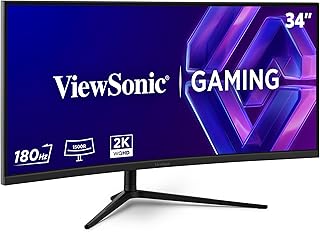
ViewSonic VX3418C-2K 34 Inch UltraWide QHD 1440p Curved
Why We Love It

LG 34SR63QA-W 34 inch Smart Curved Monitor with Streaming TV
Why We Love It

Z-Edge 34" Curved Ultrawide Gaming Monitor
Why We Love It

KOORUI 34 inch Gaming Monitor
Why We Love It

KOORUI 34 Inch UltraWide Curved Gaming Monitor
Why We Love It

LG 34SR60QC-W 34-inch QHD (3440x1440) Curved Smart Monitor
Why We Love It

Z-Edge 34" UWQHD 165Hz 1ms Curved IPS Gaming Monitor
Why We Love It
Quick Pick
10 Best Ultrawide Qhd Tvs Of 2026
Quick Pick
LG 34WQ75C 34-inch 21:9 Curved UltraWide QHD IPS HDR10 Monitor With USB Type-C,RJ45,Speaker,HDMI,DisplayPort
LG 34WQ75C-B.AUS 34" Curved UltraWide™ QHD IPS HDR 10 Built-in-KVM-Monitor with USB Type-C™ & LAN (RJ-45)
Samsung 49" Gaming Monitor G9 (G91SD) Odyssey OLED Dual QHD (5120 x 1440) 144Hz Refresh Rate 0.03Ms Response Time, NVIDIA G-Sync Compatible, Height Adjustable, Silver(Amazon Exclusive)
ViewSonic VX3418C-2K 34 Inch UltraWide QHD 1440p Curved Gaming Monitor with 180Hz, 1ms, 21:9, Advanced Ergonomics, FreeSync Premium, HDR10, HDMI, and DisplayPort Inputs
LG 34SR63QA-W 34 inch Smart Curved Monitor with Streaming TV, QHD 1440p, UltraWide Screen, USB Type-C 65W PD, 1800R, webOS, HDR10, 100Hz, Built-in Speaker, AirPlay2, Screen Share, Bluetooth, White
Z-Edge 34" Curved Ultrawide Gaming Monitor, Max 240Hz,WQHD,VA LED, AG34P
KOORUI 34 inch Gaming Monitor, 240Hz, Ultrawide UWQHD (3440x1440P), Curved 1500R, HDR400, PIP/PBP, 1ms MPRT, Adaptive Sync, Height Adjustable, DP,HDMI,PS5 G3441XC
KOORUI 34 Inch UltraWide Curved Gaming Monitor, WQHD 180Hz, HDR400 | 3440x1440, 1000R VA Panel, 1ms MPRT, Adaptive Sync, 90% DCI-P3, PiP/PbP, DP 1.4, HDMI 2.0, VESA 75 × 75 mm
LG 34SR60QC-W 34-inch QHD (3440x1440) Curved Smart Monitor with Streaming, UltraWide Screen, webOS, HDR10, 100Hz, Built-in Speaker, AirPlay2, Screen Share, Bluetooth, ThinQ App, White
Z-Edge 34" UWQHD 165Hz 1ms Curved IPS Gaming Monitor, FreeSync, 1500R Curvature, UWQHD 3440 * 1440, 96% DCI-P3, 1.07 Colors, 300 cd/㎡, 21:9, Powerful Connections, 2000:1, UG34I-Black
Buying Guide: Ultrawide Qhd Tvs
📋 Table of Contents
1What resolution and aspect ratio should I look for in an ultrawide QHD TV?
Ultrawide QHD TVs typically offer a 2560x1440 resolution with a 21:9 aspect ratio. This provides a wider field of view than standard 16:9 TVs, ideal for gaming, movies, and multitasking. Ensure the TV supports HDR for enhanced color and contrast, especially if you watch high-quality content.
2What refresh rate is best for gaming and media?
A minimum of 120Hz is recommended for smooth gaming and video playback, especially with variable refresh rate (VRR) support to reduce screen tearing. Look for models with 1ms response time for fast-paced action and minimal motion blur, which is crucial for competitive gaming.
3Do I need HDMI 2.1 ports for gaming consoles?
If you plan to use next-gen consoles like the PlayStation 5 or Xbox Series X, HDMI 2.1 ports are essential. They support higher bandwidth, enabling 4K at 120Hz and features like auto low latency mode (ALLM) for smoother gameplay and reduced input lag.
4What size ultrawide QHD TV is best for different room setups?
For a home office or small living room, a 27-32 inch model is ideal, offering a wide view without overwhelming the space. Larger sizes, like 34-40 inches, are better for gaming or media rooms, providing an immersive experience. Ensure the TV fits comfortably within your viewing distance for optimal clarity.
5Are there any common mistakes to avoid when buying an ultrawide QHD TV?
Avoid TVs with low brightness or poor color accuracy, as these can diminish the viewing experience, especially in bright rooms. Also, check for built-in speakers that may lack depth for true surround sound. Consider models with USB-C or DisplayPort for greater connectivity and versatility with peripherals.
How we choose
Our editors are people who genuinely love testing and writing about products. We compare each product's real-world usability and strengths, then distill what matters most into our own "Why We Love It" points — so you get an honest, at-a-glance sense of what counts before you buy.