10 Best Ugreen Network Attached Storage Of 2026
Ugreen Network Attached Storage — Reviews, Recommendations & Updated Buying Guide November 2026


UGREEN DH2300 2 Bay Desktop NAS
Why We Love It


UGREEN NASync DXP4800 Pro 4-Bay 8GB Desktop NAS
Why We Love It

UGREEN NASync DH4300 Plus 4-Bay Desktop NAS
Why We Love It

UGREEN NAS DXP4800 GT 4-Bay for Creators
Why We Love It
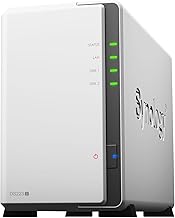
Synology 2-Bay DiskStation DS223j (Diskless)
Why We Love It

Buffalo LinkStation 210 2TB 1-Bay NAS Network Attached
Why We Love It
Quick Pick
10 Best Ugreen Network Attached Storage Of 2026
Quick Pick
UGREEN DH2300 2 Bay Desktop NAS, Cloud Backup, 4K HDMI,AI Album NAS Server | 1GbE Port, 4GB RAM, Cloud Backup, Remote Access, NFC, Multi-Device Connectivity, Versatile Expansion Ports (Diskless)
UGREEN NASync DXP4800 Pro 4-Bay 8GB Desktop NAS,Network Attached Storage (Diskless)
UGREEN NASync DH4300 Plus 4-Bay Desktop NAS, 4K HDMI NAS Server for Home | 2.5 GbE Port, 8GB LPDDR4X RAM, A76+A55 8 Cores SoC, Cloud Backup, Remote Access, NFC, Multi-Device Connectivity (Diskless)
UGREEN NAS DXP4800 GT 4-Bay for Creators, Tech Enthusiasts and Office Teams | Smart Home Data Hub, Direct NAS Editing & Dual 10GbE Transfers, Ryzen R2514, 8GB DDR4, 2x 10GbE, 2x M.2 NVMe Slots, Diskless
Synology 2-Bay DiskStation DS223j (Diskless)
Buffalo LinkStation 210 2TB 1-Bay NAS Network Attached Storage with HDD Hard Drives Included NAS Storage That Works as Home Cloud or Network Storage Device for Home
Buying Guide: Ugreen Network Attached Storage
📋 Table of Contents
1How much storage capacity do I actually need for a NAS?
Start by calculating how much data you're storing now, then add 50% for growth over the next few years. If you're backing up photos, videos, and documents for a household, 4-8TB is usually enough; for small businesses or heavy media users, 12TB or more makes sense.
2What's the difference between a 2-bay and 4-bay UGREEN NAS?
A 2-bay model is smaller, quieter, and better for light backup work or home use, while a 4-bay gives you more storage capacity and redundancy options if one drive fails. Choose 2-bay if space is limited or you're just starting out; go 4-bay if you need reliability and room to grow.
3Do I need to buy the hard drives separately or do they come included?
UGREEN NAS units typically come without drives—you buy them separately based on your capacity and performance needs. Make sure to check the compatibility list for the specific model, as some drives are better suited for NAS than others.
4What internet speed do I need to access my NAS remotely?
You don't need fast internet to access your NAS at home over WiFi or Ethernet, but for reliable remote access when you're away, a stable home connection with at least 5Mbps upload speed works well. The bigger factor is your router quality and whether you set up proper security like VPN access.
5Is UGREEN NAS worth it compared to just using cloud storage?
A NAS costs more upfront but gives you full control over your data, no monthly subscription fees, and faster local access for large files. Cloud storage is simpler for basic backup, but a NAS wins if you store lots of media, need fast file sharing at home, or want to avoid recurring costs.
How we choose
Our editors are people who genuinely love testing and writing about products. We compare each product's real-world usability and strengths, then distill what matters most into our own "Why We Love It" points — so you get an honest, at-a-glance sense of what counts before you buy.