10 Best Touchscreen Smart Monitor Of 2026
Touchscreen Smart Monitor — Reviews, Recommendations & Updated Buying Guide November 2026


Taktik 21.5” Android Smart Screen LCD Display
Why We Love It


UPERFECT 14” Portable Monitor Touchscreen
Why We Love It

LG Smart Monitor Swing 32U889SA-W 32-Inch 4K UHD (3840x2160)
Why We Love It

UPERFECT 24" 120Hz QLED Portable Touchscreen Monitor 1080P
Why We Love It

Powerology PARAMONT Portable Touchscreen Smart Monitor 27
Why We Love It
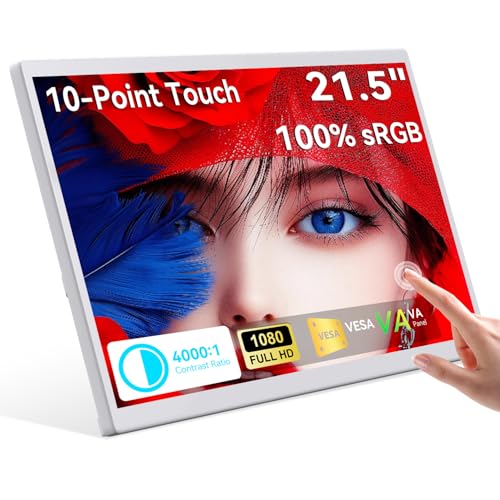
Touchscreen Monitor
Why We Love It

Porodo 24.5”Inch Portable Smart Screen
Why We Love It

18.5-Inch Touchscreen Portable Monitor
Why We Love It

32 Inch Portable Smart TV Monitor with Stand Android 15
Why We Love It

UPERFECT 15.6" Touchscreen Portable Monitor
Why We Love It
Quick Pick
10 Best Touchscreen Smart Monitor Of 2026
Quick Pick
Taktik 21.5” Android Smart Screen LCD Display | Indoor Floor Standing Touch Screen with 1080p HD | Wireless Screen Mirroring |Built-in Battery | 3D Surround Sound Movable Stand Chromecast Ready
UPERFECT 14” Portable Monitor Touchscreen, 125% sRGB 1080P FHD IPS Ultra-Thin Travel Second Screen with 10-Point Touch, Built-in Speakers, VESA Mount & Smart Cover for Laptop, Phone & Game Console
LG Smart Monitor Swing 32U889SA-W 32-Inch 4K UHD (3840x2160) IPS Touchscreen on a Fully Adjustable Wheeled Base HDR10, webOS, Built-in Speaker, HDMI, USB Type-C, Tilt/Height/Swivel/Pivot Stand, White
UPERFECT 24" 120Hz QLED Portable Touchscreen Monitor 1080P 125% sRGB 400Nits w/Stand & VESA, HDMI USB-C Travel Monitor for Laptop/Gaming Devices/Phone/Mini PC, External Second Screen for Gaming & Work
Powerology PARAMONT Portable Touchscreen Smart Monitor 27 Inch, Portable TV 1080P FHD Touch Display, Android 15, 27000mAh Battery, 7 Hours Working Time, Wireless Screen Projection, Beige
Touchscreen Monitor, 21.5 Inch 1080P Computer Screen with VESA Mount
Porodo 24.5”Inch Portable Smart Screen, Full HD 1080P Touch Screen, Octa-Core CPU, 8GB RAM, 128GB Storage, 60Hz Refresh Rate, Android 14 System, Stereo Speakers, Handle & Stepless Stand - White
18.5-Inch Touchscreen Portable Monitor, 120Hz 1ms Gaming Display, FHD 1080P IPS, HDR, FreeSync, 100% sRGB, VESA Mountable, Smart Cover Included, External Screen for Laptop and Switch
32 Inch Portable Smart TV Monitor with Stand Android 15 Touch Screen, Full HD Display, USB Camera, 8+128GB, 9600mAh Battery, Remote Mouse Voice Control Floor Standing Rolling Screen on Wheels
UPERFECT 15.6" Touchscreen Portable Monitor | 1080P IPS Matte Screen, Ultra-Thin Travel Monitor with Adjustable Stand | HDMI USB-C External Display for Laptop, Phone, Mini Host, Game Console
Buying Guide: Touchscreen Smart Monitor
📋 Table of Contents
1What resolution should I look for in a touchscreen smart monitor?
For general use, 1080p (Full HD) is sufficient, but 4K (3840x2160) offers sharper visuals for design, video editing, or gaming. Higher resolution requires more powerful hardware, so balance your needs with your computer’s capabilities.
2Does the touchscreen support stylus input, and why does it matter?
Some models support active styluses with pressure sensitivity, which is essential for artists, designers, or note-takers. Passive styluses work on capacitive screens but lack precision and pressure response, so check if your workflow needs advanced input methods.
3What’s the difference between IPS and TN panel types in smart monitors?
IPS panels offer wider viewing angles and more accurate color reproduction, ideal for creative work. TN panels have faster response times, better for gaming, but with narrower viewing angles and less vibrant colors. Choose based on your primary use case.
4How important is the built-in webcam and microphone for a smart monitor?
A high-quality webcam (1080p or 4K) and noise-canceling microphone are crucial for video conferencing and online classes. Lower-end models may have poor video clarity or background noise, which can hinder communication and professionalism.
5What connectivity options should I prioritize for a smart monitor?
Look for HDMI, USB-C (for power and data transfer), and DisplayPort inputs. USB-C with DisplayPort Alt Mode is ideal for laptops, while multiple ports allow connecting peripherals like keyboards, mice, or external drives without extra hubs.
How we choose
Our editors are people who genuinely love testing and writing about products. We compare each product's real-world usability and strengths, then distill what matters most into our own "Why We Love It" points — so you get an honest, at-a-glance sense of what counts before you buy.