10 Best Touchscreen Smart Door Lock System Of 2026
Touchscreen Smart Door Lock System — Reviews, Recommendations & Updated Buying Guide November 2026


Eufy Security Smart Lock C210
Why We Love It


Yale Assure Lock Deadbolt
Why We Love It

Palm Print Smart Lock for APP Control
Why We Love It

Smart Fingerprint Door Lock Biometric Deadbolt with Wi-Fi
Why We Love It
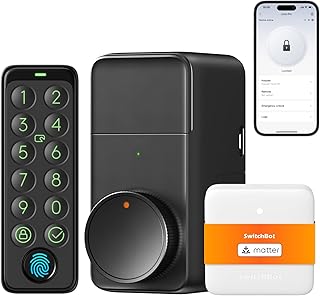
SwitchBot WiFi Smart Lock Pro with Touch Screen Keyboard
Why We Love It

Yale Assure Lock Touchscreen Keypad in Oil Rubbed Bronze
Why We Love It
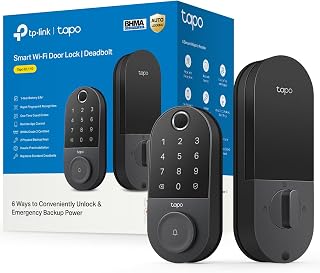
Tapo Smart Wi-Fi Door Lock
Why We Love It
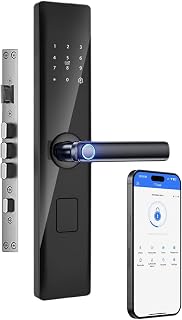
Smart Lock
Why We Love It

Flylin Digital Electronic Lock Touch Keypad
Why We Love It

Smart Door Lock with 4585 Lock Body
Why We Love It
Quick Pick
10 Best Touchscreen Smart Door Lock System Of 2026
Quick Pick
eufy Security Smart Lock C210, 5-in-1 Keyless Entry Door Lock, Built-in WiFi Deadbolt, Smart Door Lock, No Bridge Required, Easy Installation, Touchscreen Keypad, App Remote Control, BHMA Cert
Yale Assure Lock Deadbolt, Black Suede Digital Touchscreen Non-Connected Keypad with Backup Key for Front or Back Entry Door, YRD226-NR-BSP
Palm Print Smart Lock for APP Control,3D Face Recognition Independent Cat's Eye Smart Door Lock with WiFi Video Intercom,Door Lock Touch Screen Password IC Card,Fingerprint (Black-C)
Smart Fingerprint Door Lock Biometric Deadbolt with Wi-Fi App Remote Control, Touchscreen Keypad, Secure Keyless Entry System, Auto Lock, Black
SwitchBot WiFi Smart Lock Pro with Touch Screen Keyboard, Door Latch Locks, Smart Door Lock, Electronic Door Lock, Door Opener via App, Fingerprint, Code, Alexa, Google, Supports Matter
Yale Assure Lock Touchscreen Keypad in Oil Rubbed Bronze (YRD226NR0BP)
Tapo Smart Wi-Fi Door Lock, Deadbolt, Fingerprint Recognition, DL110 | Touchscreen Keypad, Keyless Entry, In-App Monitoring with Scheduled Access, 1-Year Rechargeable Battery, BHMA Grade 2
Smart Lock,Bluetooth and WiFi 2 in 1 Smart Lock, Fingerprint Door Lock, Keyless Entry Door Lock, APP Remote Control, Biometric for Home Bedroom Apartment (X1)
Flylin Digital Electronic Lock Touch Keypad, Smart Keyless Entry Door Lock | with Handle and Security Key Touch Screen Password Privacy Lock for Access Control System (White)
Smart Door Lock with 4585 Lock Body, Bluetooth TTLock APP Control, Fingerprint/Password/Card/Key/APP Unlock, Chinese-English Language(T306TTble)
Buying Guide: Touchscreen Smart Door Lock System
📋 Table of Contents
1What battery life should I look for in a touchscreen smart door lock system?
Opt for models with at least 6-12 months of battery life on a single charge, depending on usage. Frequent use of the touchscreen or Wi-Fi connectivity can drain batteries faster, so look for systems with low-power modes or backup power options like USB-C charging.
2Does a touchscreen interface offer real advantages over a keypad?
Yes — touchscreens allow for customizable access codes, real-time notifications, and integration with smart home systems. They also support biometric options like fingerprint or facial recognition, which can be more convenient and secure than traditional keypads.
3What security features are essential for a touchscreen smart door lock system?
Look for systems with AES-256 encryption, anti-tamper alerts, and auto-locking mechanisms. Two-factor authentication and regular firmware updates are also critical to prevent hacking and ensure long-term security against evolving threats.
4How does touchscreen responsiveness affect user experience?
A responsive touchscreen with a 100-200ms reaction time ensures smooth operation, especially in low-light conditions or with gloves on. Poor responsiveness can lead to failed access attempts, so prioritize models with capacitive touchscreens and good outdoor visibility features.
5What connectivity options should I consider for a touchscreen smart door lock system?
Wi-Fi is standard for remote access, but Bluetooth or Z-Wave can offer more reliable local control and lower power consumption. Look for systems that support both Wi-Fi and Bluetooth for flexibility, especially if you have a mixed smart home ecosystem.
How we choose
Our editors are people who genuinely love testing and writing about products. We compare each product's real-world usability and strengths, then distill what matters most into our own "Why We Love It" points — so you get an honest, at-a-glance sense of what counts before you buy.