10 Best Touchscreen Color Printer Of 2026
Touchscreen Color Printer — Reviews, Recommendations & Updated Buying Guide November 2026


HP OfficeJet Pro 9123 All-in-One Printer - Wireless
Why We Love It


HP | Smart Tank | Touchscreen | Wireless | Print
Why We Love It
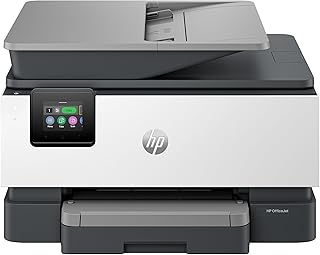
HP OfficeJet Pro 9120 All-in-One Printer | Touchscreen
Why We Love It

Brother Wireless All in One Printer
Why We Love It

HP Color LaserJet Pro MFP 3303fdn Printer
Why We Love It

HP OfficeJet Pro | Touchscreen | Wireless | Print
Why We Love It

Handheld Inkjet Printer Gun
Why We Love It

Creality 3D Printer Hi Combo
Why We Love It

Canon i-SENSYS MF664Cdw Multi-Function Colour Laser Printer
Why We Love It

HP Smart Tank 585 Wireless All In One Printer
Why We Love It
Quick Pick
10 Best Touchscreen Color Printer Of 2026
Quick Pick
HP OfficeJet Pro 9123 All-in-One Printer - Wireless, Automatic document feeder, Two-sided printing, Two-sided scanning, Scan to PDF/Email, Touchscreen
HP | Smart Tank | Touchscreen | Wireless | Print, Copy, Scan, Fax | Automatic Duplex | Print Speed: 15ppm(black) / 9ppm(color) | Up to 18000 black or 8000 color pages included | ST795 | UAE Version
HP OfficeJet Pro 9120 All-in-One Printer | Touchscreen | Wireless | Print, Copy, Scan, Fax | Automatic Duplex | Speed: 22ppm / 18ppm | 35-sheet ADF | UAE Version [4V2M9C]
Brother Wireless All in One Printer, MFC-L3720CDW, with Advanced LED Color Laser Print, ADF, Duplex & Mobile Printing, High Yield Ink Toner
HP Color LaserJet Pro MFP 3303fdn Printer, copy, scan, fax, Two-sided printing; ADF; Scan to email; Scan to PDF; Fax; Front USB flash drive port; Touchscreen; TerraJet cartridge
HP OfficeJet Pro | Touchscreen | Wireless | Print, Copy, Scan | Automatic Duplex | Print Speed: 20ppm(black) / 10ppm(color) | 35-sheet ADF | OJ8123 | UAE Version
Handheld Inkjet Printer Gun, Handheld Printer with 4.5 Inch Touchscreen, Quick-Drying label printer for Printing Production Date Batch Number QR Code
Creality 3D Printer Hi Combo, with CFS Support Up to 16 Colors Printing, 500mm/s High Speedy 3D Printer with Color Touch Screen, Auto Leveling, for Home and office, Print Size 260×260×300mm
Canon i-SENSYS MF664Cdw Multi-Function Colour Laser Printer - Print, Copy, Scan, Fax in A4-25ppm, LCD Touch Screen - Wi-Fi Connection, Scan to Cloud - Office Printer
HP Smart Tank 585 Wireless All In One Printer, Print, Scan, Copy, Print up to 18000 black or 6000 color pages [1F3Y4A]
Buying Guide: Touchscreen Color Printer
📋 Table of Contents
1What resolution should I look for in a touchscreen color printer?
Opt for at least 300 dpi for standard photo printing, with 600 dpi or higher for professional-quality images. Higher resolution ensures sharper details and smoother gradients, which is especially important for color accuracy and fine art prints.
2Does the type of ink affect print quality and longevity?
Yes — pigment-based inks offer better water resistance and fade resistance, making them ideal for long-lasting color prints. Dye-based inks produce more vibrant colors but are less durable. Choose pigment inks for photos you plan to keep for years.
3What size paper tray or feed capacity is best for home use?
A 20-30 sheet paper tray is sufficient for most home users, while a larger 50-sheet tray is better for frequent printing. Look for models with automatic sheet feeding for multi-page documents or photo albums to avoid manual reloading.
4Is a touchscreen interface worth the extra cost?
Yes — a touchscreen allows for easier navigation, direct photo editing, and faster setup of print settings. It’s especially useful for color calibration and layout adjustments, saving time compared to traditional button-based controls.
5What connectivity options should I prioritize?
Look for USB, Wi-Fi, and Bluetooth connectivity for versatility. Wi-Fi enables wireless printing from smartphones or tablets, while USB is essential for direct computer printing. Some models also support cloud printing for added convenience.
How we choose
Our editors are people who genuinely love testing and writing about products. We compare each product's real-world usability and strengths, then distill what matters most into our own "Why We Love It" points — so you get an honest, at-a-glance sense of what counts before you buy.