10 Best Toshiba Canvio Gaming Of 2026
Toshiba Canvio Gaming — Reviews, Recommendations & Updated Buying Guide November 2026

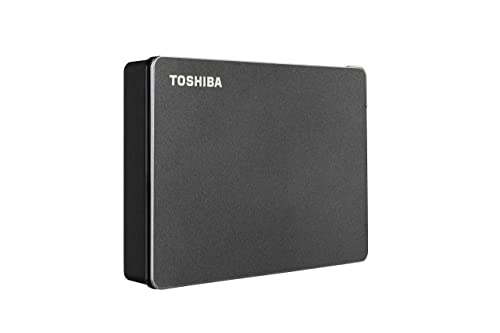
Toshiba Canvio Gaming Portable External Hdd 4Tb Black
Why We Love It


Toshiba Canvio Gaming 4TB
Why We Love It

Toshiba 2TB Canvio Gaming Portable External Hard Drive
Why We Love It

Toshiba Canvio Gaming 1TB Portable External Hard Drive for
Why We Love It
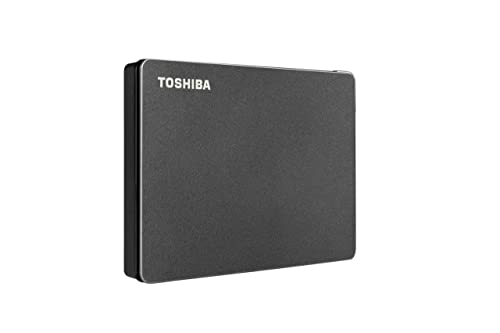
Toshiba Canvio Gaming 1TB Portable External Hard Drive USB
Why We Love It

TOSHIBA Canvio Basics 1TB black HDTB410XK3AA
Why We Love It

TOSHIBA Canvio Flex Disco Rigido Esterno 4 TB USB Tipo A 3.2
Why We Love It

Toshiba Canvio Flex 4TB
Why We Love It

Toshiba Canvio Advance 1TB Portable External Hard Drive USB
Why We Love It

Toshiba 4TB Canvio Ready
Why We Love It
Quick Pick
10 Best Toshiba Canvio Gaming Of 2026
Quick Pick
Toshiba Canvio Gaming Portable External Hdd 4Tb Black, Hdtx140Xk3Ca, Toshiba_Canvio_Gaming
Toshiba Canvio Gaming 4TB – Portable 2.5’’ External Hard Drive compatible with most PlayStation, Xbox and PC consoles, USB 3.2. Gen 1 Technology, Black (HDTX140EK3CA)
Toshiba 2TB Canvio Gaming Portable External Hard Drive, USB 3.2, for Play Station and Xbox, Black (HDTX220EK3AA)
Toshiba Canvio Gaming 1TB Portable External Hard Drive for Console & PC
Toshiba Canvio Gaming 1TB Portable External Hard Drive USB 3.0, Black for PlayStation, Xbox, PC, & Mac - HDTX110XK3AA
TOSHIBA Canvio Basics 1TB black HDTB410XK3AA
TOSHIBA Canvio Flex Disco Rigido Esterno 4 TB USB Tipo A 3.2 Gen 1 [3.1 Gen | Works with Mac, Windows, iOS & Android; exFAT; USB-C/USB-A Cable; Ideal for Phones, Tablets & Laptops
Toshiba Canvio Flex 4TB – Portable 2.5’’ External Hard Drive (HDD) for Mac, Windows PC, Smartphone and Tablet Use, Compatible with Most USB-C and USB-A Devices, Metallic Blue (HDTX240ESCCA)
Toshiba Canvio Advance 1TB Portable External Hard Drive USB 3.2 Gen1, Red - HDTCA10ER3AA
Toshiba 4TB Canvio Ready – 2.5 inch Portable External Hard Drive with SuperSpeed USB 3.2 Gen 1, Compatible with Microsoft Windows 7, 8 and 10, Black (HDTP340EK3CA)
Buying Guide: Toshiba Canvio Gaming
📋 Table of Contents
1What storage capacity do I actually need?
For most users, 1-2TB is sufficient for photos, videos, and documents. If you work with large files like 4K video or 3D models, consider 4TB or more. Avoid overbuying — you can always add a second drive later if needed.
2Should I choose SSD or traditional HDD storage?
SSD drives are faster, more durable, and lighter, but cost more per gigabyte. HDDs offer more storage for the price but are slower and more fragile. Choose SSD for speed-critical tasks and HDD for bulk storage on a budget.
3How important is transfer speed for my use?
USB 3.2 or Thunderbolt 3/4 ports deliver speeds up to 10Gbps or higher, which is ideal for large files. USB 2.0 is too slow for anything beyond basic file transfers. Check the interface and controller to ensure real-world performance matches the specs.
4What should I look for in a durable design?
Look for shock-resistant, dustproof, and water-resistant models (IP65 or higher) if you travel or work in tough environments. A rubberized exterior and reinforced casing help protect against drops and impacts, which are common with portable drives.
5Are backup features worth paying extra for?
Some drives include built-in backup software or auto-sync features, which can simplify data management. However, most modern operating systems already offer free backup tools. Only pay for software if it adds unique features you can’t get elsewhere.
How we choose
Our editors are people who genuinely love testing and writing about products. We compare each product's real-world usability and strengths, then distill what matters most into our own "Why We Love It" points — so you get an honest, at-a-glance sense of what counts before you buy.