10 Best Tmr Stick Modules For Ps5 Of 2026
Tmr Stick Modules For Ps5 — Reviews, Recommendations & Updated Buying Guide November 2026


DarkWalker TMR Stick Module for DualSense Edge Controller
Why We Love It

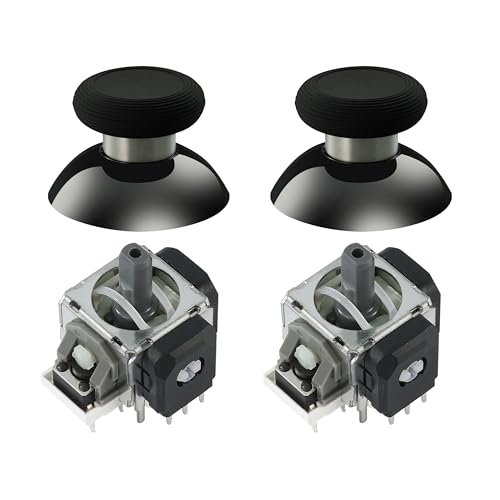
GuliKit TMR Magnetic Joystick Replacement for PS5
Why We Love It

Hyperkin TMR Joystick Replacement for PlayStation 5/ PS5
Why We Love It

Epindon TMR Hall Effect Joystick Module Compatible with PS5
Why We Love It

Epindon TMR Stick Module with Tactile Switch & Calibration
Why We Love It

K-Silver TMR magnetic resistance joystick
Why We Love It

10 Packs Hall Effect Joystick
Why We Love It

Epindon TMR Tension Adjustable Stick Module for PS5
Why We Love It

TMR Stick Module Replacement for Dualsense Edge Controller
Why We Love It

Plauduct TMR Stick Module for Dualsense Edge Controller for
Why We Love It
Quick Pick
10 Best Tmr Stick Modules For Ps5 Of 2026
Quick Pick
DarkWalker TMR Stick Module for DualSense Edge Controller
GuliKit TMR Magnetic Joystick Replacement for PS5 DualSense/Edge Controller
Hyperkin TMR Joystick Replacement for PlayStation 5/ PS5 Controller -2 Pack
Epindon TMR Hall Effect Joystick Module Compatible with PS5 DualSense Edge TMR Drift Free Magnetic Stick Replacement 1X High Precision, Standard Tension 80G
Epindon TMR Stick Module with Tactile Switch & Calibration Stick for Victrix Pro BFG//PRO BFG Reloaded Wireless Controllers (Both PS5 and Xbox Version) Conductive Rubber is NOT Required Right Stick
K-Silver TMR magnetic resistance joystick, High-Precision Magnetic Gaming Joystick Module, 200μA Low Power, 5 Million Rotations, Compatible with PS4, Xbox X/S, PS5, Switch Controllers (JS13 Pro+ For
10 Packs Hall Effect Joystick, Module Analog Stick Replacement for Xbox/PS5/PS4/Switch Pro (10 Packs Only for Xbox)
Epindon TMR Tension Adjustable Stick Module for PS5 DualSense Edge Controller, Drift Free Magnetic Stick Replacement 1X High Precision Long Life-Span
TMR Stick Module Replacement for Dualsense Edge Controller for PS5 for Besavior– 1PC, Anti-Drift, High CD Precision, Drop-in Fit Player
Plauduct TMR Stick Module for Dualsense Edge Controller for PS5 Video Game Console – 2pcs, Anti-Drift, High Precision, Drop-In Fit for PS5 Video Game Console
Buying Guide: Tmr Stick Modules For Ps5
📋 Table of Contents
1What storage capacity do I need for my PS5?
For most users, a 1TB TMR stick module is ideal, offering enough space for 10-15 large games. If you play many AAA titles or keep multiple versions, consider 2TB or more. Check your PS5's internal storage first to avoid overbuying.
2Are TMR modules faster than regular SSDs?
Yes — TMR modules use the PS5's internal NVMe interface, delivering speeds up to 5.5GB/s, matching the PS5 Pro's internal drive. Regular external SSDs connected via USB are slower and not recommended for performance-heavy games.
3Can I install any game on a TMR module?
Only games that support TMR expansion will run directly from the module. Most modern PS5 titles do, but older or smaller games may install there but run from the internal drive. Check the game's system requirements for confirmation.
4How do I set up a TMR module in my PS5?
Insert the module into the PS5's internal slot, then go to Settings > Storage > TMR Module. The console will automatically detect it. You can then choose to install new games directly to the module or move existing ones from the internal drive.
5Is a TMR module worth the cost for extra storage?
If you need more space and want full-speed performance, yes. TMR modules are more expensive per GB than external drives, but they’re the only way to expand storage without sacrificing speed. Avoid overbuying if you can delete or offload games to free up space.
How we choose
Our editors are people who genuinely love testing and writing about products. We compare each product's real-world usability and strengths, then distill what matters most into our own "Why We Love It" points — so you get an honest, at-a-glance sense of what counts before you buy.