10 Best Synology Nas Of 2026
Synology Nas — Reviews, Recommendations & Updated Buying Guide November 2026

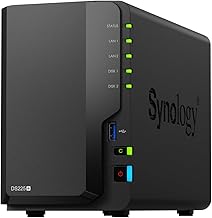
Synology 2-Bay NAS DS225+ (Diskless) | DSM operating system
Why We Love It

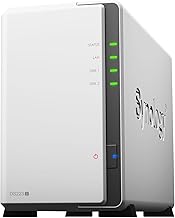
Synology 2-Bay DiskStation DS223j (Diskless)
Why We Love It

Synology DS223 Home & Office Backup Hub - Centralize Files
Why We Love It

Synology DS725+ Expandable NAS Storage
Why We Love It

Synology DS425+ Private Cloud Media Server - Stream
Why We Love It

Synology DiskStation DS1525+ NAS/Storage Server Ryzen
Why We Love It
Synology DS225+ Private Cloud Media Server - Stream
Why We Love It

Synology DS423 4 Bay Desktop NAS: Efficient Data Storage and
Why We Love It

Synology BeeStation Plus 8TB Personal Cloud Storage Device
Why We Love It

Synology DS1825+ Enterprise Video Production & Storage
Why We Love It
Quick Pick
10 Best Synology Nas Of 2026
Quick Pick
Synology 2-Bay NAS DS225+ (Diskless) | DSM operating system | Gigabit connectivity | Centralized file storage, backup and private cloud for home or business.
Synology 2-Bay DiskStation DS223j (Diskless)
Synology DS223 Home & Office Backup Hub - Centralize Files, Protect Data & Monitor Property (2-Bay Diskless NAS)
Synology DS725+ Expandable NAS Storage - Private Cloud for Home and Small Business (2-Bay Diskless NAS)
Synology DS425+ Private Cloud Media Server - Stream, Back Up & Share Files (4-Bay Diskless NAS)
Synology DiskStation DS1525+ NAS/Storage Server Ryzen Embedded V1500B 8 GB DDR4 0 TB-Black
Synology DS225+ Private Cloud Media Server - Stream, Back Up Photos & Share Files, Intel CPU for Hardware Transcoding (2-Bay Diskless NAS)
Synology DS423 4 Bay Desktop NAS: Efficient Data Storage and Backup | DiskStation Manager | Private cloud, file sharing, backup and multimedia storage for home and business.
Synology BeeStation Plus 8TB Personal Cloud Storage Device (BST170-8T)
Synology DS1825+ Enterprise Video Production & Storage - Scale to 360TB, 25GbE Speed & Mission-Critical Reliability (8-Bay Diskless NAS)
Buying Guide: Synology Nas
📋 Table of Contents
1What should I look for when choosing a Synology NAS model?
Consider your storage needs, number of drives supported, performance requirements, and features like backup, virtualization, or media server capabilities.
2What are the key specifications to compare between models?
Key specs include CPU performance, RAM capacity, number of drive bays, network speed (Gigabit vs. 10GbE), and support for RAID configurations.
3How do I ensure compatibility with my existing devices?
Check if the NAS supports your operating system, file formats, and any apps you use, and ensure your network infrastructure can handle the NAS's requirements.
4When should I pay more for a higher-end Synology NAS?
Pay more if you need advanced features like high-speed networking, greater storage scalability, or enterprise-level reliability and security.
5What are common mistakes to avoid when buying a Synology NAS?
Common mistakes include underestimating storage needs, ignoring power supply redundancy, or not considering future expansion options.
How we choose
Our editors are people who genuinely love testing and writing about products. We compare each product's real-world usability and strengths, then distill what matters most into our own "Why We Love It" points — so you get an honest, at-a-glance sense of what counts before you buy.