10 Best Switch Controllers For Pc Of 2026
Switch Controllers For Pc — Reviews, Recommendations & Updated Buying Guide November 2026


GameSir Nova Lite Wireless Controller for PC
Why We Love It

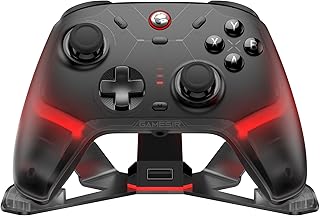
GameSir Cyclone 2 PC Controller Mag-Res TMR Sticks 1000Hz
Why We Love It
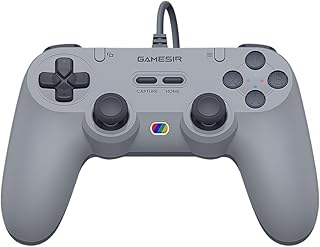
GameSir Tegenaria Lite Wired Game Controller For Switch
Why We Love It

Azonee Wireless Switch Controller for Nitendo
Why We Love It

Begally Switch Controller Wireless for Switch/Lite/OLED
Why We Love It

GuliKit Elves 2 Black | Hall-Effect Joysticks (Anti-Drift)
Why We Love It
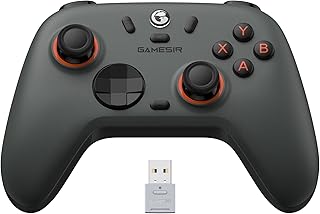
GameSir Nova 2 Lite Wireless Controller with Hall Effect
Why We Love It

Nintendo Switch 2 Joy-Con 2 Pair
Why We Love It

Saitake Hall Effect Anti-Drift Wireless Controller for
Why We Love It

8BitDo Ultimate 2 Bluetooth Controller for Switch/Switch 2 &
Why We Love It
Quick Pick
10 Best Switch Controllers For Pc Of 2026
Quick Pick
GameSir Nova Lite Wireless Controller for PC, Hall Effect Sticks & Trigger | Bluetooth Controller Gamepad with Hall Effect Trigger,Turbo,Rumble Vibration, Android, Switch & Steam Deck
GameSir Cyclone 2 PC Controller Mag-Res TMR Sticks 1000Hz Report Rate Hall & Micro 2-in-1 Triggers RGB Lighting with Charging Dock for PC/Switch/iOS/Android (Black)
GameSir Tegenaria Lite Wired Game Controller For Switch, Android, iOS, PC, Steam With Retro 90s Design, Hall Effect Sticks, 1000Hz Polling Rate, Dual Rumble Motors, Ultra-Low Latency -Retro Gray
Azonee Wireless Switch Controller for Nitendo Switch/PC/Steam/Android/IOS, Switch Pro Controller Support Daul Shock, Combo, Turbo, Cool RGB Light, Wired/Bluetooth Dual Connection Mode Gamepad(Black)
Begally Switch Controller Wireless for Switch/Lite/OLED Wireless Gamepad for PC/iOS/Android with RGB/Programmable/Motion Control/Vibration/Turbo/Wakeup
GuliKit Elves 2 Black | Hall-Effect Joysticks (Anti-Drift) | Wireless Controller for Nintendo Switch 1/2,Windows PC & Mobile | 1000Hz Polling Rate | Gyro, Turbo, Carry Case
GameSir Nova 2 Lite Wireless Controller with Hall Effect Joysticks & Triggers, 2.4G & Wired 1000Hz Polling Rate, Macro Back Buttons, PC Gamepad Compatible with PC/Switch/Steam/iOS/Android (Grey)
Nintendo Switch 2 Joy-Con 2 Pair - Light Purple & Light Green
Saitake Hall Effect Anti-Drift Wireless Controller for Nintendo Switch 2, Switch, PC, Android, RGB Lighting, Bluetooth 5.0, 2.4G, USB-C, Programmable Back Buttons, Dual Vibration
8BitDo Ultimate 2 Bluetooth Controller for Switch/Switch 2 & Windows PC, Switch Pro Controller with TMR Joysticks, Switchable Hall Effect/Tactile Triggers, Vibration and Motion Control - White | TMR Joysticks, Switchable Hall Effect/Tactile Triggers, Charging Dock, Vibration and Motion Control, 2 Pro-level back buttons
Buying Guide: Switch Controllers For Pc
📋 Table of Contents
1What connection type should I prioritize for low latency?
Wired USB controllers offer the most reliable and lowest latency performance for PC gaming, while Bluetooth is convenient for wireless use but may introduce slight input delay. For the best of both, look for a hybrid controller with both USB and Bluetooth support.
2Do I need a controller with programmable buttons?
Programmable buttons are ideal for complex games or custom layouts, but most casual or mainstream games don’t require them. If you play strategy or simulation titles, this feature can improve efficiency and comfort.
3How important is haptic feedback and adaptive triggers?
Haptic feedback and adaptive triggers enhance immersion in supported games, especially in action or adventure titles. However, they are not essential for all genres, so prioritize them only if you value a more tactile and responsive experience.
4What battery life should I expect from a wireless controller?
Most wireless controllers last 10-20 hours on a single charge, depending on usage and features like haptics. Look for models with a built-in battery indicator and fast charging via USB-C for convenience and uninterrupted play.
5Are third-party switch controllers compatible with my PC?
Yes, many third-party switch controllers work with PC via USB or Bluetooth, but ensure they support PC input profiles and are recognized by your operating system. Check for driver-free compatibility and game recognition for a smoother setup.
How we choose
Our editors are people who genuinely love testing and writing about products. We compare each product's real-world usability and strengths, then distill what matters most into our own "Why We Love It" points — so you get an honest, at-a-glance sense of what counts before you buy.