10 Best Study Tablet For Professionals Of 2026
Study Tablet For Professionals — Reviews, Recommendations & Updated Buying Guide November 2026


Samsung Galaxy Tab S11 512GB WiFi Android Tablet
Why We Love It


Apple iPad Air 13-inch (M4): Liquid Retina Display
Why We Love It

2026 Android 15 Tablet with Keyboard 10.1 Inch
Why We Love It
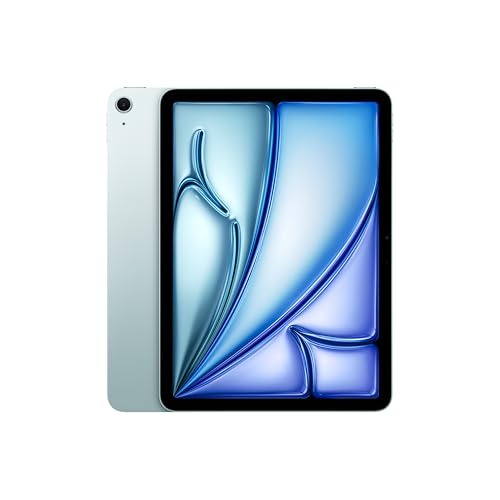
Apple iPad Air 11-inch (M4): Liquid Retina Display
Why We Love It
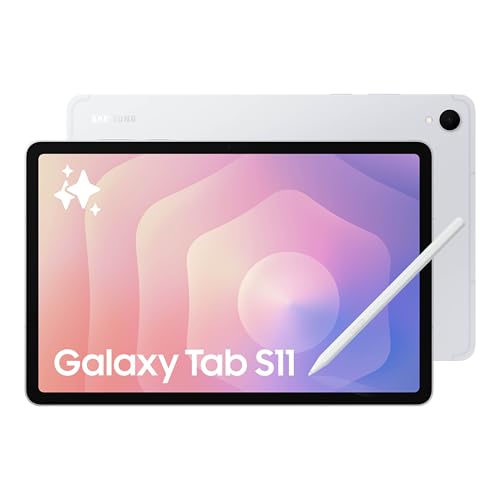
Samsung Galaxy Tab S11 128GB WiFi Android Tablet
Why We Love It

Metagenics Estrovera, Menopausal Comfort Support
Why We Love It

Samsung Galaxy Tab S11 AI Tablet
Why We Love It

HONGSAMDE 10.1" Windows Tablet
Why We Love It
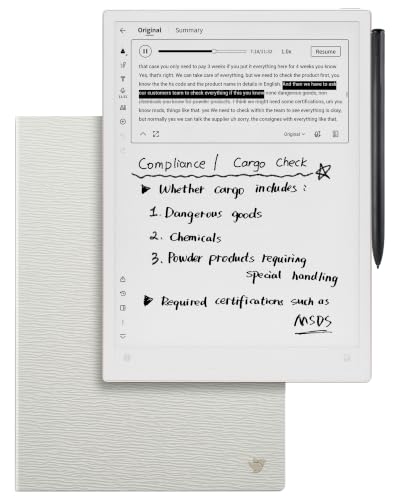
IFLYTEK AINOTE 2
Why We Love It

WUIUHOU 10.1 Inch Android 15 Tablet
Why We Love It
Quick Pick
10 Best Study Tablet For Professionals Of 2026
Quick Pick
Samsung Galaxy Tab S11 512GB WiFi Android Tablet, Galaxy AI, IP68, Gray | Dynamic AMOLED 2X Display; 3nm MediaTek Processor, High Performance, Premium 11" AMOLED Screen, Slim, Portable Design
Apple iPad Air 13-inch (M4): Liquid Retina Display, 512GB, 12MP Front/Back Camera, Wi-Fi 7 with Apple N1, Touch ID, All-Day Battery Life — Blue
2026 Android 15 Tablet with Keyboard 10.1 Inch, 18GB RAM 128GB, WiFi, Black
Apple iPad Air 11-inch (M4): Liquid Retina Display, 1TB, 12MP Front/Back Camera, Wi-Fi 7 with Apple N1, Touch ID, All-Day Battery Life — Blue
Samsung Galaxy Tab S11 128GB WiFi Android Tablet, Galaxy AI, IP68, Silver
Metagenics Estrovera, Menopausal Comfort Support, 30 Tablets
Samsung Galaxy Tab S11 AI Tablet, 11" 120Hz AMOLED 2X, 128GB Storage + 128GB SD Card, 12GB RAM, S Pen, 2K+ Touchscreen, Ultra-Light, Slim Tablet,18-Hr Long Battery Life, 13MP + 12MP Camera, SM-X730
HONGSAMDE 10.1" Windows Tablet,8GB RAM,128GB SSD for Working and Studying
iFLYTEK AINOTE 2, 10.65" E Ink Tablet with Gray Folio Case
WUIUHOU 10.1 Inch Android 15 Tablet, 8GB RAM 32GB Storage, HD IPS Display, 5G WiFi 6,6000mAh Battery, Dual Camera for Video Call, Tab with Case & Stylus Pen for Work/Study Tablet with case (Pink)
Buying Guide: Study Tablet For Professionals
📋 Table of Contents
1What features should I look for in a study tablet for professionals?
Look for a high-resolution display, long battery life, support for stylus input, and compatibility with productivity apps. A powerful processor and ample storage are also important for multitasking and storing documents.
2What are the key specifications to consider?
Key specs include screen size (10-13 inches is common), resolution (at least 1080p), RAM (4GB or more), storage (64GB or expandable), and battery life (8-12 hours). Also check for connectivity options like Wi-Fi, Bluetooth, and USB ports.
3How do I ensure the tablet is compatible with my existing devices and software?
Check if the tablet supports your preferred operating system (Android or iOS) and whether it can sync with your cloud services, email, and office software. Ensure it has the necessary ports or adapters for external devices.
4When should I pay more for a study tablet?
Pay more if you need advanced features like 4K display, stylus support with pressure sensitivity, high-end processors for smooth performance, or premium build quality for long-term use.
5What are common mistakes to avoid when buying a study tablet?
Common mistakes include ignoring battery life, choosing a tablet with insufficient storage, not checking app compatibility, or opting for a lower-quality screen that strains the eyes during long study sessions.
How we choose
Our editors are people who genuinely love testing and writing about products. We compare each product's real-world usability and strengths, then distill what matters most into our own "Why We Love It" points — so you get an honest, at-a-glance sense of what counts before you buy.