10 Best Studio Usb Audio Interfaces Of 2026
Studio Usb Audio Interfaces — Reviews, Recommendations & Updated Buying Guide November 2026


Focusrite Scarlett Solo 4th Gen USB-C Audio Interface
Why We Love It


Nalacal Recording Music Usb Audio Interface For Pc
Why We Love It
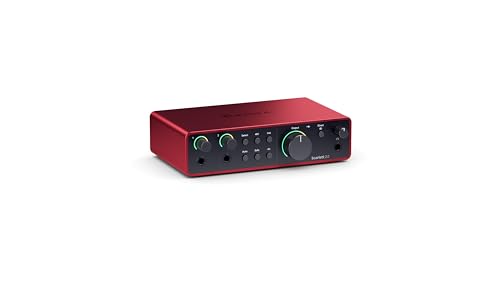
Focusrite Scarlett 2i2 4th Gen USB-C Audio Interface
Why We Love It

Focusrite Scarlett 3rd Gen Audio Interface
Why We Love It

Universal Audio Volt 2 Gen 2 2-in / 4-out USB Audio
Why We Love It

Universal Audio Volt 1 Gen 2 2-in / 2-out USB Audio
Why We Love It
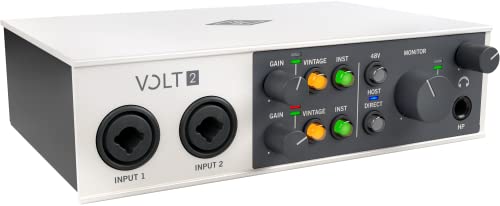
Universal Audio Volt 2 USB Audio Interface
Why We Love It

AudioDeluxe Focusrite Scarlett 2i2 Studio (4th Gen) USB
Why We Love It
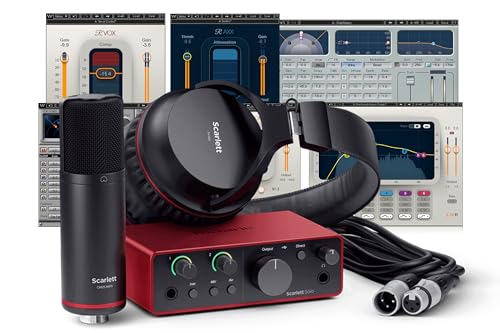
AudioDeluxe Focusrite Scarlett Solo Studio (4th Gen) USB
Why We Love It
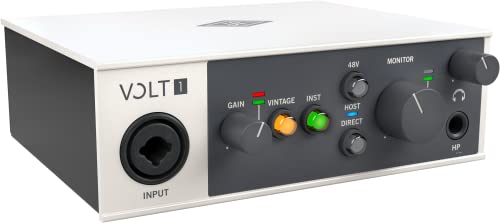
Universal Audio Volt 1 USB Audio Interface
Why We Love It
Quick Pick
10 Best Studio Usb Audio Interfaces Of 2026
Quick Pick
Focusrite Scarlett Solo 4th Gen USB-C Audio Interface
Nalacal Recording Music Usb Audio Interface For Pc, Sound Card Studio, Computer With 3.5Mm Microphone Jack, Plug And Play
Focusrite Scarlett 2i2 4th Gen USB-C Audio Interface
Focusrite Scarlett 3rd Gen Audio Interface
Universal Audio Volt 2 Gen 2 2-in / 4-out USB Audio Interface with Onboard Tone Shaping
Universal Audio Volt 1 Gen 2 2-in / 2-out USB Audio Interface w/Onboard Tone Shaping
Universal Audio Volt 2 USB Audio Interface
AudioDeluxe Focusrite Scarlett 2i2 Studio (4th Gen) USB Audio Interface and Waves Musicians 2 Bundle
AudioDeluxe Focusrite Scarlett Solo Studio (4th Gen) USB Audio Interface and Waves Musicians 2 Bundle
Universal Audio Volt 1 USB Audio Interface
Buying Guide: Studio Usb Audio Interfaces
📋 Table of Contents
1How many inputs do I actually need for my studio setup?
For solo recording, 1-2 inputs are enough for a mic and instrument. If you plan to record multiple instruments or vocals at once, look for at least 4 inputs to avoid overloading your system or needing multiple passes.
2What sample rate and bit depth should I prioritize?
A minimum of 24-bit depth and 44.1kHz to 192kHz sample rate is standard for studio-grade audio. Higher rates (96kHz or above) offer more detail for post-processing, but ensure your DAW and monitors can handle them effectively.
3Is phantom power necessary for my microphone?
Yes, if you're using a condenser mic — it requires 48V phantom power to operate. Dynamic mics don’t need it, so check your mic type before buying. Some interfaces let you toggle phantom power per input for flexibility.
4What’s the difference between USB-C and USB-A connections?
USB-C offers faster data transfer and better power delivery, which is ideal for high-resolution audio. USB-A is still widely compatible, but if your computer has both, go for USB-C for future-proofing and lower latency in demanding sessions.
5Are built-in preamps worth paying extra for?
High-quality preamps (look for 20-30dB headroom and low noise) can significantly improve sound clarity and warmth. Budget interfaces often use basic preamps that may require extra EQ or compression later, so invest in ones with good reviews for clean signal capture.
How we choose
Our editors are people who genuinely love testing and writing about products. We compare each product's real-world usability and strengths, then distill what matters most into our own "Why We Love It" points — so you get an honest, at-a-glance sense of what counts before you buy.