10 Best Studio Midi Interfaces Of 2026
Studio Midi Interfaces — Reviews, Recommendations & Updated Buying Guide November 2026


Focusrite Scarlett Solo 4th Gen USB-C Audio Interface
Why We Love It


AudioBox USB 96 Studio Recording Bundle with Fender Studio
Why We Love It

Focusrite Scarlett Solo Studio 4th Gen USB-C Audio Interface
Why We Love It

AudioDeluxe Focusrite Scarlett 2i2 Studio (4th Gen) USB
Why We Love It

Universal Audio Volt 176 USB Audio Interface
Why We Love It

Scarlett 2i2 Studio 4th Gen
Why We Love It
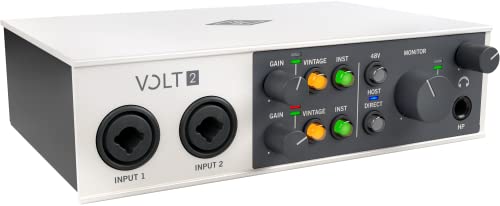
Universal Audio Volt 2 USB Audio Interface
Why We Love It
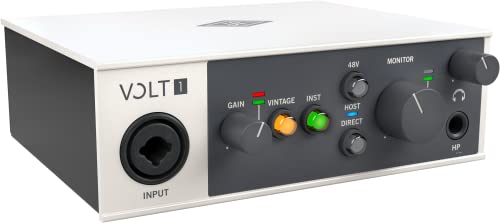
Universal Audio Volt 1 USB Audio Interface
Why We Love It

USB MIDI Cable 6FT
Why We Love It

TIE Studio professional latency-free midi (USB type A
Why We Love It
Quick Pick
10 Best Studio Midi Interfaces Of 2026
Quick Pick
Focusrite Scarlett Solo 4th Gen USB-C Audio Interface
AudioBox USB 96 Studio Recording Bundle with Fender Studio Pro Software
Focusrite Scarlett Solo Studio 4th Gen USB-C Audio Interface Bundle
AudioDeluxe Focusrite Scarlett 2i2 Studio (4th Gen) USB Audio Interface and Waves Musicians 2 Bundle
Universal Audio Volt 176 USB Audio Interface
Scarlett 2i2 Studio 4th Gen
Universal Audio Volt 2 USB Audio Interface
Universal Audio Volt 1 USB Audio Interface
USB MIDI Cable 6FT, USB 2.1 Type A to Type B Cord Compatible with MIDI Keyboards, Controllers, Audio Interfaces, Recording Equipment, USB Microphones & Printers, 2-Pack
TIE Studio professional latency-free midi (USB type A interface incl. octocoupler, 2.0 m, plug & play, stable timing, Windows and Mac OSX) black, 19-90006
Buying Guide: Studio Midi Interfaces
📋 Table of Contents
1How many MIDI inputs and outputs do I actually need?
For most home studios, 1-2 MIDI inputs and 1-2 outputs are sufficient for connecting a keyboard and a DAW. If you plan to control multiple devices or use external synths, look for at least 4 inputs and 4 outputs to avoid signal routing limitations.
2Is USB or MIDI over USB-C the better connection type?
USB is widely compatible with most devices and computers, while USB-C offers faster data transfer and a more durable port. If you use modern gear, a USB-C interface with MIDI support is future-proof and compact, but ensure it includes a USB-A adapter if needed.
3What's the difference between a MIDI interface and a MIDI controller?
A MIDI interface connects and routes MIDI signals between devices, while a MIDI controller is a physical device that sends MIDI data to your DAW. You need an interface if you're integrating external synths or drum machines, not just playing virtual instruments.
4Should I prioritize class-compliant or driver-based models?
Class-compliant interfaces work instantly on most systems without extra software, making them ideal for portability. Driver-based models may offer better performance or advanced features, but require installation and are better suited for dedicated studio setups.
5What accessories are worth including in a MIDI interface bundle?
MIDI cables, a USB-C to USB-A adapter, and a carrying case are the most useful extras. Avoid bundles with unnecessary software or low-quality cables — focus on a reliable build and compatibility with your existing gear.
How we choose
Our editors are people who genuinely love testing and writing about products. We compare each product's real-world usability and strengths, then distill what matters most into our own "Why We Love It" points — so you get an honest, at-a-glance sense of what counts before you buy.